Category: Digital Permit To work

Digital Permit To workPermit to work ManagementPermit to work Mobile App

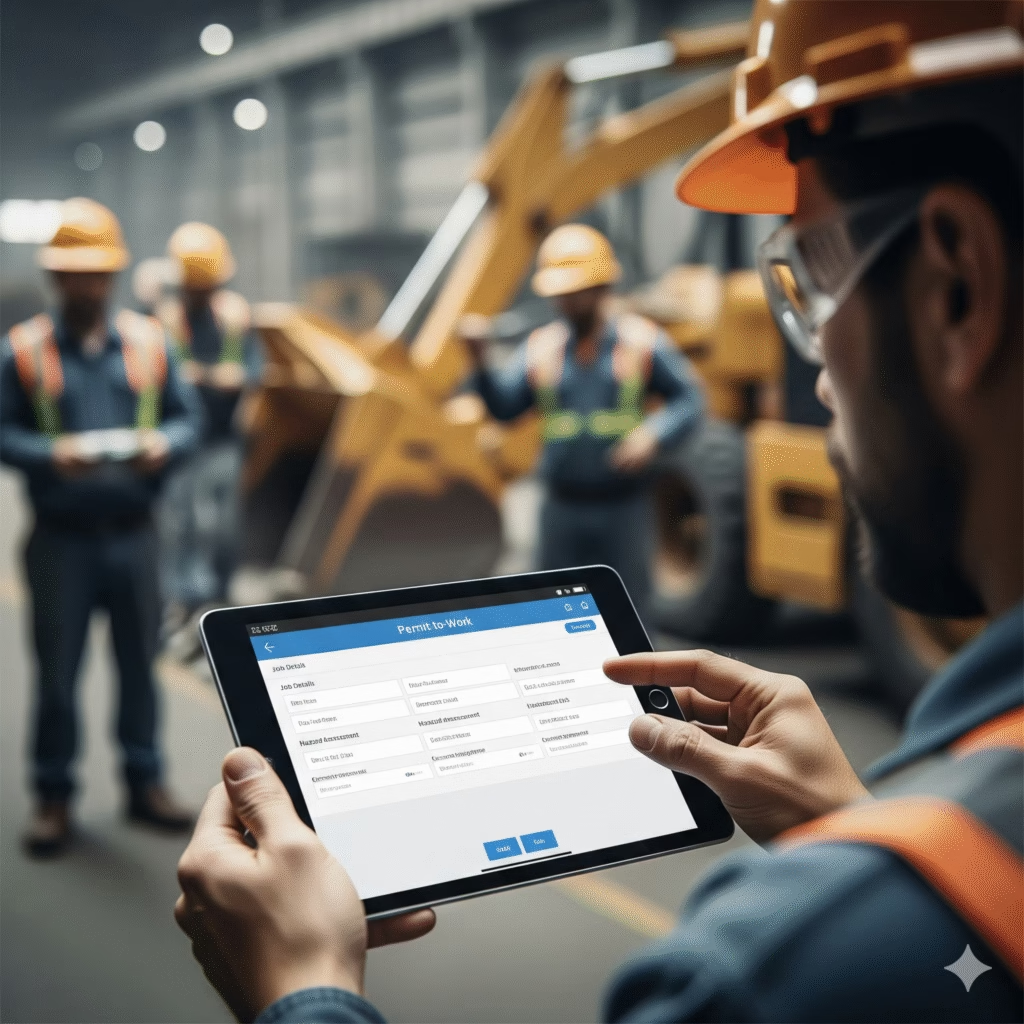
Permit to Work Mobile App for Industrial Safety Management:

Introduction

Industrial workplaces such as manufacturing plants, construction sites, oil & gas facilities, and power plants involve many high-risk activities. Jobs like hot work, confined space entry, electrical maintenance, and work at height require strict control to prevent accidents.

A Permit to Work (PTW) Mobile App helps industries manage these risks digitally by ensuring that every hazardous task is authorised, verified, and monitored in real time. By replacing paper permits with a mobile solution, organisations can significantly improve industrial safety management and compliance.

Key Features of a Permit to Work Mobile App

A Permit to Work Mobile App streamlines the management of high-risk industrial tasks by digitizing the entire permit process. It ensures that work is authorized, hazards are assessed, and safety controls are in place before execution. With real-time visibility and mobile access, the app improves coordination between safety teams, supervisors, and workers while maintaining compliance and reducing operational risk.

Features include:

1.Real-Time Status Tracking – Monitor permit status (active, suspended, closed) in real time for better control and accountability.

2.Mobile Accessibility & Audit Readiness – Access permits on mobile devices anytime and maintain secure, audit-ready records for compliance.

3. Role-Based Access Control – Only authorized users can create, approve, or close permits based on their role, ensuring safety and accountability.

4.Hazard Identification & Safety Checks – Identify risks in advance and complete safety checklists to ensure all precautions are followed before work starts.

How Mobile Solutions Address Real-World EHS Challenges on Site

Mobile EHS solutions help organizations overcome common on-site safety challenges by bringing critical safety processes directly to the field. Traditional EHS systems often rely on paperwork or desktop access, which can delay reporting and decision-making. With mobile tools, workers and supervisors can instantly report incidents, complete inspections, access permits, and identify hazards in real time. This improves accuracy, reduces missed information, and ensures safety issues are addressed before they escalate.

In addition, mobile EHS solutions enhance communication and compliance across worksites. Real-time notifications, digital checklists, and photo or document uploads allow teams to collaborate effectively, even in remote or high-risk environments. By providing immediate visibility into field activities and maintaining audit-ready records, mobile tools help organizations strengthen safety culture, reduce operational risks, and maintain regulatory compliance more efficiently.

Key Things Needed in a Mobile EHS App:

A mobile EHS (Environment, Health & Safety) app plays a crucial role in improving workplace safety by enabling employees to manage safety tasks directly from the field. In industries such as manufacturing, construction, and oil & gas, safety teams need quick access to reporting tools, inspections, and permits without depending on paperwork or desktops. A well-designed mobile 

To be effective, a mobile EHS app must be user-friendly, reliable, and built for real-world working conditions. From instant incident reporting to offline functionality, the right features ensure that safety processes are followed consistently across all sites. By choosing an app with the right capabilities, organizations can strengthen their safety culture while maintaining regulatory OSHA compliance and operational efficiency.

1.Easy Incident Reporting
A mobile EHS app should allow employees to quickly report incidents, near misses, or unsafe conditions from the field. With options to add photos, videos, voice notes, and location details, reporting becomes faster and more accurate. This helps organizations act early and prevent serious accidents.

2.Offline Access and Sync
Many worksites have poor or no internet connectivity. A good mobile EHS app must work offline, allowing users to capture data anytime. Once the internet is available, the app should automatically sync data to the system without data loss.

3.Risk Assessment and Checklists
The app should include digitalrisk assessments, safety checklists, and inspections. This ensures hazards are identified before work begins and helps teams follow standard safety procedures consistently across all sites.

4.Permit to Work Management
Mobile access to Permit to Work (PTW) ensures high-risk jobs are properly authorized and monitored. Users can request, approve, and close permits in real time, improving compliance and reducing safety risks.

5.Real-Time Alerts and Notifications
Instant alerts keep employees informed about safety updates, permit approvals, corrective actions, or emergency situations. Timely notifications improve response time and help maintain a proactive safety culture.

WORK PERMIT SYSTEM

Select a category to view safety protocols

🔥
HOT WORK
🕳️
CONFINED
ELECTRICAL
🏗️
HEIGHTS

Click a permit card above to display mandatory safety requirements.

Smart PTW Apps for Industrial Safety:

Smart Permit to Work (PTW) apps help industries manage high-risk activities in a safer and more organized way. By replacing manual, paper-based permits with digital workflows, these apps ensure that all safety checks are completed before work begins. They make it easier for workers, supervisors, and safety teams to communicate, reducing delays and preventing unsafe work conditions.

With real-time access through mobile devices, Smart PTW apps improve visibility and control over hazardous tasks. Approvals, inspections, and closures can be handled instantly, even from remote locations. This not only improves compliance with safety regulations but also creates a strong safety culture across industrial sites.

Key Benefits of Smart PTW Apps:

  • Digital Permit Management: Create, approve, and close permits quickly using mobile devices.
  • Improved Safety Checks: Ensure risk assessments and safety precautions are completed before work starts.
  • Real-Time Visibility: Monitor ongoing work activities and permit status instantly.
  • Better Compliance: Maintain digital records and audit trails for regulatory requirements.
  • Faster Communication: Send alerts and updates to teams without delays.

Practical Use Cases for Permit to Work Apps:

Safety Area PTW App Feature How It Helps Compliance Support Safety Benefit
Work Authorization Digital permit creation & approval Ensures all high-risk jobs are approved before work starts OSHA / ISO 45001 Controlled work execution
Hazard Control Risk assessment & safety checklist Identifies hazards and required precautions before issuing permits ISO 45001 Reduced workplace risks
Contractor Safety Mobile access for workers & contractors Allows on-site teams to view and follow permit conditions easily Statutory safety rules Improved contractor compliance
Permit Monitoring Real-time permit status tracking Tracks active, suspended, and closed permits instantly Audit & inspection readiness Better safety visibility
Accountability & Records Digital logs & audit trails Maintains complete permit history for reviews and audits Regulatory & management reviews Stronger safety governance

Conclusion:

A Permit to Work (PTW) mobile app plays a vital role in strengthening industrial safety management. By digitizing permit processes, industries can reduce human errors, improve communication, and ensure that all safety checks are completed before high-risk work begins. Mobile access allows workers and supervisors to manage permits anytime and anywhere, leading to faster approvals and better control over hazardous activities.

Frequently Asked Questions (FAQ)

1. What is a Permit to Work mobile app?
A PTW mobile app is a digital tool used to manage, approve, and monitor work permits for high-risk industrial activities using smartphones or tablets.

2. How does a PTW mobile app improve safety?
It ensures all safety checks, risk assessments, and approvals are completed before work starts, reducing accidents and unsafe practices.

3. Can PTW mobile apps work without internet access?
Yes, most modern PTW apps support offline access and sync data once the internet is available.

4. Is a PTW mobile app suitable for all industries?
Yes, it is widely used in industries such as manufacturing, construction, oil & gas, power plants, and chemicals.

5. Does a PTW mobile app help with regulatory compliance?
Yes, it maintains digital records and audit trails that support compliance with safety standards and regulations.

Digital Permit To work

Why Digitalizing Your Permit to Work System Is Now Critical for Workplace Safety: 

In today’s Industry every safety person is suffering From Manual PTW software Now Technology is going High Advanced level so You can switch to AI Based PTW software. AI can analyse past incidents and suggest safety measures. AI can automatically identify missing safety steps or highlight high-risk work. It can track trends, like which jobs are most likely to have accidents. 

Soft Designers makes compliance easier too. The PTW system is built to support OSHA, ISO, and other global/regional safety standards, ensuring that every work permit is backed by an audit-ready .  

In this Blog article, we explore how shifting from manual paperwork to an AI-powered PTW system transforms safety management.  

Step-by-Step Safe Work Permit Procedure to Ensure Workplace Safety: 

Companies issue different types of work permits based on the job and its risk level such as cold work, hot work, confined space entry, excavation, electrical work, and working at height. These permits help ensure that every high-risk activity is carried out safely and with full control. 

Across all industries, the Safe Work Permit process usually follows three main steps: 

1.Requesting, Reviewing, and Issuing the Permit 

A worker or supervisor first raises a request for a permit. The responsible authority reviews the job details, checks the location, identifies hazards, and decides whether the work can start. Only after all conditions are met, the permit is officially issued. 

2.Working Safely by Following All Permit Conditions 

Once the permit is issued, the team performing the job must follow all the safety instructions mentioned in the permit. This can include isolation steps, gas testing, wearing PPE,  or any other precautions required to keep the job safe. 

3. Closing the Permit After Work Completion 

When the work is completed, the person responsible inspects the area to ensure everything is safe, the equipment is restored, and no hazards remain. Then the permit is formally closed. 

People Involved in the Safe Work Permit Process: 

Many people participate in making work safe, including: 

  • Permit Issuer – Manages the entire process and approves the permit
  • Permit Acceptor– Carries out the job according to the safety rules
  • Supervisor – Ensures the work area is ready 
  • Safety Checker – Confirms atmosphere safety for confined space or hot work 
  • Contractors – Perform the actual job 
    Each person has an important role in ensuring that the work is performed safely. 

How Soft designers Is Digitally Transforming the Entire Safe Work Permit Process to improve Workplace Safety: 

Moving to a digital Permit to Work (PTW) system makes it much easier to manage all types of high-risk job activities such as confined space entry, hot work, electrical tasks, and working at heights. A digital system helps ensure every job follows the correct safety steps and that all work conditions remain safe from start to finish. 

Soft designers’ AI-enabled Digital Permit to Work Software is designed to fit your company’s workflow and safety requirements. With a simple, user-friendly interface, your team can work safely efficiently. The system supports you with: 

  • Digital approvals and signatures to speed up authorization 
  • Smart dashboards that show real-time permit status 
  • Automatic email alerts for pending actions 
  • Easy permit creation and submission from mobile or desktop 
  • Clear digital records for audits and compliance reporting  

    With the Soft designers’ digital PTW system, your team can work more confidently and safely. Communication becomes simpler; approvals happen faster, and every step of the permit process is clearly recorded. This helps reduce risks and makes compliance much easier across all your operations. 
Digital PTW Software

How Soft Designers Supports OSHA Standards & Compliance: 

Soft Designers’ Digital Permit to Work System is designed to help organizations meet OSHA (Occupational Safety and Health Administration) standards by ensuring every high-risk job is performed safely, documented properly, and monitored in real time.
 

1. Hot Work Permit Compliance (OSHA) 

Hot work—including welding, cutting, grinding, or any activity that produces sparks or heat—is regulated under OSHA to prevent fire hazards. 

Soft Designers supports hot work compliance by: 

  • Requiring digital hot work permit approval before any high-risk work begins 
  • Ensuring supervisors verify fire prevention measures (fire extinguishers, fire watches, and safe distances) 
  • Using AI-driven alerts to identify missing safety precautions or improper conditions 
  • Allowing workers to upload photos/videos of the site setup for verification 
  • Tracking each permit step with timestamped digital signatures, preventing work from starting until all safety controls are confirmed 

This digital process ensures that every hot work job is fully compliant with OSHA standards, minimizing fire and accident risks while keeping proper documentation.  

2.Confined Space Entry Safety (OSHA) 

Confined spaces are among the highest-risk work environments. OSHA mandates strict controls such as gas testing, ventilation, and attendant presence. 

Soft Designers ensures compliance by: 

  • Enforcing mandatory gas test results before entry 
  • Requiring continuous monitoring for oxygen and toxic gases 
  • Recording who enters, assists, and supervises the work 
  • Maintaining digital logs of atmospheric conditions and emergency steps 

3. Cold Work Permit Compliance 

Cold work includes tasks that do not generate heat or sparks (e.g., painting, cleaning, routine inspections) but still carries safety risks. 

Soft Designers ensures cold work compliance by: 

  • Requiring digital permit approval before work begins 
  • Enforcing checklists for chemical handling, ergonomics, and environmental hazards 
  • Recording safety measures and risk assessments 
  • Maintaining logs for inspection, PPE compliance, and emergency readiness 

4. Work at Height OSHA Compliance 

Work at height includes any task performed above ground level where a fall could cause injury (e.g., scaffolding, ladders, elevated platforms, rooftops). It is one of OSHA’s highest-risk categories and requires strict safety controls. 

Soft Designers ensures Work at Height OSHA compliance by: 

  •  Requiring digital permit approval before any elevated task 
  • Enforcing mandatory fall protection checklists 
  •  Maintaining logs for PPE compliance & equipment integrity 
  •  Ensuring rescue readiness & emergency response planning 

AI-driven prompts verify rescue equipment availability, trained personnel presence, and communication setup. 

4. Electrical Work Permit Compliance (OSHA) 

Electrical work involves high-risk energy exposure. OSHA requires proper procedures to prevent shocks, arc flashes, or electrocution. 

Soft Designers ensures compliance by: 

  • Requiring digital electrical work permit approval before starting 
  • Confirming isolation and safety procedures (e.g., energy source verification, lockout/tagout) 
  • Using AI to identify missing PPE or improper grounding 
  • Documenting each step with timestamped approvals 
  • Maintaining digital logs for inspection and Audits 

AI-Powered ptw the Future of Safer and Smarter Work Management: 

Today, AI is transforming how safety teams control high-risk work. Soft designers’ AI-enabled Permit to Work (PTW) system brings smart automation, real-time monitoring, and intelligent recommendations to every stage of the permit process. Instead of delaying only human checks, the system studies job details, past incidents, and safety patterns to guide teams toward safer decisions. 

1.  Hazard Detection 

AI automatically checks the job details like the type of work, tools used, location, and energy sources to find any possible dangers that humans might miss. It then suggests the correct PPE, isolation steps, gas testing, and other safety measures required. This makes sure every permit follows proper safety rules and global standards. 

2. Automated Safety Checks 

Before a permit is approved, AI checks everything to make sure no safety step is missed. It alerts the team if anything important is incomplete—like PPE selection, LOTO(Lockout/Tagout) confirmation, scaffold checks, or gas test readings for confined spaces. This helps avoid mistakes and makes sure the job starts only when the area is completely safe. 

3. AI-Based Risk Level Prediction 

Soft Designers’ system calculates a risk score for each job by analysing past incidents, near-miss records, and current site conditions. When a job is classified as high-risk, the system automatically requests additional review, extra control measures, or approval from supervisors or safety heads. This proactive approach helps prevent accidents before they occur. 

4.  Safety Trends: 

AI collects permit data from different work sites and turns it into useful insights. It shows which jobs often create safety issues, which hazards keep repeating, and which teams need more safety training. These insights help management improve safety culture and make overall safety performance stronger. 

5. Real-Time Support During Work: 

Once work begins, AI continuously monitors the permit status and alerts teams if any unsafe condition arises. It detects issues such as delayed job progress, missing isolation tags, unsafe site conditions, or incomplete checkpoints. This real-time intelligence ensures that every high-risk task is tracked, controlled, and executed with maximum safety. 

Conclusion: 

AI-powered PTW makes safety work faster, clearer, and more accurate. Soft designers’ digital PTW system helps teams catch risks early and avoid mistakes. It gives real-time guidance, so every job is done safely from start to finish. With Soft designers, companies can build a safer and smarter workplace. 

FAQ: 

1. Why does Digital Work permit Important for Safety Now? 

Yes. It is Reducing Mistakes and Speed up the Approvals. So Easy way to Handle the permit. 

2. What problems do manual PTW systems cause? 

They lead to delays, missing information, miscommunication, and lost permits. 

3. Does a digital PTW system help with OSHA/ISO compliance? 

Yes, it creates accurate digital records that meet global safety standards. 

4. Is Soft Designers’ digital PTW solution easy for workers to use? 

Yes, Soft Designers offers a user-friendly interface with guided steps for all levels of workers. 

5. Who benefits most from using the Soft Designers’ digital PTW system? 

Safety teams, supervisors, contractors, and management all gain better control, visibility, and compliance. 

Click the link below to learn More:https://www.softdesigners.co.in/work-permit-system/

Like The Article ! Share Your Experience with us .

Digital Permit To workPermit to work Management

Why Every Safety Team Needs a Digital PTW System?

Safety is critical in today’s industrial workplaces. Safety teams face high pressure while managing risky tasks such as hot work, cold work, electrical work, and confined space entry. Handling these tasks safely is challenging, especially when relying on outdated, manual PTW systems. 

But here is the reality that many safety people depend on Excel sheets, PDFs, and paper-based permits from outdated systems. A manual permit-to-work system creates a lot of delays to Approval and does not save time. So, it is very tough to handle high risk activities on the site.  

 This blog article talks about quickly switching to digital PTW systems and keeping your teams updated. 

How Do You Know Your PTW process IS falling: 

You can see the problem on the site because of slow approvals, more delays, losing information on paper, missing papers may result in losing important data, so it is falling and it’s spoiling our work with a lot of pressure. 

In many cases, contractors end up waiting hours sometimes even 7 hours just to receive a simple permit of approval. This wastes manpower, stops work, affects production, and increases pressure on both supervisors and safety teams. 

So here you can see the Big Signs of Your Manual PTW is holding your team back. 

1. Manual Signatures Slow Down the Workflow 

Approval sheets move from one person to another physically. If even one supervisor is busy or not available, the permit waits. Work delays, workers wait, and production gets stuck. 

Digital PTW cuts this delay with instant mobile approvals, even if the person is at another site. 

2.  No Delayed Work Approvals: 

Here multiple departments in the industry so each department we want to get approval for types of work permits Hot Work, Confined Space, or Electrical permits, if approvals are manual, they can take many hours take so it is creating work slow and work also get delay. Sometimes production could be critical condition that time slow approval means it causes problems and affects the problem for workers and the site also. 

No worries, a digital system always helps during critical conditions. A digital system reduces the time of Approvals And is just 10 minutes to get the approvals No time delay No production Work stop. 

3.Supervisors can’t see what is happening now: 

They can’t see which high-risk jobs are happening now, whether two risky tasks are happening too close to each other, or if something unexpected is going wrong. 

A digital PTW system fixes this. It shows a live dashboard of all ongoing work like hot work, confined space entry, and electrical jobs in one place. Supervisors can immediately spot risks, avoid job overlaps, and act before something becomes dangerous. 

 4. Too Much Time Spent on Repeated Manual Work 

Safety teams often write the same details again on multiple forms of job description, hazards, PPE, isolation steps, and toolbox talk details. This wastes time and increases chances of mistakes. 

Digital PTW auto-fills standard details, reduces repeated work, and speeds up permit creation with smart templates. 

5. Each Site Follow Different PTW format: 

In companies that have many plants or branches, each site usually creates its own style of Permit to Work process. Because of this, safety steps are different everywhere. It becomes hard to audit, compare performance, or maintain the same safety standards across the organization. 

In a digital PTW system, one standard workflow is used across all sites. 

The Benefits of Using Digital PTW for Your Safety Team to Solve Problem: 

A Digital PTW system gives Companies Big strategic Advantage by making the Whole Entire permit process faster, safer. Instead of delaying Slow Approvals and paper-based work, everything becomes Automated, Tracked all in one place of Live Dashboard. Then safety Teams can see the updates of the live Dashboard, see the status of what conditions, and check all the processes. 

Over time, the data collected from digital PTW helps organizations spot patterns, reduce incidents, and improve their overall safety performance. In short, it doesn’t just make daily work easier; it strengthens long-term safety strategies, boosts compliance, and builds a more efficient workplace. 

Key strategic advantages of digital PTW systems include: 

  1. Real-time oversight and risk reduction – Managers can monitor ongoing work instantly, preventing unsafe operations before they occur. 
  1. Improved compliance – Every permit and approval is digitally recorded, ensuring full traceability for audits and regulatory inspections. 
  1. Operational efficiency and standardized workflows – Teams follow consistent processes across all sites, reducing delays, miscommunication, and operational downtime. 

Manual vs Digital PTW Workflows: The Gap Is Huge 

When you compare manual PTW to digital PTW side by side, the difference becomes speed and safety. 

PTW Function Manual PTW Digital PTW Workflow 
Permit Creation Handwritten, missing fields Guided digital form  
Approvals Physical signatures Mobile approvals, instant routing 
Hazard Controls Inconsistent Mandatory controls with checklists 
Work Monitoring No visibility Live-time dashboards 
Permit History Hard to track Automatic & Easy to Track 

Industry-Ready Compliance: OSHA • ISO • OHS&E • Data Security: 

1. OSHA Compliance for High-Risk Permit-to-Work Activities

1. Meets OSHA requirements for high-risk jobs such as Hot Work , Confined Space Entry , Electrical Work , and Work at Height.

2.Ensures every high-risk task includes OSHA-mandated hazard controls, isolation steps, monitoring, PPE, fire-watch, gas testing, lockout-tagout, and rescue readiness.

3.Automatically builds OSHA-compliance documentation into each permit — no missing steps, no skipped controls.

4.Maintains a digital activity trail (who approved, who checked, who closed), supporting OSHA investigations, incident reviews, and compliance audits.

5.Enables supervisors to verify job hazard analysis (JHA), LOTO procedures, and atmospheric testing before issuing a permit.

6.Supports OSHA’s requirement for authorization only by competent and qualified persons for high-risk activities.

7.Provides a clear chain of responsibility to ensure accountability before work starts, during execution, and after closure.

2. ISO Compliance

1.Fully aligns with ISO 45001 requirements for controlling high-risk operational tasks such as Hot Work, CSE, LOTO, and Working at Height.

2.Embeds risk assessment, operational controls, and authorization requirements directly into every permit, maintaining ISO 45001 Clause 6.1 & 8.1 standards.

3.Standardizes PTW workflows across locations to ensure consistent risk controls, approvals, and monitoring as per ISO’s Operational Planning & Control.

4.Integrates ISO 9001 quality principles, ensuring every permit has traceable documentation, controlled revisions, and process accountability.

5.Supports ISO’s requirement for consultation, communication, and worker participation during high-risk job planning.

6.Helps organizations maintain audit-ready PTW documentation, including approvals, JHAs, hazard controls, and closure evidence.

3. OHS&E Compliance Hazardous Work Activities

1.Follows global Occupational Health, Safety & Environment guidelines for hazardous tasks that require strict permits and validated controls.

2.Ensures high-risk operations include environmental risk checks (spills, emissions, hot work sparks, confined space atmospheres).

3.Supports prevention of catastrophic events through structured high-risk workflows, isolation procedures, barricading, fire safety, and rescue readiness.

4.Enables live-time monitoring of ongoing high-risk permits to ensure proactive intervention before unsafe conditions escalate.

5.Provides visibility across shifts to avoid overlapping high-risk activities that could increase cumulative site risk.

6.Maintains documented environmental safeguards required for PTW operations near chemicals, utilities, pipelines, and hazardous zones.

4. Data Security & Protection for PTW Operations

1.Stores all high-risk permit past records for 3+ years, enabling investigations, incident reviews, and compliance verification at any time.

2.Applies role-based authorization so only competent and authorized personnel can approve Hot Work, CSE, Electrical, or Height permits.

3.Maintains tamper-proof digital logs that track each action — creation, review, rejection, modification, and closure — critical for legal requirements.

4.Ensures real-time integrity of PTW data during emergencies, allowing safety teams to access historical and active permits instantly.

5.Protects sensitive PTW information from unauthorized access, manipulation, or deletion, supporting compliance with global security standards.

Why Safety Team Choose Soft designers: 

Fast-moving Safety teams need tools that are quick, simple, and keep work safe. Soft designers’ digital PTW platform does exactly that. Its easy-to-use design, Live-time tracking, and automated workflows help teams handle high-risk tasks safely and efficiently across different sites. The system reduces mistakes, speeds up approvals, and gives managers a clear view of all ongoing work so they can make better decisions. Whether the team is small or spread across many locations, soft designers give the flexibility, reliability, and support needed to stay ahead. 

Key reasons team choose soft designers: 

  1. Easy-to-use platform – Safety teams can adopt it quickly without extensive training. 
  1. Live-time tracking – Instant visibility into permit approvals, ongoing tasks, and potential hazards. 
  1. Automated workflows – Reduces manual steps and prevents delays in high-risk operations. 
  1. Standardized safety processes – Ensures consistent practices across all sites, improving compliance. 
  1. Scalable and flexible – Suitable for small teams or large multi-site organizations, adapting as the business grows. 
     

By providing faster approvals, improved safety, and actionable insights, soft designers help teams work smarter, safer, and more efficiently, making it the preferred choice for modern operations. 

Conclusion: 

Soft designers help teams work safely and efficiently by making high-risk tasks easy to manage. With Live-time tracking, automated workflows, and consistent processes, teams can prevent accidents, save time, and stay compliant. It is a reliable solution for any organization that wants smarter, safer, and faster operations. 


Digital Permit To work

Beyond Compliance: Using Digital PTW to Achieve Safety Excellence in Heavy Industry

Introduction

In recent years, many industries have been transforming from manual paper-based systems to digital solutions due to various challenges in managing EHS (Environment Health Safety) and operations. Organisations now realise the need to go digital to achieve better safety, reduce delays, ensure faster approvals, and eliminate long waiting times.

How OSHA Compliance Relates to PTW:

OSHA standards are safety rules designed to keep workplaces safe and healthy. By following them, companies create a culture of safety and accountability among workers.

A Digital Permit to Work (PTW) system makes OSHA compliance easier by covering high-risk activities like confined space entry, hot work, electrical maintenance, and more.
Every step — from hazard identification to approvals and supervision — is recorded and stored digitally, ensuring complete traceability and compliance with safety regulations.

Types of Work Permits and How Digital PTW Manages Them:

1. Confined Space Entry Permit

Before entering confined spaces, workers must ensure:

  • Air testing confirms safe oxygen levels.
  • PPE, air circulation, and gas detection systems are ready.
  • A trained attendant is on standby.
  • Emergency procedures are in place.

With Digital PTW, permits are instantly created, reviewed, and approved through mobile workflows — ensuring faster approvals and safer entries.

2. Hot Work Permit

For jobs involving heat, welding, or sparks:

  • The area is checked for flammable materials.
  • Fire extinguishers and fire blankets are available.
  • Gas cylinders are properly stored.
  • A fire watch person monitors the site.

Digital PTW automates this process by sending real-time alerts and reminders to safety officers, ensuring every fire safety condition is verified before work begins.

3. Cold Work Permit

Used for tasks like cleaning or maintenance that don’t produce heat or sparks:

  • The site is hazard-free and well-ventilated.
  • PPE such as gloves, masks, and helmets are worn.
  • Tools and equipment are inspected.

Digital PTW ensures every step is verified, and supervisors can approve or reject permits remotely, improving both efficiency and compliance.

4. Electrical Work Permit

Protects workers from electrical hazards:

  • The power supply is isolated and locked out (LOTO).
  • Only authorised electricians perform the task.
  • Warning signs are displayed clearly.

Digital PTW integrates with LOTO procedures, automatically checking that isolation steps are completed before approving the permit.

5. Working at Height Permit

For any job where there’s a risk of falling:

  • Safety gear like belts and harnesses are mandatory.
  • Weather conditions are checked.
  • Emergency rescue plans are ready.

Supervisors can use the Digital PTW app to verify PPE compliance and track authorized workers in real time, ensuring safer work at heights.

6. Excavation Work Permit

Before digging or trenching:

  • The area is checked for underground utilities.
  • Warning signs and barriers are placed.
  • Gas testing and safe access routes are confirmed.

Digital PTW ensures all risk and environmental checks are approved before excavation begins — reducing the chance of accidents.


Digital PTW Mobile App Features:

Digital PTW Mobile App Features

Empower your workforce with next-generation digital safety management tools — fast, smart, and secure.

Instant Notifications

Get real-time alerts on approvals and reminders directly to your mobile app, ensuring zero delays in safety actions.

Permit Management

Digitally request, review, and approve permits from anywhere with a smooth, multi-level authorization process.

Live Dashboard

Track work status, monitor safety KPIs, and view all permit data in one centralized, real-time dashboard.

AI Hazard Detection

AI-powered analytics help predict potential hazards before they happen, improving proactive safety measures.

Secure Access

Choose cloud or on-premise deployment with role-based access control to protect sensitive data efficiently.

Mobile Accessibility

Access and manage all safety permits anytime, anywhere with our fully responsive, mobile-first PTW platform.

Solutions for All Industries:

Our Digital PTW platform is available for both mobile and web applications, offering:

  • Instant notifications for pending approvals.
  • Easy digital submission and supervisor approval process.
  • Live dashboard for real-time monitoring and tracking.
  • AI-powered hazard identification using historical safety data.
  • Flexible deployment — on-premises or cloud — based on organisational needs.

How Digital PTW Helps Achieve Safety Excellence:

Digital permit to work

To move beyond compliance, industries are focusing on:

  • Full digital transformation of permit processes.
  • Live visibility and performance tracking through dashboards.
  • AI analytics for proactive hazard identification.
  • Mobile-first approach for faster communication and approvals.
  • Continuous improvement through safety data insights.

By adopting a Digital PTW system, industries not only comply with OSHA but also build a strong safety culture — where safety becomes everyone’s responsibility and every process is transparent.

Why Switch to a Digital PTW System:

  • Save Time: No more late approvals or lost paperwork.
  • AI-Based Risk Identification: Detect and analyse potential hazards in advance.
  • Accuracy & Speed: Improve precision and response time for permit processes.
  • Digital Transformation Partner: Simplify compliance and safety management with smart digital tools.

Conclusion:

Achieving safety excellence in heavy industries means going beyond basic compliance.
A digital permit-to-work system ensures streamlined approvals, complete OSHA documentation, and consistent worker protection.


Digital Permit To work

Digital Permit to Work: Industry Implementation Guide:

Introduction:

Digital Permit to Work (PTW) system makes the process faster, safer, and more reliable. It allows companies to issue, track, and close permits online, ensuring better compliance, real-time monitoring, and reduced risks. By moving from manual to digital, industries can improve efficiency, enhance workplace safety, and save valuable time.

How Moving from Manual Paper Permits to Digital Permits Saves Time and Reduces Errors:

1. Faster Approval Process

Paper permits often need physical signatures and manual circulation. Digital PTW allows approvals to happen instantly online, saving hours or even days.

2. No Risk of Lost or Misplaced Papers

With paper, permits can get damaged, misplaced, or lost. A digital system stores everything securely in one place, always accessible.

3. Reduced Manual Data Entry Errors

Paper permits rely on handwriting and manual entries, which may cause mistakes. Digital PTW uses standard templates and drop-downs, reducing errors.

4. Real-Time Tracking and Updates

Instead of calling or waiting for physical files, managers can track the status of permits instantly, ensuring smooth workflow and timely approvals.

5. Automated Notifications and Reminders

Digital systems send alerts for pending approvals, expired permits, or upcoming renewals — something paper systems can’t do.

6. Easy Reporting and Audit Trails

Compiling data from paper takes time. Digital PTW generates reports instantly and keeps a clear audit trail for compliance checks.

7. Improved Communication Between Teams

Digital platforms connect workers, supervisors, and safety officers in real time, reducing delays caused by manual back-and-forth.

Digital permit To work

Step-by-Step Guide to Implementing Digital Permit to Work:

1. Get Management Approval

Before starting, your company needs leadership support. Management should understand the problems with paper permits (slow, errors, compliance risk) and approve the move to digital PTW.

2. Understand Current Process

List down all the permit types you use (hot work, confined space, electrical, etc.) and map how approvals are happening today. This helps you see the gaps and what needs improvement.

3. Set Clear Requirements

Decide what features your digital PTW must have — for example: online approvals, notifications, mobile access, audit trail, and reports. This ensures the system meets your exact needs.

4. Choose the Right Solution

Select a trusted digital PTW software provider or tool. Make sure it is easy to use, secure, and fits your industry standards.

5. Customize Workflows and Templates

Every company’s permit process is different. Configure the software with your own permit forms, approval chains, and safety checklists.

6. Try a Small Test First

Start small maybe with one department, site, or type of permit. This helps you check if the system works as expected before rolling it out everywhere.

7. Train Your Team

Provide training for all employees who will use the system. Show them how to request, approve, and close permits digitally. Make it simple and practical.

8. Go Live Across the Organization

After a successful pilot and training, launch the digital PTW system company-wide. Ensure support is available in case of issues.

9. Monitor and Improve

Track the results — such as faster approvals, fewer errors, and improved safety compliance. Collect feedback from users and keep improving the system.

Future Outlook: How AI and IoT Are Transforming Digital Permit to Work Systems:

1. AI-Powered Risk Prediction

AI can analyse past incidents, permit data, and safety trends to predict potential risks before work begins. This helps supervisors take preventive actions and reduce accidents.

2. Automated Permit Approvals

With AI, routine permits can be auto-checked against safety rules, reducing manual delays. This speeds up approvals while ensuring compliance.

3. Smart Monitoring with IoT Devices

IoT sensors (like gas detectors, temperature sensors, or wearables) can provide real-time data from the worksite. If unsafe conditions are detected, the system can pause or revoke permits instantly.

4. Worker Safety Through Wearables

IoT-enabled helmets, badges, or smartwatches can monitor worker location, fatigue, or exposure to hazardous environments. This ensures only authorized and fit workers enter risky zones.

5. Digital Version to Test Tasks

AI and IoT can create a “digital twin” of work areas, allowing companies to simulate tasks before issuing permits. This helps identify hazards and plan safer operations.

6. Mobile Integration

Future systems will let workers request or close permits using mobile devices, making the process faster and more user-friendly.

7. Real-Time Compliance and Reporting

AI can generate instant compliance reports, while IoT ensures accurate, live data collection. This reduces paperwork and makes audits much easier.

Conclusion:

Implementing a Digital Permit to Work system transforms the way industries manage high-risk tasks. It makes the process faster, safer, and more accurate, reducing human errors and ensuring compliance with safety standards. By adopting digital PTW, companies can monitor work in real-time, improve communication, and create a stronger safety culture across all operations. The move from manual to digital is not just a technological upgrade  it’s a step toward smarter, safer, and more efficient industrial operations.