Digital Work Instructions
AI-powered software platform that digitizes, standardizes, and streamlines manufacturing operations through intelligent work instructions, multilingual operator guidance, quality inspection, production analytics, and enterprise-grade traceability. It helps manufacturers improve First Time Right (FTR), enhance workforce productivity, ensure process compliance, and accelerate operational excellence across the shop floor.
SCHEDULE A DEMOOperator App for Digital Work Instructions
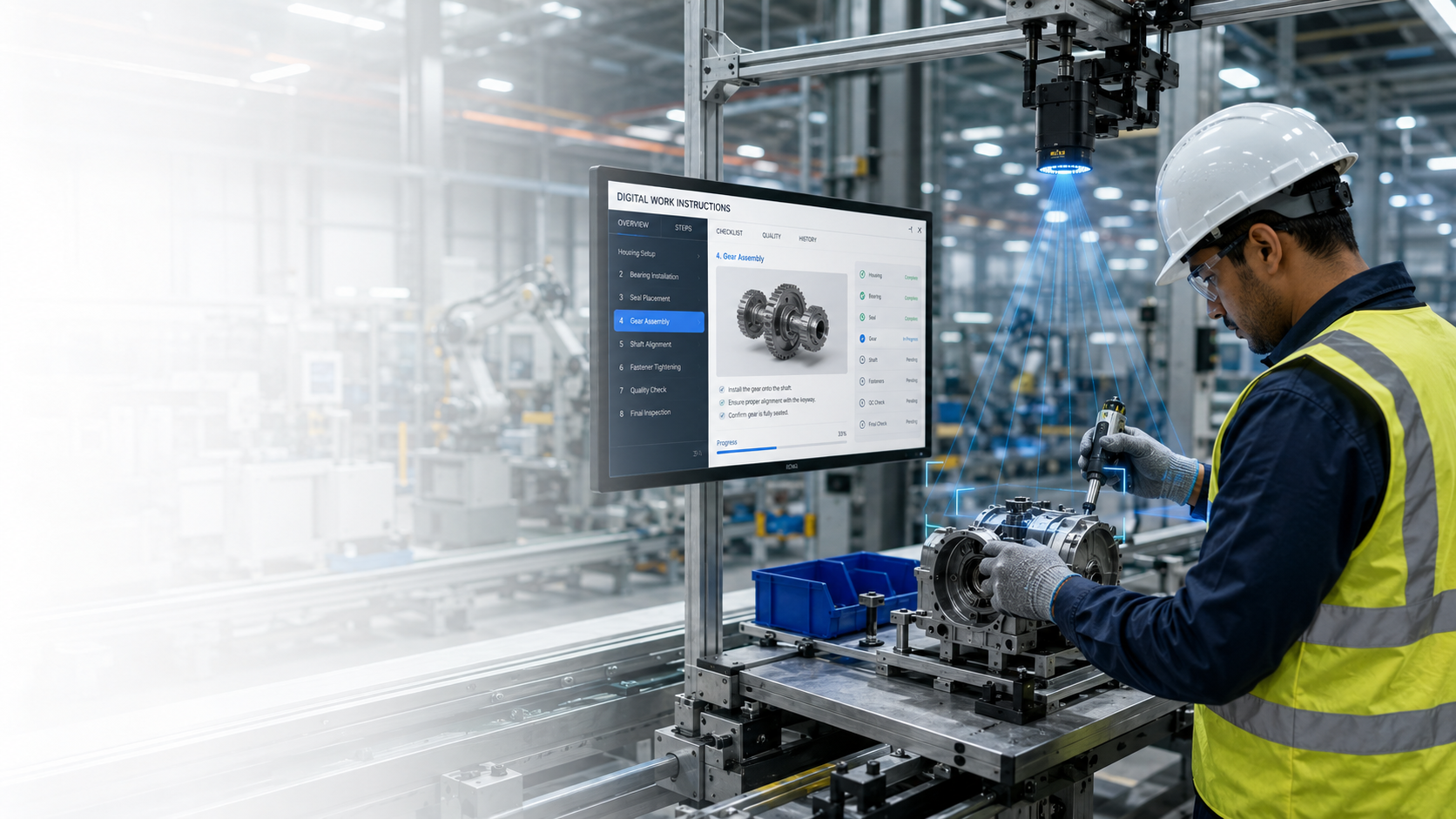
Provides operators with clear instructions to help them execute their tasks with confidence. Improve consistency across your operations, improve quality, and enhance productivity. Built for the shop floor to support consistent manufacturing operations.
Interactive 3D Work Instructions
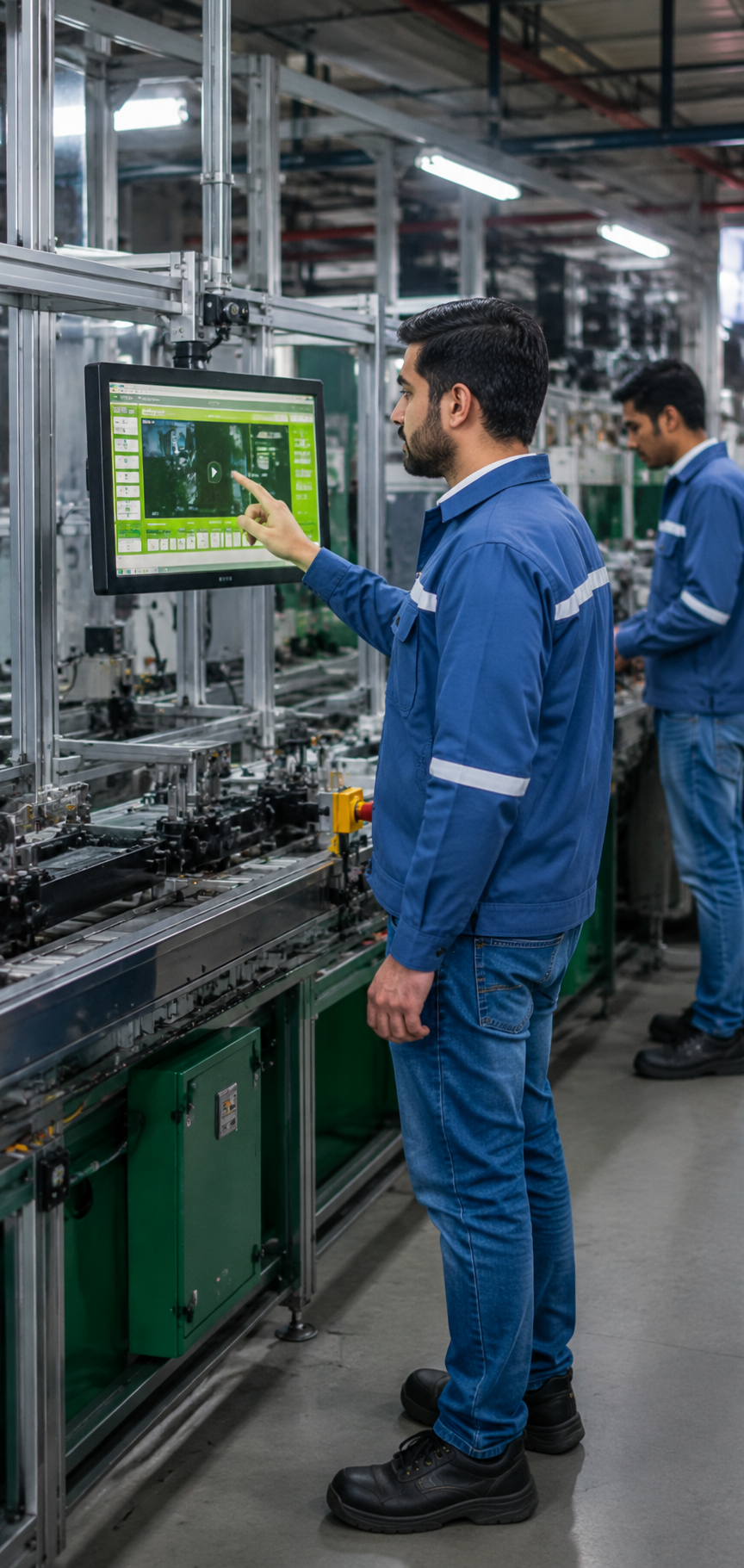
Guide operators through every task with clear instructions, supported by photos, videos, and 3D models for accurate and consistent execution.
Barcode Sign-In
Operators can scan their employee barcode for a fast and secure sign in and task traceability and accountability.
Guided Workflow Navigation
Guide operators through each stage of the process with simple Next and Previous navigation, ensuring work is completed in the correct order.
AI Based Multi Language Translation
This application is capable of translating work instructions into several languages, thus removing the language barrier for all workers.
Mandatory Quality Checks
Require quality checks at critical stages before operators move to the next step, helping reduce defects and rework.
Automatic Work Instruction Updates
When work instructions are updated, all shops and workstations are instantly updated with the changes, eliminating outdated documents and paper copies.
Offline-Ready by Design
Continue production even during network interruptions with automatic offline data capture and background synchronization. Ensure all completed tasks and quality records are securely synced once connectivity is restored.
Supervisor App for Digital Work Instructions
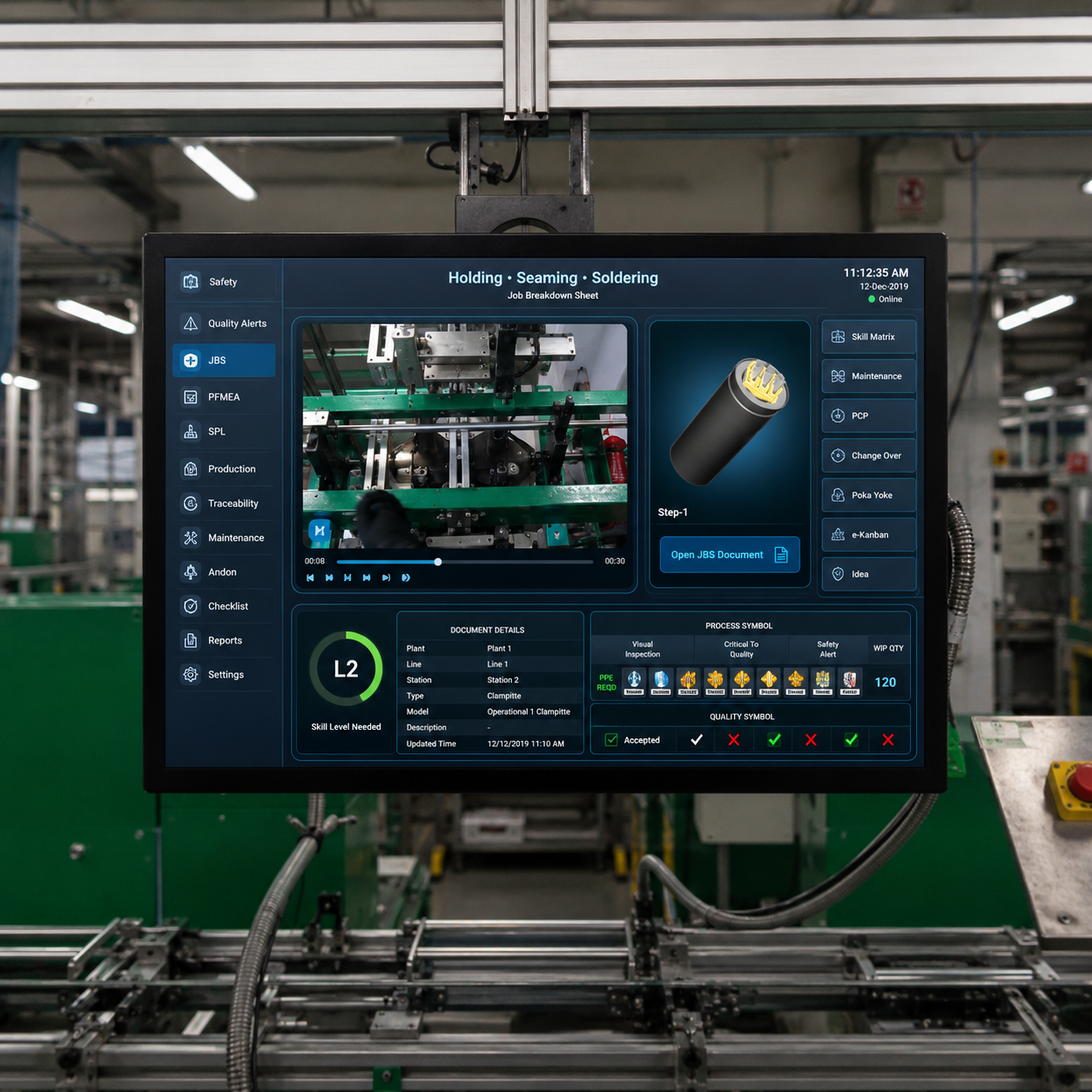
Our work instruction software enables supervisors and engineers to create, edit, review, approve, and publish standardized instructions across production lines. Version control, templates, user permissions, and centralized management ensure operators always have access to the latest approved instructions.
Work Instruction Builder
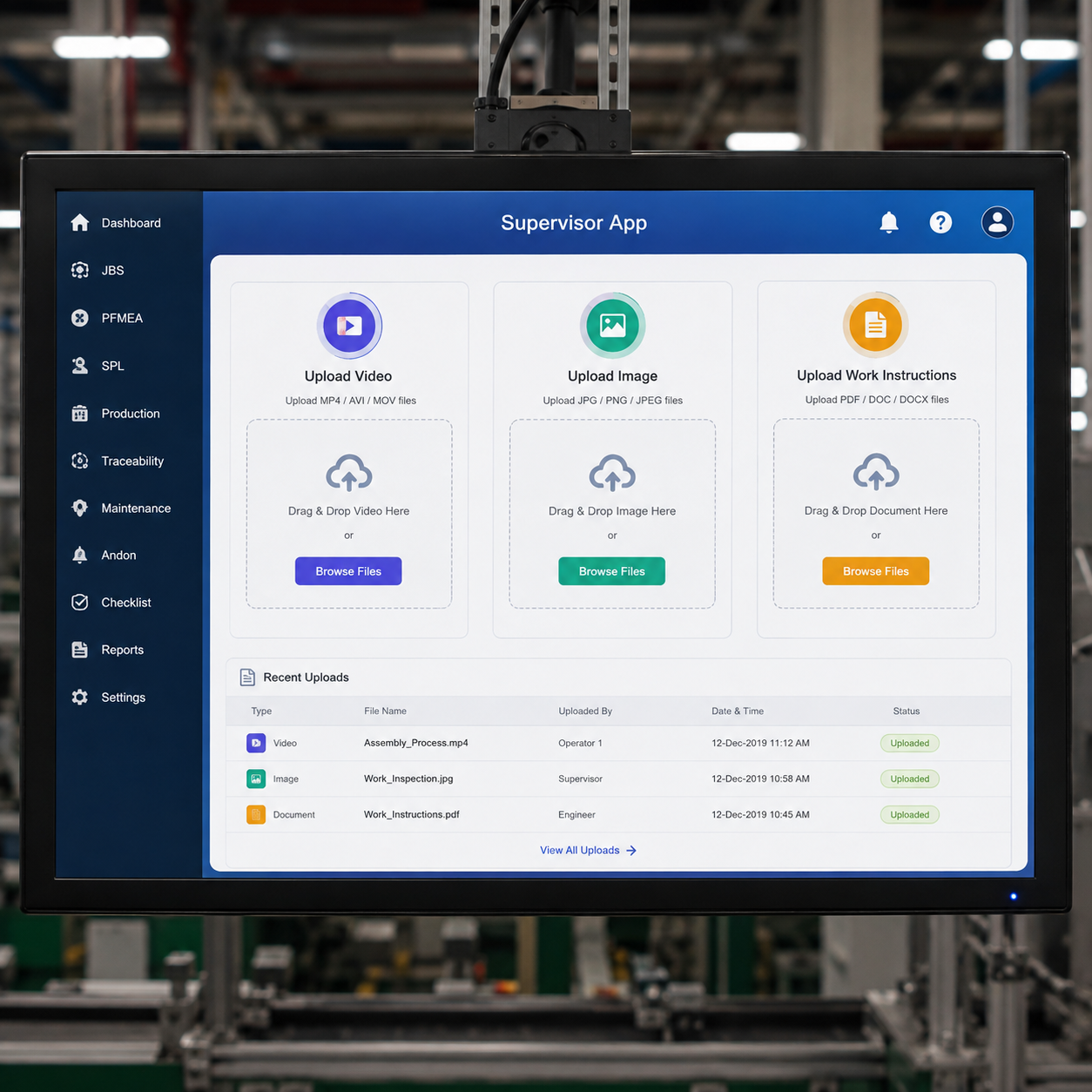
Create, edit, and publish digital work instructions using an intuitive visual editor.
Version Control
Control the revisions and approvals, and ensure operators access the latest instructions.
Quality Dashboard
Create reusable work instruction templates to standardise processes across products and production lines.
Template Management
Control user access with role based permissions for supervisors, engineers, operators, and administrators.
User Management
Design flexible digital work instructions by arranging videos, images, and other content to match any production process. Customize ready-made templates or build layouts from scratch for different workstation needs.
Multiple Plant Management
Manage all work instructions, users, and production across all factories from one app.
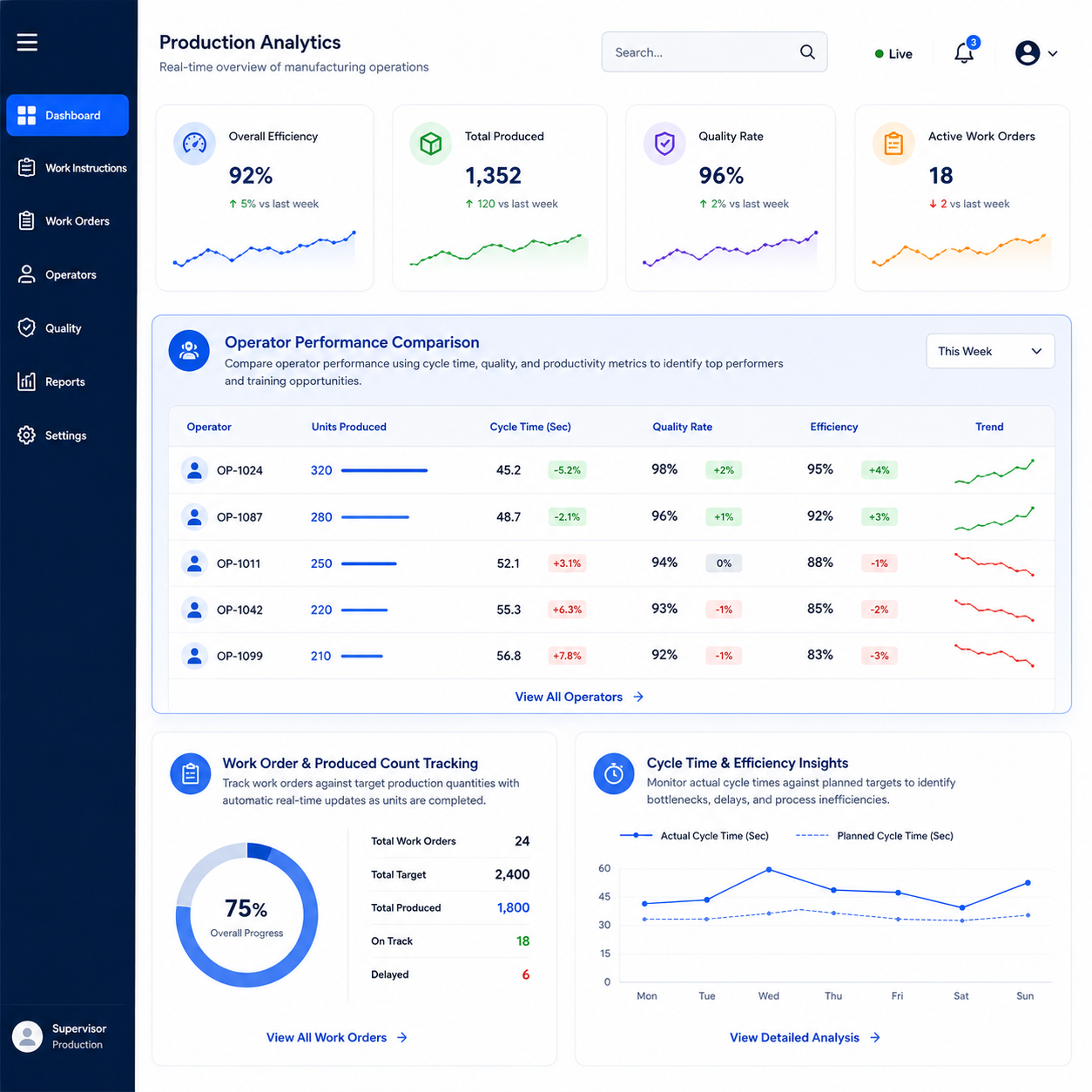
Real-Time Production Insights
Turn everything happening on the floor into a live picture of how production is actually performing from a single work order to a full shift without asking anyone to build a manual report.
Work Order & Produced Count Tracking
Track work orders against target production quantities with automatic real-time updates as units are completed. Eliminate manual counting while giving supervisors accurate visibility into production progress.
Operator Performance Comparison
Compare operator performance using cycle time, quality, and productivity metrics to identify top performers and training opportunities. Enable data-driven decisions to improve workforce efficiency and balance workloads.
Cycle Time & Efficiency Insights
Monitor actual cycle times against planned targets to identify bottlenecks, delays, and process inefficiencies. Gain actionable insights to optimize production performance and improve operational efficiency.
Production KPI Dashboard
View real-time production KPIs, including throughput, quality, downtime, and target achievement, from a centralized dashboard. Empower managers with live operational insights for faster and informed decision-making.
Digital Quality Inspection Every Step
Ensure every work instruction is completed with accuracy, quality, and complete Traceability. Capture inspections, verify measurements, and enforce standardised processes directly within the operator workflow.
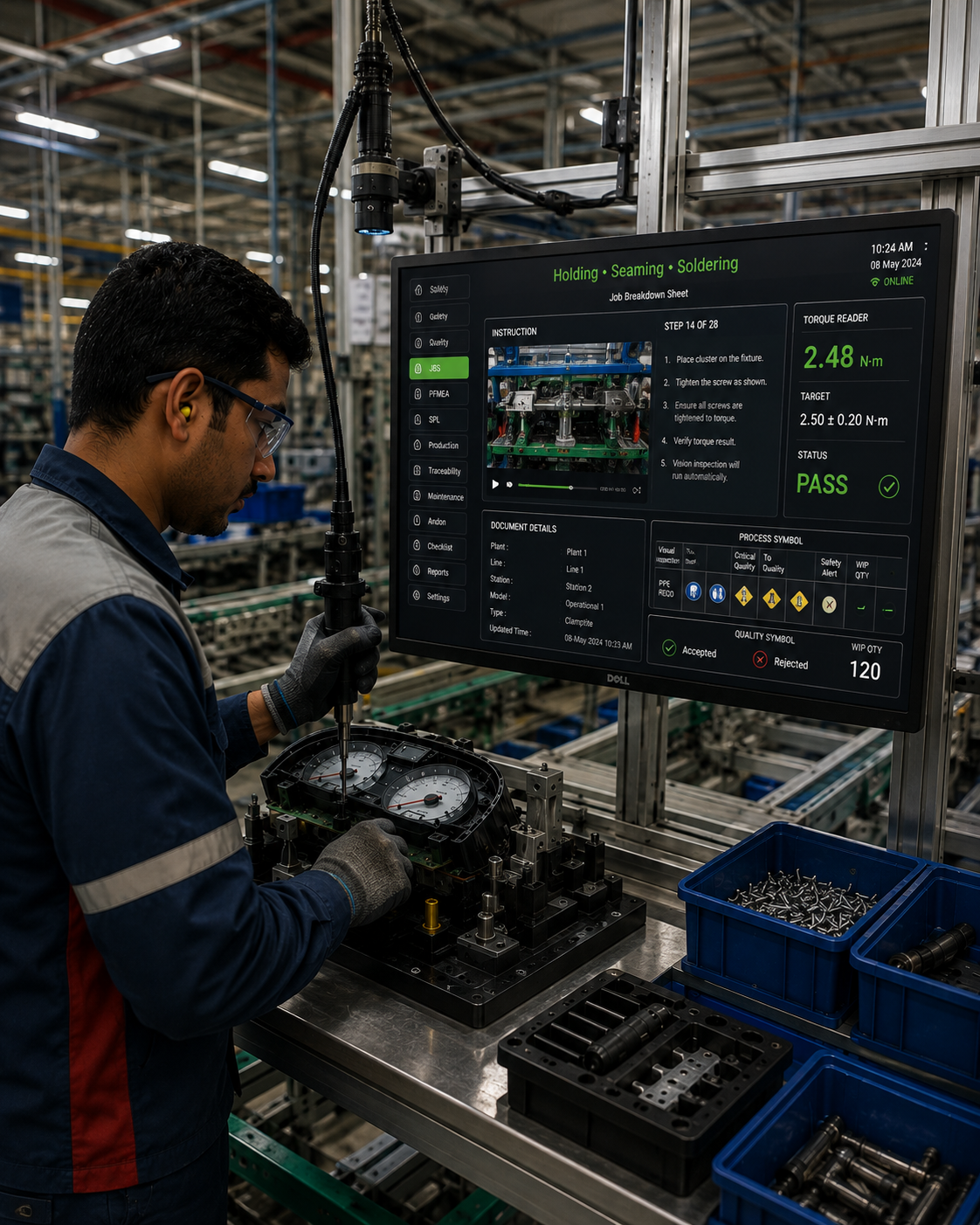
Integrated Quality Checks
Capture pass/fail results, measurements, or checklist-based inspections as part of every work instruction.
Measurement Device Integration
Integrate torque tools, gauges, and inspection equipment using RS-232 or Modbus TCP/RTU to record measurement data automatically.
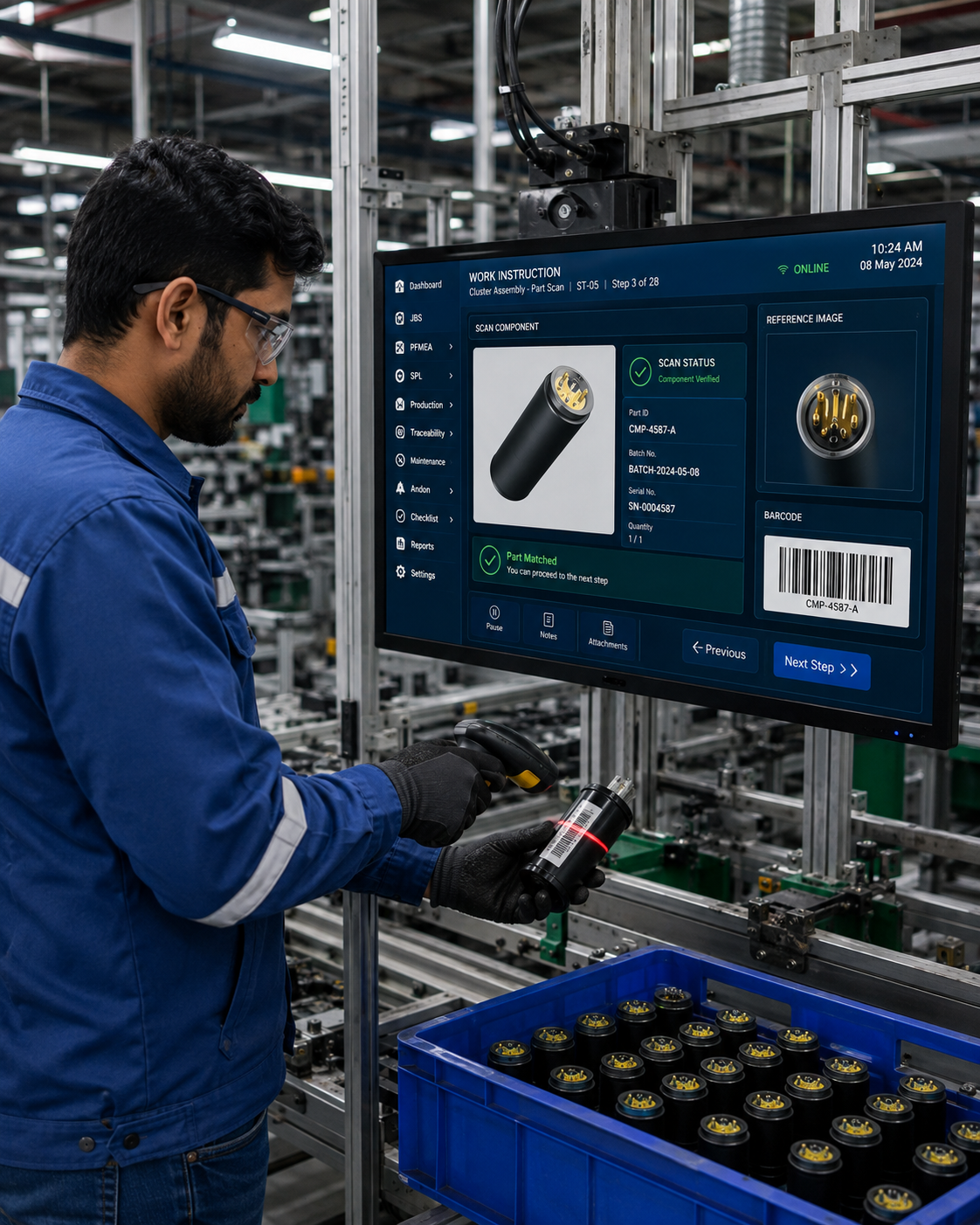
Barcode Scanning
Scan work orders, components, and operator IDs with complete timestamped traceability throughout production.
Operator Skill Verification
Limit critical tasks to operators of the requisite skill level. Authorised supervisors may make overrides as needed.
Production Quality Insights
Evaluate the quality of work and the effectiveness of inspections and production metrics with real-time dashboards and reports.
Document-to-Work Instructions in Minutes
Convert existing SOPs, PDFs, paper travelers, and production documents into manufacturing digital work instructions that operators can access directly at the workstation. Standardize each process while capturing task completion, quality checks, and production data for better visibility and traceability.
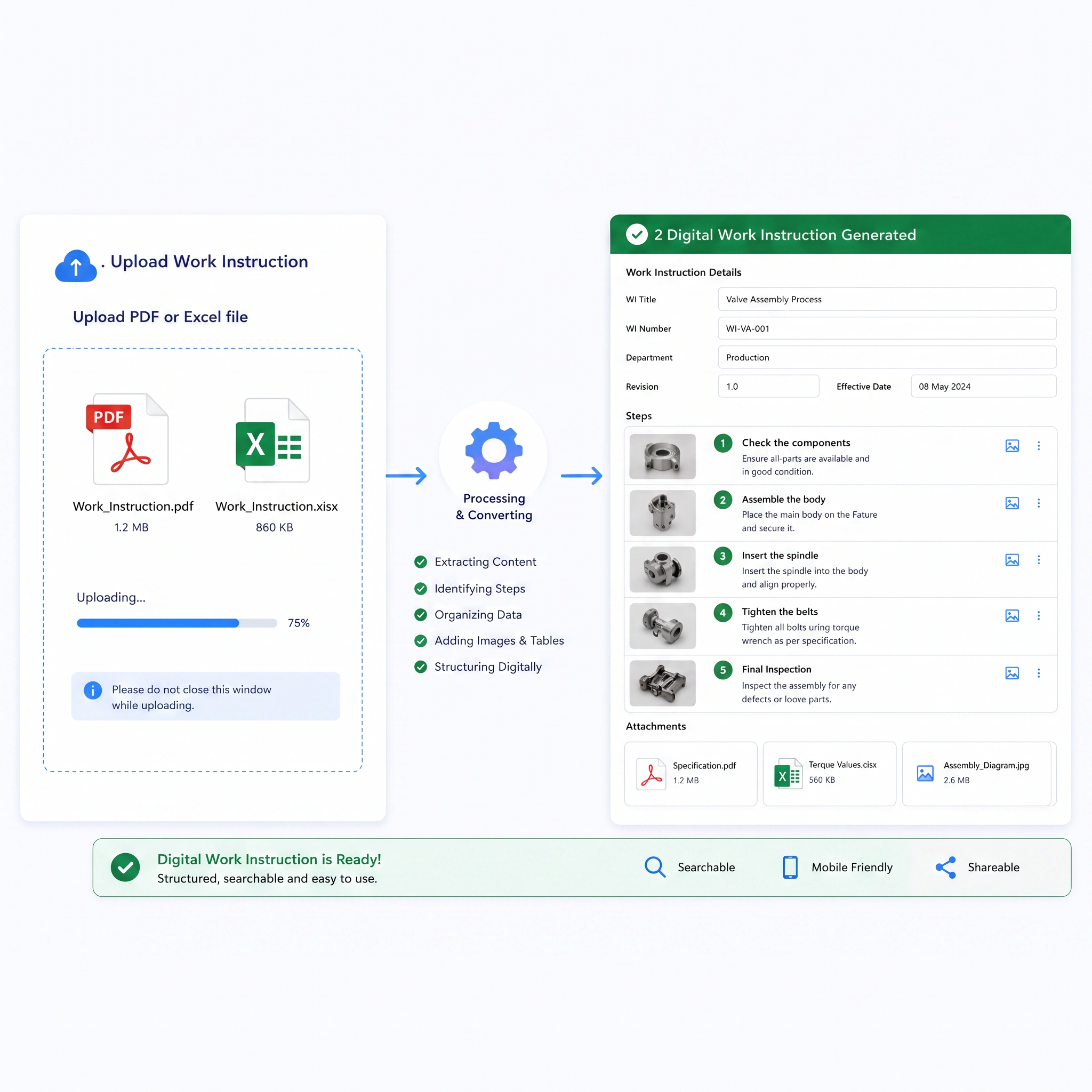
- Upload & Understand Upload work instruction documents in PDF, Word, or image formats, and AI automatically identifies steps, images, parameters, and quality checkpoints. Eliminate manual data entry and accelerate the digitization of legacy documents.
- Instant Digital Work Instructions AI converts uploaded documents into structured digital Work Instructions with organized steps, images, and quality checkpoints in approximately five minutes. Supervisors can review, refine, and publish workflows with minimal effort.
Traceability Across Every Work Instruction
Maintain complete production traceability with centralized records, controlled workflows, and a detailed history of every work instruction.
- Centralised Parts Catalog Manage part numbers, descriptions, CAD drawings, materials, suppliers, and per-step quantities from a single centralised catalogue.
- Work Order Tracking Track work orders, production quantities, and completed units throughout the manufacturing process.
- Automatic Label Printing. Approval Workflow Control work instruction approvals with configurable Draft, Pending, and Approved stages before production release.
- Audit Trail Maintain a complete history of work instruction revisions, approvals, and user activities with time-stamped records.
Schneider Electric Improves Manufacturing Performance with Digital Work Instructions
Challenges
Improve manufacturing visibility, compliance, employee performance, and reduce manual processes and carbon footprint.
Solution
Digital Work Instructions centralized work instructions, product information, training content, videos, images, and safety alerts, giving workers real-time access to the right information at each workstation.
Results
Improved task accuracy and consistency while reducing manual documentation and improving production efficiency.
Impact
- 20% Higher First Pass Yield
- 30% Less Manual Documentation
- 25% Faster Access to Work Instructions
- 20% Better Task Consistency














Our Trusted Clients
We’re proud to collaborate with industry leaders and innovative companies