Skip to content
☰
EHS Software Solution

Digital Permit to Work Software

With the centralised Digital Permit to Work software, digitising approvals, managing high-risk work, and ensuring compliance has never been easier. Maximise the benefits of Permit to Work software with configurable digital workflows that manage permits from request and approval to execution and closure. Compliance is made easier and safety is enhanced with access to real-time data for every work permit issued for high-risk activities.
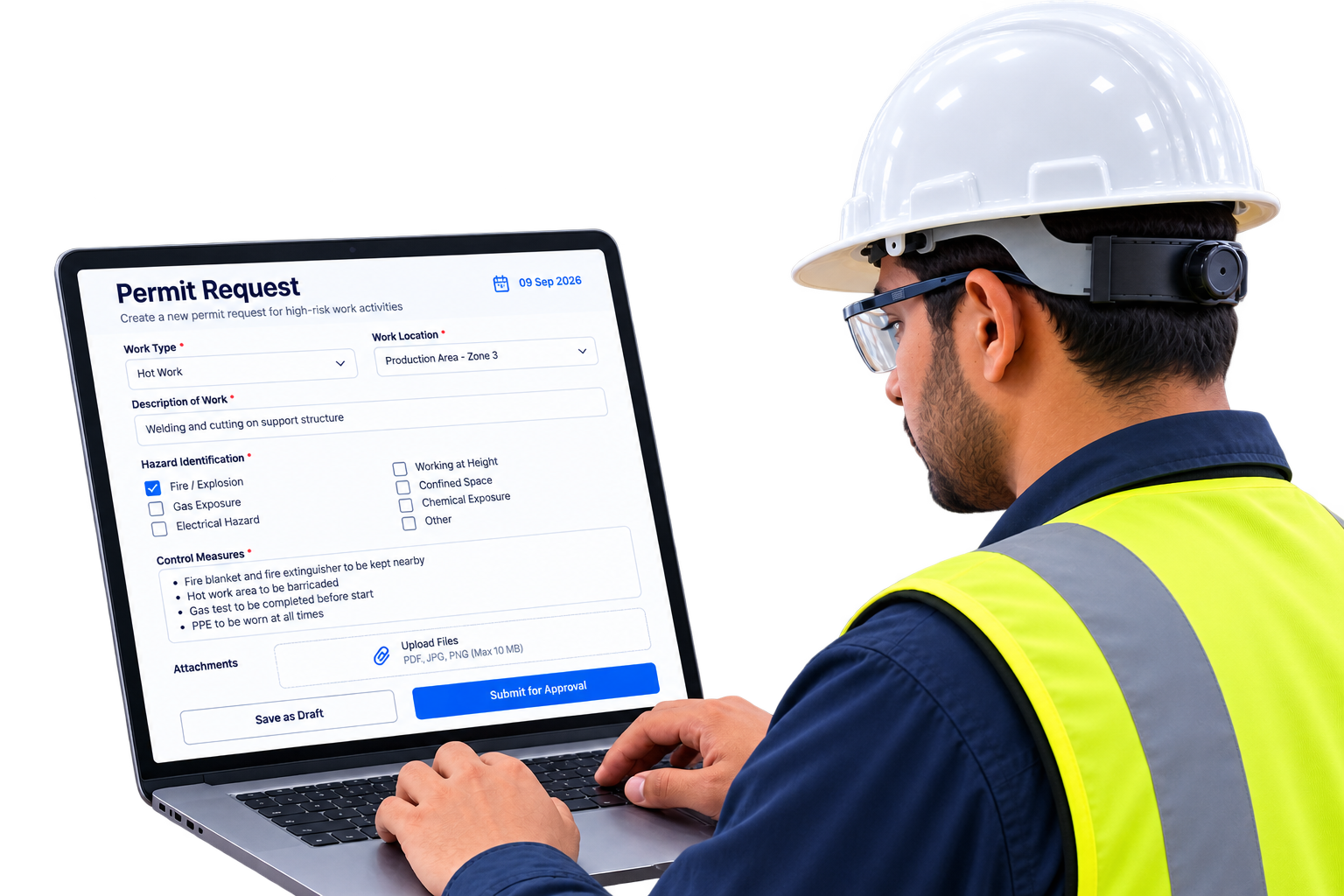
Digital Permit to Work Preview
Advanced Safety Management

Enterprise Permit-to-Work Capabilities

Automate compliance, eliminate SIMOPS conflicts, and ensure end-to-end safety accountability across your industrial operations.

AI Based Hazard Advisory

Every permit receives instantaneous, AI-generated suggestions for hazards, controls, and mitigation.

Contractor Compliance Verification

Permit issuance is automatically blocked if a contractor’s training, certifications, and safety documentation are insufficient.

SIMOPS Conflict Prevention

Permit requests for overlapping, high-risk activities are automatically blocked.

Ready to Use Permit Templates

Create permits quickly with multiple permit types for hot work, confined space, electrical, height, excavation, and more.

Real-time permit dashboards

Permits can be viewed in real-time, regardless of their status.

LOTO Integration

Permits remain in LOTO until equipment isolation is verified and released by an authorized person.

Hierarchical Permit Approval

Permits automatically queue to the next approver after being approved by the supervisor, safety officer, and department head, in that order.

Built-in Risk Assessment and JSA

Hazards can be assessed and risks evaluated, along with a JSA, prior to the commencement of work.

Digital Signatures with Audit Trail

Permanent approvals can be given via a digital signature, which is fully accounted for in an audit.

Permit to Work Workflow

From Permit Request to Safe Work Completion

A structured permit-to-work workflow ensures that every job is reviewed, authorized, monitored, and properly closed before work is considered complete.

01

Request & Review

Work details, location, timing, and required documentation are submitted through the digital permit request.

02

Approval & Risk Assessment

Supervisors, department heads, and safety teams review the request, hazards, controls, and required PPE.

03

Permit Issuance

Once all mandatory approvals are verified, the permit is officially issued with defined conditions and validity.

04

Work Execution & Monitoring

Authorized work proceeds strictly according to permit conditions with ongoing field safety monitoring.

05

Closure & Record Keeping

Completed work is verified, the permit is safely closed, and records remain accessible for audits.
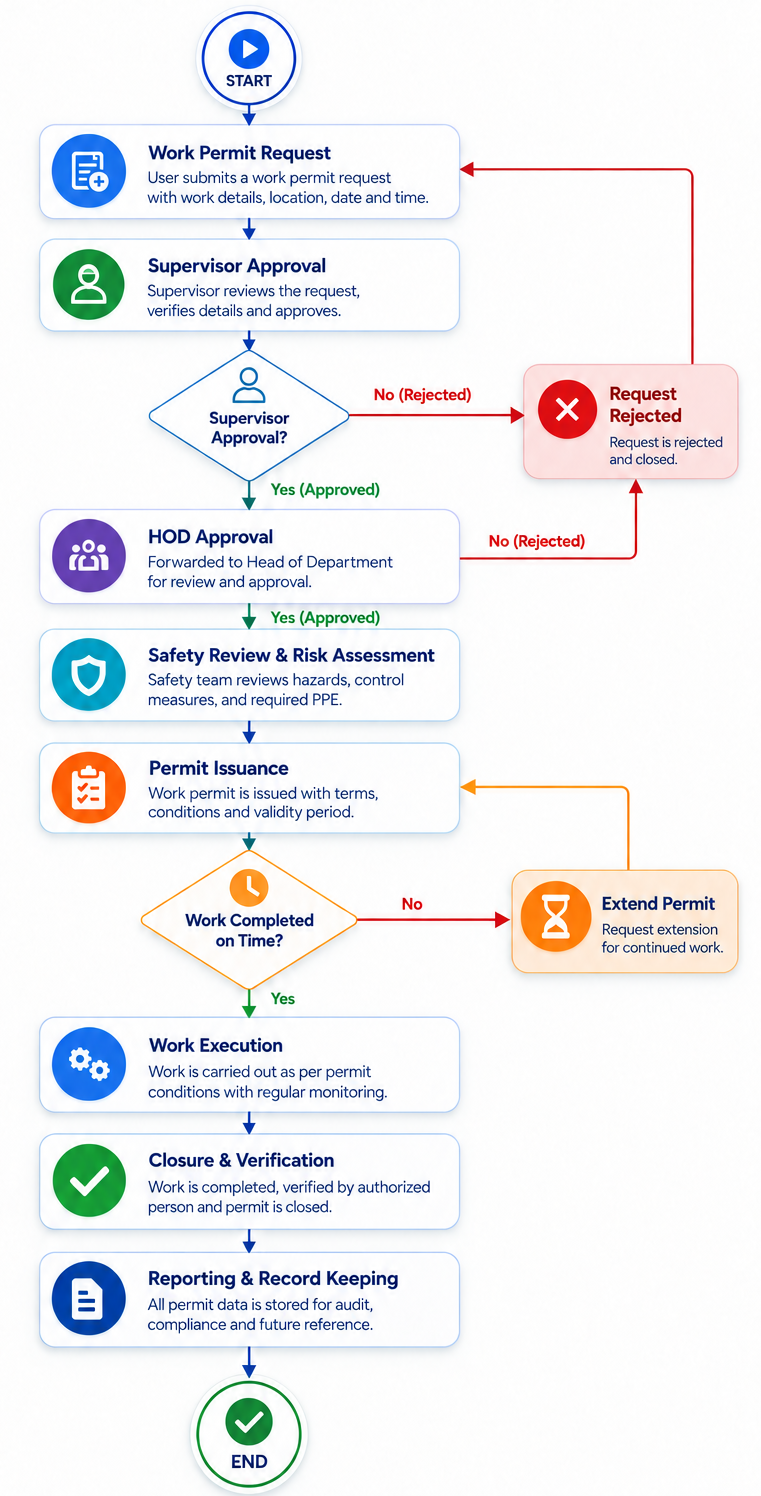
STANDARD WORKFLOW PROCESS
PTW-FLOW
Work Permit Workflow Flowchart
AI-POWERED SAFETY

AI Risk Assessment Before Work Begins

AI analyzes the information entered in the work permit, including task activities, location, and adjacent equipment, to perform a risk assessment before work begins. It identifies potential hazards, evaluates associated risks, and recommends relevant controls before the permit is approved.

01
Permit Details Task information entered in permit
02
AI Risk Analysis Analyzes conditions & adjacent equipment
03
Recommended Controls AI recommends precautions & PPE
04
Safety Approval Safety team reviews verified assessment
PERMIT-TO-WORK AI ENGINE

WP-10482 • Hot Work

AI Assessment
LOCATION Production Zone 03
ADJACENT EQUIPMENT Process Piping Line B
PLANNED ACTIVITY Welding & Cutting on structural frame
Identified Hazards (3)
AI Risk Rating: High
Fire / Explosion • Combustible slag & sparks
HIGH
Gas Exposure • Process lines in 15m radius
MEDIUM
Welding Fume Exposure • Low natural ventilation
MEDIUM
AI RECOMMENDED CONTROLS
Remove combustibles (35 ft)
Continuous gas testing
Dedicated trained fire watch
Class B/C fire extinguisher
MOBILE APP

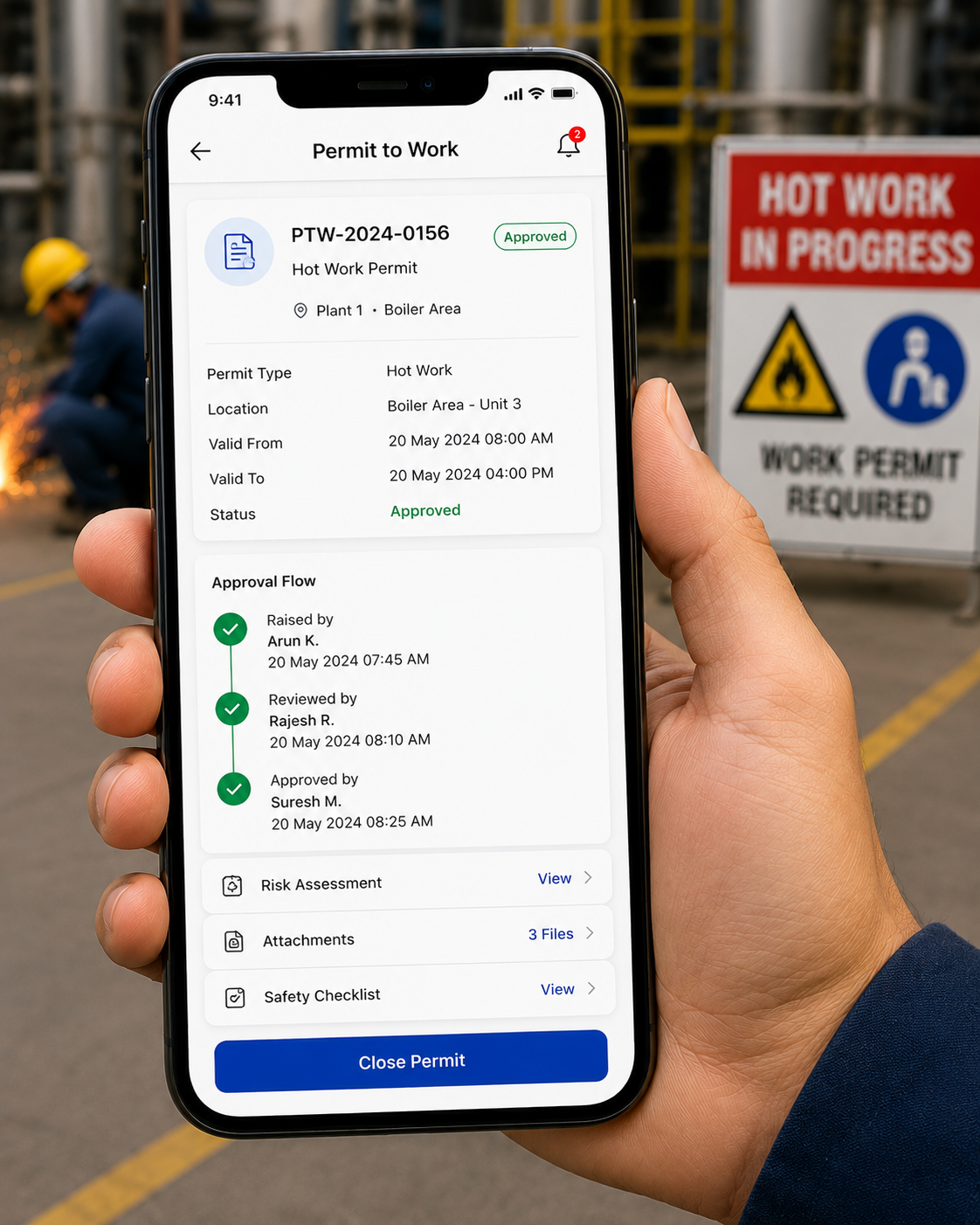
Manage Work Permits From the Field

Create, review, approve, and monitor work permits directly from your mobile device. Give workers, supervisors, and safety teams instant access to the permit-to-work process wherever work is happening.

Create Permit

Raise permits directly from the field.

Safety Checks

Complete checks and capture field observations.

AI Risk Assessment

Review AI-identified hazards and controls.

Review & Approve

Review permits and sign off from anywhere.

Track Status

Monitor pending, active, and expiring permits.

Close From Field

Complete final checks and close permits safely.

Available on both Google Play & iOS
9:41
NEW REQUEST

Create Permit

WORK TYPE
Hot Work
LOCATION
Production Zone 03
ACTIVITY
Welding & Cutting
Continue to AI Check
9:41
Work Permits FIELD SAFETY
ACTIVE SHIFT OVERVIEW

Safety Dashboard

12 Active
4 Pending
3 Review
RECENT PERMITS
WP-10479 ACTIVE
Electrical Work
Utility Area 01
9:41
SUPERVISOR SIGN-OFF

Permit Approval

PERMIT CODE
WP-10482
AI RISK RATING
HIGH
APPROVAL STATUS
Ready for Review
Review Permit →
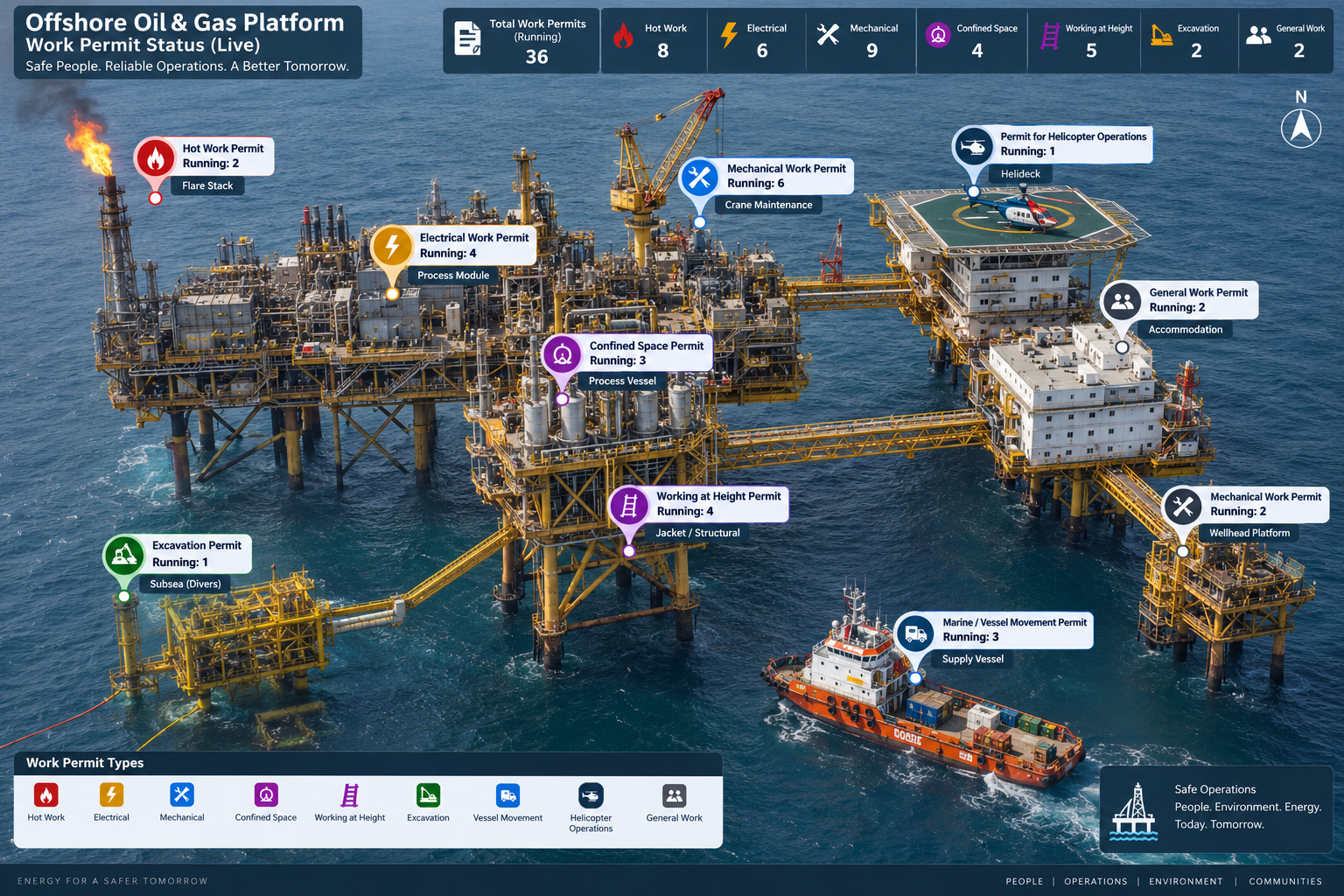
Plant-Wise Permit Management

Control Work Permits Across Every Plant & Location

Manage work permits across countries, sites, plants, and work areas with centralized visibility, standardized workflows, and location-based operational control.

Multi-Plant Visibility

Monitor permit activity across multiple plants and operational sites from a single centralized view.

Country & Site-Level Control

Organize permits by country, region, site, plant, and specific work area for better operational control.

Location-Based Permit Tracking

Connect every permit to its exact plant, area, and work location for clear visibility of where work is taking place.

Standardized Safety Across Sites

Apply consistent permit workflows, approval processes, and safety requirements across plants and locations.
Country
Region
Site
Plant
Area
Work Location
LOTO Isolation Verification Digital permit to work Software
Equipment Safety

Built in LOTO Verification for Equipment Isolation

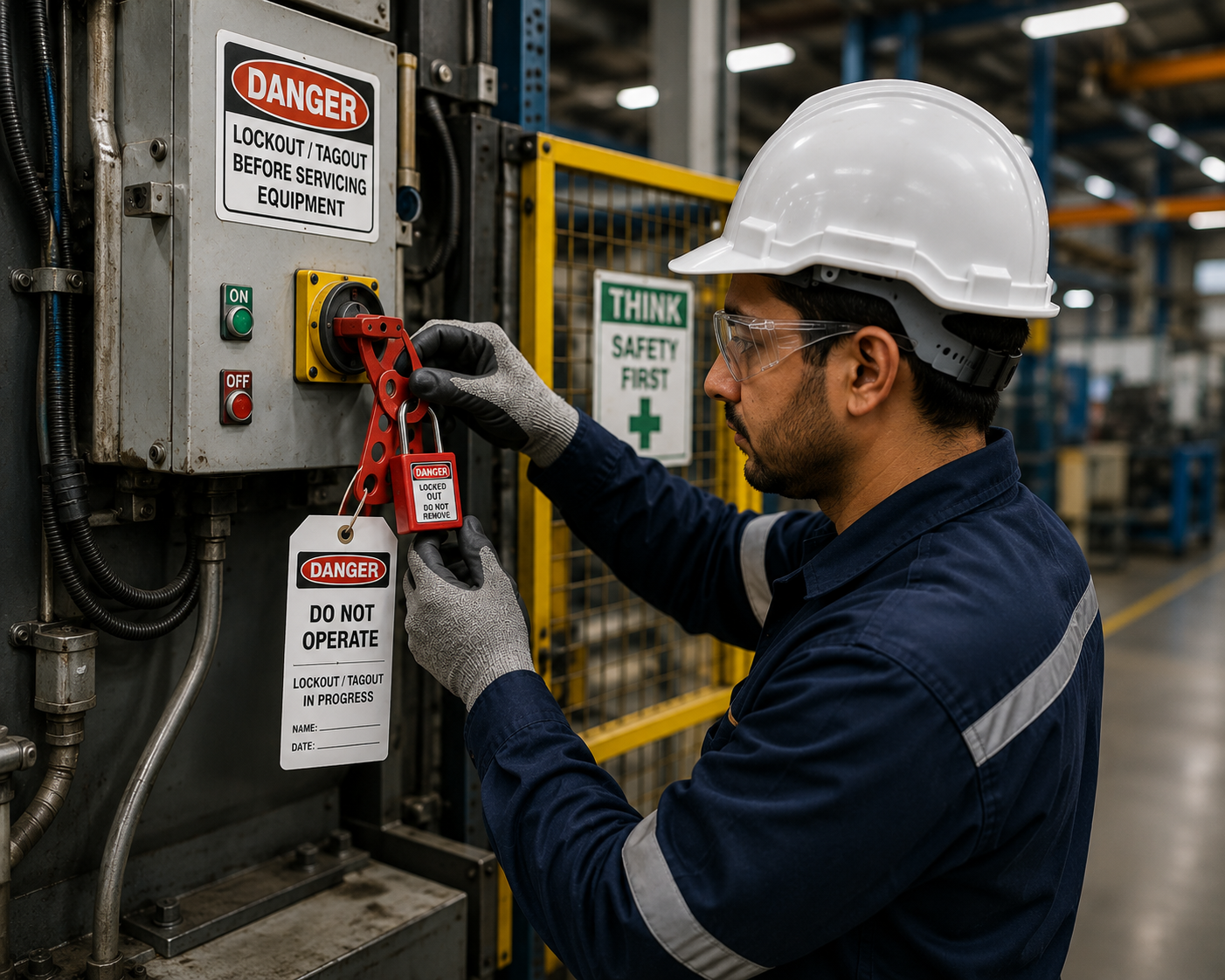
It is possible for a work permit to gain full approval while equipment isolation remains incomplete, which is where the risk for serious workplace injuries increases.

OSHA 1910.147, for example, dictates that lockout/tagout isolation cannot be assumed with the signing of a work permit but must be verified as a separate, confirmed step. Our system includes verified lockout tagout confirmation as part of the work permit process. The work permit cannot transition into an active status until the isolation of equipment is confirmed by a person with authorisation and the release of the lock, along with the identification and contact information of the work permit technician, is recorded as part of the work permit system.

Risk Coordination

SIMOPS Conflict Detection to Prevent Simultaneous Operations Risks

In the same work area, performing multiple highly risky processes can cause site incidents and is one of the most difficult issues to detect through manual permit tracking.

Cross-checking each shift and each team to detect high-risk activities comes up short and typically happens too late. With our SIMOPS detection, the system automatically checks for conflicts by work permit locations, timings, and risk types. Instead of notifying after risky work has started for process conflicts, our system detects and alerts before work permits are approved.

Overlap Detection

Real-time cross-checks

Area Mapping

Zone telemetry

Time Overlap

Gantt scheduling sync

High-Risk Alerts

Instant notifications

Soft Designers
Dashboard
Permits
SIMOPS
Risk Assessment
LOTO
Reports
Settings
SIMOPS Dashboard
JD John Doe
Active Permits
24
Conflicts
3
Upcoming
12
Prevented
18
Permit Timeline (48 Hrs)
Work / Location 08 AM 10 AM Status
Hot Work
Zone A
#1256 Active
Line Maint.
Zone A
#1257 CONFLICT
Equipment
Zone B
#1268 Clear
Site Map View
Zone A
⚠️ Conflict
Zone B
✓ Clear
Zone C
✓ Clear
Zone D
✓ Clear
Platform Overview

Why Choose
Digital Permit to Work Software

An intelligent framework built to eliminate operational friction, automate compliance, and safeguard industrial environments.

01

Predictive AI Risk Advisory

Identifies risks beforehand to enable proactive measures and mitigate incidents.

02

Mobile-Ready Permit Access

Use permit software to approve and get alerts on permits while working offline from any location.

03

Cloud-Based EHS Platform

Our EHS platform allows secure cloud access to permit and compliance records.

04

AI Safety Chatbot

AI support provides immediate responses for permit workflows, compliance, and safety.

05

Multi industry Workflow Support

Supports manufacturing, oil and gas, construction, and other workflows in high-risk industries.

06

User Friendly Dashboard

One dashboard provides real-time compliance metrics, permits, and safety status.
Digital Permit to Work Software for automated safety permit management
Our Case Studies

Every Success Has a Story Worth Sharing

Luminous logo

Luminous

Explore how Luminous Power Technologies streamlines workplace permit management through digital permit requests, approval coordination, safety checks and structured work authorization.

Read Case Study

Gabriel logo

Gabriel

Explore how Gabriel simplifies work permit management through digital permit creation, approval coordination, safety requirements and structured permit workflows.

Read Case Study
01
02
GLOBAL SAFETY STANDARDS

Aligned With Global Safety Standards

01

OSHA (USA)

02

HSE (UK)

03

EU Directives

04

ISO Standards

05

Indian Standards

Smart Manufacturing

Industries We Serve

Connected digital solutions designed to improve manufacturing visibility, productivity, quality and operational efficiency.


Permit to Work Performance

MONTHLY PERMIT STATISTICS

Monitor your safety performance in real-time. These figures reflect your monthly Permit-to-Work activity — from permits issued to successfully closed.

0
ISSUED PER Day
0
CLOSED
0
AVERAGE INSPECTION TIME
0
Corrective Actions Closed

Our Trusted Clients

We’re proud to collaborate with industry leaders and innovative companies

Luminous Power Technologies Logo
Schneider Electric Logo
Grundfos Logo
Gabriel India Logo
Bühler Group Logo
Dynamatic Technologies Logo
Unominda Logo
Priya Cement Logo
Collins Aerospace Logo
DRDO Logo
ISRO Logo
Tata Steel Logo
Fine Automation Logo
Sintex Logo
PM Technologies Logo
Continental Logo
AES Logo
SLZ Tech Automation India Logo
Harita Fehrer Logo
IFB Automotive Logo
Track TraceIT Logo
ABB Logo
Steel Strips Wheels Limited Logo
Resil Chemicals Logo
Indiana Logo
READY TO STRENGTHEN WORKPLACE SAFETY?

Ready to Transform Your Permit Process?

Experience streamlined operations, enhanced safety, and real-time control with our Digital Work Permit System.

Permit to Work Software FAQ

A permit to work system is a method to document that authorizations and controls are in place to carry out potentially dangerous work safely.
Depending on the needs of the business and the risks present in the workplace, there are usually 8 to 12 types of Permit to Work (PTW) used by most organizations. Some of these PTWs could include hot work, cold work, confined space entry, electrical, work at height, excavation, lifting, and LOTO PTWs.
Features to look for could include the ability to customise permit templates, digital sign-off using e-signatures, automated notifications of permit expiration and the need for renewal, integration of isolations and LOTO, real-time dashboards of permit status, access to permits on mobile devices with offline capability, and reports that are ready for an audit. Which software offers the greatest ability for a non-technical EHS team to create and/or modify the permit process without the need for a programmer.
There are many industries that need Permit to Work software (e.g., oil & gas, construction, manufacturing, chemical, mining, power & utilities, pharmaceuticals, logistics, marine, and infrastructure). These are industries that deal with hazardous work and require controlled approvals, risk management, and compliance with regulations.
Digital PTW software improves the speed and compliance of the system by eliminating the lag in the approval process, preventing the permits from being misplaced, and creating an audit trail in the system.
Permit to Work software improves safety by ensuring that every high-risk task is objectively assessed and authorised in real time. This reduces the margin for error and improves accountability across the site.