
Incident management system
Male worker feeling unwell and coughing while working in factory

The Impact of Delayed Incident Reporting

Incident reporting is a crucial aspect of any organization’s safety management system. It enables companies to identify, investigate, and address potential hazards, reducing the risk of future incidents. However, delayed in responding incidents can have far-reaching consequences.

The Consequences of Delayed Incident Reporting:

Delayed accident reporting can lead to:

1. Inaccurate or incomplete information: Making it challenging to conduct thorough investigations.

2. Increased risk of further incidents: As hazards or risks remain unaddressed.

3. Delayed medical attention for injured employees: Potentially increasing their injuries.

4. Delayed initial response and containment efforts: Allowing incidents to escalate.

5. Disrupted operations: As investigations and corrective actions are delayed.

6. Reduced employee morale and engagement: As they may feel that their safety and well-being is not prioritized.

7. Increased insurance costs: Due to repeated incidents and unresolved hazards.

8. Difficulty identifying root causes: Making it challenging to implement effective corrective actions.

9. Difficulty identifying incident trends: Preventing organizations from addressing systemic issues.

Financial Implications:

This can also have significant financial implications, including:

  1. Increased costs associated with investigations, repairs, and potential litigation
  2. Lost productivity and revenue due to disrupted operations
  3. Potential fines and penalties for non-compliance with regulatory requirements
Reputational Damage:

This can also damage an organization’s reputation, leading to:

  1. Loss of customer trust and confidence
  2. Negative publicity and media attention
  3. Decreased employee morale and engagement
  4. Difficulty attracting new customers and top talent
Conclusion

Delayed incident reporting can lead to serious consequences, affecting operations, compliance, and overall workplace safety. It can result in increased risks, financial losses, and potential legal penalties. Organizations that fail to report incidents promptly may also suffer reputational damage, eroding stakeholder trust. Timely reporting helps mitigate risks, improve response times, and enhance corrective actions. By fostering a culture of accountability, businesses can protect employees, customers, and assets. Prioritizing incident reporting ensures compliance, strengthens safety protocols, and supports long-term success.

Delayed Incident Reporting – FAQs

What is delayed incident reporting in the workplace?
Delayed incident reporting occurs when workplace incidents are not reported immediately after they happen. This delay can lead to missing critical details and slows down response and investigation processes.
What are the main risks of delayed incident reporting?
The biggest risks include inaccurate information, unresolved hazards, and increased chances of repeat incidents. When issues are not addressed quickly, they can escalate into more serious safety problems.
How does delayed reporting affect workplace safety?
Delayed reporting weakens safety systems by preventing timely action. Hazards remain uncorrected, and teams lose the opportunity to stop similar incidents from happening again, increasing overall risk.
Can delayed incident reporting increase operational costs?
Yes, delays can lead to higher costs due to extended downtime, more severe incidents, and increased compensation claims. In some cases, late reporting significantly increases claim expenses and recovery time.
Why do employees delay reporting incidents?
Common reasons include fear of blame, complex reporting processes, lack of awareness, or the belief that the incident is not serious enough to report. These barriers often result in underreporting and missed safety improvements.
How can organizations prevent delayed incident reporting?
Organizations can prevent delays by simplifying reporting processes, encouraging a no-blame culture, and using digital EHS systems that enable real-time reporting, tracking, and faster response to incidents.
EHS Management Software

10 Steps for a Successful EHS Software Solutions

Implementing Environmental, Health, and Safety (EHS) software can be a game-changer for organizations seeking to streamline their EHS management processes. However, with numerous options available, selecting the right software can be overwhelming. To help you make an informed decision, we’ve outlined the top 10 steps to consider when choosing a successful EHS software.

1. User-Friendly Interface

Ensure the software has an intuitive and user-friendly interface, making it easy for all stakeholders to navigate and use. A user-friendly interface can help:

  • Reduce training time and costs
  • Improve data accuracy
  • Increase employee adoption and engagement

2. Customization

Select software that can be customized to meet your organization’s specific EHS requirements. Customization options may include:

  • Creating custom reports and dashboards
  • Integrating with existing devices and tools
  • Customizing data fields and forms

3. Mobile and Cloud Connectivity

EHS Mobile App

Choose software with mobile and cloud connectivity, enabling employees to easily access and update information remotely. Benefits include:

  •  Increased real-time data collection and reporting
  • Optimized team performance and improved communication across teams
  • Reduced IT infrastructure and maintenance costs

4. Comprehensive Module

Ensure the software includes all essential EHS modules, such as:

5. Advanced Technologies

Look for software that leverages advanced technologies like:

  • Artificial intelligence (AI) for predictive analytics and risk identification
  • Machine learning for automated workflows and decision-making
  • Internet of Things (IoT) for real-time data collection and monitoring

6. Audit and Compliance

Select software that supports audit and compliance management, ensuring your organization meets national and international standards. Features may include:

  • Regular tracking and updates
  • Compliance reporting and dashboards
  • Audit scheduling and management
  • OSHA and EPA regulations
  • ISO 45001 and ISO 14001 standards

7. High Uptime and Support

Select software that provides maximum uptime and support to ensure your operations run smoothly and effectively. When evaluating software providers, look for those that offer

  • Ensure the software provider offers:
  • High uptime (e.g., 99.9% availability)
  • Reliable online and offline support
  • Regular software updates and maintenance

8. Advanced Analytics

EHS Dashboard

Choose software with advanced analytics capabilities, providing insights into EHS performance and identifying areas for improvement. Features may include:

  • Predictive analytics for identifying risks and incidents
  • Anomaly detection
  • Real-time reporting and dashboards

9. Cyber security and Privacy

Ensure the software prioritizes cybersecurity and data privacy, protecting sensitive EHS information. Features may include:

  • Data encryption and access controls
  • Secure authentication and authorization
  • Regular security audits and testing

10. Faster Deployment and Cost Efficiency

Select software with a fast deployment process and cost-efficient pricing, ensuring a rapid return on investment. Features may include:

  • Implementation time and cost
  • Scalability and flexibility for future growth
  • Modular pricing for flexible and affordable solutions

By following these 10 steps, organizations can select and implement a successful EHS software solution that meets their unique needs and drives business excellence.

EHSEHS Management Software

The Impact of EHS Software on Employee Engagement

Introduction:

In today’s fast-paced world, employee engagement is crucial for every organization’s success. When employees are engaged, they are more productive, motivated, and committed to achieving organizational goals. One software that can significantly influence employee engagement is Environmental, Health, and Safety (EHS) software

What is EHS Software? 

EHS software is a digital platform designed to manage and track an organization’s environmental, health, and safety performance. It provides a system for reporting incidents, conducting audits, and managing compliance with regulatory requirements. EHS software can also include features such as Permit to work, Incident track, near misses training management, risk assessment, and performance metrics. 

The Benefits of EHS Software on Employee Engagement 

1. Increased Transparency:

EHS software makes it easy for employees to report incidents, near misses, or hazards, encouraging everyone to speak up and get involved in keeping the workplace safe. 

2. Improved Communication:

EHS software enables real-time communication and collaboration between employees, supervisors, and management, facilitating the sharing of safety information and best practices. 

3. Enhanced Training and Development:

EHS software can include training modules that provide employees with access to safety training and development opportunities, promoting employee growth and well-being. 

4. Recognizing and Rewarding:

EHS software can be used to recognize and appreciate employees who report near misses or find hazards, encouraging a culture of safety awareness. 

Benefits of Mobile Apps in EHS

1. Action from Anywhere:

Mobile apps enable employees to take action and report incidents or hazards from anywhere, at any time. 

2. Faster Resolution:

Mobile apps can facilitate faster resolution of root cause issues, enabling prompt action and investigation. 

impact of ehs software

The Business Benefits of Employee Engagement 

1. Improve Productivity:

Engaged employees are more productive, efficient, and deliver higher-quality work. They are also more likely to: 

  •     Meet deadlines and achieve goals 
  •     Take initiative and ownership of projects 
  •     Collaborate effectively with team members 
  •     Innovate and suggest continuous improvements 
  •     Stay focused and motivated during challenging times 

2. Enhanced Reputation:

Organizations with engaged employees are seen as attractive employers, enhancing their reputation and attracting top talent. As a result, organizations with engaged employees experience: 

  •     Improved brand recognition and reputation 
  •     Enhanced credibility and trust with customers 
  •     A competitive edge in the industry landscape 

3. Increased Customer Satisfaction:

Engaged employees provide better customer service, leading to increased customer satisfaction and loyalty. This results in: 

  •     Improved online reviews and ratings 
  •     Enhanced reputation and brand loyalty 
  •     Long-term revenue and growth 

4. Better Safety Performance:

Engaged employees prioritize safety, consistently following procedures, reporting hazards, and driving safety initiatives. This leads to:

  • Reduced workplace accidents and injuries
  • Improved compliance with safety regulations and standards
  • Increased employee health and mental well-being

Conclusion 

EHS software has a significant impact on employee engagement by increasing transparency, improving communication, enhancing training and development, and recognizing and rewarding employees. By leveraging EHS software and mobile apps, organizations can improve productivity, reduce turnover, enhance their reputation, increase customer satisfaction, and achieve better safety performance. Ultimately, investing in EHS software can lead to a safer, more efficient, and more productive work environment, which is essential for organizational success. 

Top Features to Look for in PTW Software

Introduction:

When it comes to managing permits to work, organizations need a reliable and efficient software solution. A well-designed PTW software can streamline processes, reduce risks, and improve compliance. The numerous PTW software options can make it difficult to determine which one best suits your needs.

1. Customizable permit-to-work forms

The ability to customize permit forms that address specific tasks, hazards, and regulations is essential. This feature allows you to ensure that all specific information is documented and the permits are issued correctly. Look for software that provides

  • Easy-to-use form builders
  • Customizable fields and sections

 2. Permit Status Management

Effectively manage permit statuses with ease. Configure software to:

  • Open: Initiate permits and set workflows in motion
  • Close: Finalize permits upon completion of work or expiration
  • Extend: Grant extensions for permits nearing expiration
  • Reject: Decline permits that don’t meet requirements or regulations

4. Real-time Reporting and Monitoring

Real-time reporting and monitoring enable you to track permit status, identify potential hazards, and take corrective action quickly. This feature is essential for ensuring compliance and maintaining a safe work environment. Look for software that provides:

  •  Real-time dashboards and analytics
  •  Customizable reporting and filtering options
  •   Automated alerts for permit expirations or renewals

4. Mobile Accessibility

ptw software

Mobile accessibility is critical for frontline workers who need to access permits, submit requests, and receive approvals on the go. Ensure that the software offers:

  • Offline access for remote or disconnected work environments
  • Push notifications for permit updates or approvals

5. Integration with Existing Systems

Seamless integration with existing systems, such as safety management software, is vital for minimizing disruptions and maximizing efficiency. Look for software that offers:

  • APIs or pre-built integrations with popular systems
  • Customizable integration options to meet specific needs
  • Automated data synchronization to reduce manual errors

6. Compliance Management

Compliance management features help ensure that your organization meets relevant regulations and standards. Look for software that provides:

  • Compliance tracking and auditing capabilities
  • Automated reporting and notification for compliance-related events
  • Customizable compliance templates and frameworks

7. Notification and Alert Systems

Notification and alert systems keep relevant parties informed about permit status, approvals, rejected and potential hazards. Ensure that the software offers:

  • Customizable notification workflows and alert systems
  • Automated email or SMS notifications for permit updates
  • Real-time alerts for permit expirations or renewals

8. Analytics and Insight

EHS Dashboard

Analytics and insights help you identify trends, optimize workflows, and improve safety outcomes. Look for software that provides:

  • Customizable dashboards and visualization options
  • Predictive analytics to identify potential safety risks

9. Electronic Signatures

Ensure the software allows for electronic signatures to streamline the approval process.

10. Document Management

Look for software that provides a centralized document management system for storing and managing permit-related documents.

By considering these top features, you’ll be well-equipped to select a Permit To Work software that meets your organization’s unique needs and ensures a safe, efficient, and compliant workflow.

Conclusion

Selecting the right PTW software is critical for organizations that want to streamline their permit management processes, reduce risks, and improve compliance. By considering the top features outlined in this guide, you’ll be able to make an informed decision and choose a software solution that meets your organization’s specific needs.

EHS

Achieving ISO 14001 Compliance EHS Safety Tools

Introduction:

In today’s environmentally conscious business landscape, organizations are under increasing pressure to demonstrate their commitment to sustainability. One key way to achieve this is by meeting the rigorous standards outlined in ISO 14001, a globally recognized framework for environmental management. By leveraging Environmental Health and Safety (EHS) tools, businesses can streamline their path to certification and ensure ongoing compliance. 

Benefits of ISO 14001 Certification:

Achieving ISO 14001 certification offers numerous advantages: 

1. Enhance Environmental Reputation:

This certification showcases an organization’s dedication to sustainability, positioning it as a responsible entity in the marketplace. 

2. Reduce Environmental Risks:

By adhering to standards, companies can minimize the likelihood of environmental incidents that could have severe consequences. 

3. Improve Compliance:

ISO 14001 helps businesses stay compliant with environmental regulations, reducing the risk of penalties and legal issues. 

4. Increase Efficiency:

The structured approach of ISO 14001 leads to optimized resource utilization and reduced waste, ultimately benefiting the bottom line. 

5. Gain a Competitive Edge:

Certification can differentiate organizations from competitors, appealing to customers who prioritize sustainability in their purchasing decisions. 

The Role of EHS Safety Tools in Supporting ISO 14001 

EHS tools are essential for organizations striving to achieve and maintain ISO 14001 certification. These tools provide: 

1. Streamlined Environmental Data Management:

Centralizing environmental data simplifies management and enhances accessibility. 

2. Simplified Compliance Management:

Keeping track of regulatory requirements becomes easier, allowing for consistent compliance. 

3. Enhanced Risk Management:

EHS tools help identify and mitigate potential environmental risks, safeguarding the organization’s reputation and finances. 

4. Improved Reporting and Analytics:

These tools generate valuable insights that facilitate informed decision-making. 

5. A Culture of Sustainability:

By engaging employees and promoting environmental awareness, companies can foster a workplace that values sustainability. 

Best Practices for Implementing EHS Tools 

Maximizing the advantages of EHS tools requires adherence to best practices: 

1. Define Clear Objectives and Targets:

Aligning EHS tools with specific environmental goals ensures that efforts are focused and effective. 

2. Select the Right Tool:

Choosing an EHS tool that caters to an organization’s specific needs and challenges is crucial for successful implementation. 

3. Provide Training and Support:

Ensuring that staff are trained and supported will lead to better utilization of EHS tools. 

4. Monitor and Evaluate Performance:

Regular assessments of EHS tool effectiveness can uncover opportunities for improvement. 

Conclusion 

Achieving ISO 14001 certification is a significant milestone for organizations committed to environmental excellence. By leveraging EHS tools, businesses can streamline their path to certification, ensure ongoing compliance, and drive continuous improvement. The benefits of ISO 14001 certification are numerous, from enhanced environmental reputation and reduced environmental risks to improved compliance and increased efficiency. As organizations continue to prioritize sustainability and environmental responsibility, the importance of ISO 14001 certification and EHS tools will only continue to grow. By embracing these tools and standards, businesses can position themselves for long-term success while contributing to a more sustainable future for all. 

Artificial Intelligence

Enhancing Workplace Safety Through AI

Ensuring the safety of a large workforce—such as 5,000 employees—is a monumental task for organizations, even for well-equipped institutions like universities. Monitoring employees 24/7 to ensure their safety is not just challenging but often impractical. Therefore, adopting advanced technologies becomes essential to enhance both safety and productivity across industries.

The Critical Role of Technology in Safety

Safety is paramount to ensure every employee returns home unharmed at the end of the day. The integration of technology into safety protocols is not just an option but a necessity. While traditional methods like CCTV cameras provide basic surveillance, they are inadequate for proactive incident detection, real-time analysis, and actionable insights.

Advanced technologies like Artificial Intelligence (AI), Machine Learning (ML), and Augmented Reality (AR) can transform safety management, enabling real-time incident prevention, efficient risk assessment, and enhanced compliance with safety standards.

Current Gaps in Safety Technology Adoption

Despite technological advancements, safety teams often underutilize innovations. For instance, conventional CCTV cameras are used primarily for post-incident reviews rather than real-time proactive safety interventions. This reactive approach compromises workplace safety.

Intelligent Surveillance Systems

AI-powered surveillance systems can revolutionize safety monitoring. These systems can:

  1. Detect and report Personal Protective Equipment (PPE) violations in real-time.
  2. Predict potential safety hazards using advanced analytics.
  3. Send immediate notifications to safety teams through mobile apps or dashboards.

For example, AI-enabled cameras equipped with facial recognition can assess compliance with PPE requirements, send alerts to violators, and provide supervisors with actionable insights to prevent repeat offenses.

Real-Time Alerts and Proactive Measures

Modern systems can send audio-visual alerts to address unsafe acts instantly. Instead of relying on after-the-fact incident reports, proactive alerts ensure issues are corrected before they escalate into accidents.

Emerging Technologies in Safety Management

Generative AI for Reporting and Forecasting

Generative AI tools can streamline safety operations by:

  1. Automating Reports: Generating daily, weekly, or monthly safety violation summaries.
  2. Risk Analysis: Forecasting potential risks based on historical data and trends.
  3. Incident Summarization: Quickly summarizing complex safety incidents and root cause analyses.

For instance, these tools can draft detailed compliance reports within minutes, saving safety teams days of effort and ensuring timely delivery of actionable insights to management.

Augmented Reality (AR) for Safety Training

AR-based simulations are invaluable for training employees in recognizing and mitigating safety risks. By immersing workers in realistic virtual environments, AR helps them experience the consequences of unsafe actions, such as working at heights without PPE. This experiential learning fosters a deeper understanding of safety protocols and helps employees internalize best practices.

Machine Learning for Predictive Safety

ML algorithms can analyze workplace data to identify trends and predict future incidents. For example:

  1. Identifying anomalies in work patterns (e.g., unsafe behaviors during night shifts).
  2. Predicting high-risk periods or activities and notifying safety teams.
  3. By addressing such insights proactively, organizations can significantly reduce workplace accidents.

Specialized Areas of Safety Enhancement

Machine Safety

Unsafe practices around machinery, such as bypassing guards, often lead to severe accidents. AI-powered monitoring systems can:

  1. Detect deviations from safety protocols.
  2. Alert supervisors in real-time through audio or visual notifications.
  3. Ensure compliance with safety sequences around machinery.

This proactive monitoring minimizes risks, especially in environments where direct supervision is limited.

Compliance Simplification

Generative AI can simplify complex regulatory requirements by summarizing large government safety documents into relevant, actionable insights. This enables safety teams to:

  1. Understand and implement new regulations quickly.
  2. Focus on compliance areas specific to their industry, saving time and resources.

For example, summarizing a 1,000-page environmental policy document into key points relevant to a factory’s operations ensures compliance without overwhelming the safety team.

Enhancing Productivity Through Technology

Advanced technologies allow safety teams to focus on strategic tasks rather than repetitive manual work. For example:

  1. AI tools can generate comprehensive safety reports within minutes, freeing up valuable time for on-ground safety improvements.
  2. Real-time dashboards powered by AI provide actionable insights, ensuring quick decision-making and improving operational efficiency.

Conclusion: The Future of Safety Technology

Implementing AI-driven safety solutions may require a robust IT infrastructure and skilled teams. However, ready-made solutions such as AI-based safety software can expedite adoption, providing organizations with:

  1. Proactive incident prevention.
  2. Enhanced compliance management.
  3. Streamlined safety operations.

By embracing advanced technologies, organizations can ensure a safer, more productive work environment, setting new standards in workplace safety management. The future lies in leveraging AI, AR, and ML to empower safety teams and protect employees effectively.

Safety Audit Inspection

Modern Safety Checklist Solutions for Organizations


A safety checklist is essential for ensuring the well-being of employees, contractors, visitors, and other stakeholders within an organization. These checklists are designed to organize, review, update, and document the adherence to safety protocols, which not only helps maintain high safety standards but also serves as a key resource for future audits by safety teams. During audits, safety checklists become primary reference documents, enabling auditors to verify that safety protocols and processes have been consistently upheld throughout the year.

Types of Safety Checklists by Industry

Safety checklists vary across industries, with each type tailored to specific operational requirements. Common industries utilizing these checklists include manufacturing, construction, oil and gas, healthcare, transportation, retail, and more. Examples of commonly used safety checklists include:

  • First Aid Checklist
  • Vehicle Safety (e.g., Tractor, JCB, Forklift)
  • Fire Extinguisher Checklist
  • Personal Protective Equipment (PPE) Checklist
  • Cranes Safety Checklist
  • Food Safety Checklist
  • Transport Safety Checklist
  • Machinery Safety Checklist
  • Electrical Safety Checklist
  • Excavation Safety Checklist
  • Environmental Safety Checklist

Each checklist should include a schedule, a clear execution plan, and the names of individuals responsible for implementation. The safety team typically creates these checklists, which are then reviewed and approved by relevant domain experts and management. Once approved, checklists are scheduled for specific intervals—whether biweekly, monthly, or annually.

Execution and Monitoring of Checklists

When the designated date arrives, the relevant teams (e.g., maintenance, warehouse, or food safety) carry out the checklist activities. Traditionally, checklists were managed on paper, requiring physical signatures for approvals, but this method is slow and lacks efficiency. Some companies have shifted to Excel sheets, but this method, too, can be outdated and cumbersome.

Today, Environmental Health and Safety (EHS) software offers a more efficient alternative, allowing checklists to be created, scheduled, monitored, and reviewed digitally. Through mobile-friendly EHS software, teams can access and execute checklists from anywhere, even near machines or equipment, making the process far more efficient.

Key Features of a Safety Checklist Application

A robust safety checklist application should include:

  • Calendar Integration: This allows teams to view upcoming tasks and checklist schedules at a glance, reducing the risk of missed items.
  • Audit Readiness: The software simplifies audit preparation by providing a clear record of completed safety checks, whether for internal or external audits.
  • Custom Reports and Dashboards: Advanced features like real-time analytics, custom reports, and dashboards (via tools like Microsoft Power BI or Tableau) enable comprehensive tracking and reporting on safety metrics.

The Role of Advanced Technology in Safety Checklists

The adoption of AI and augmented reality (AR) is transforming safety checklist management. AI can help identify potential safety risks and automatically generate advanced checklists based on risk profiles. Augmented reality, on the other hand, can assist operators in performing safety checks on complex machinery by displaying checklist items directly on the equipment in real-time. This hands-free approach is particularly useful when managing high-power or mobile equipment, where traditional paper or tablet checklists may be cumbersome.


This revision organizes the content into clear sections, enhances readability, and emphasizes the efficiency benefits of modern EHS software and emerging technologies like AI and AR in safety checklist management.

EHS Management SoftwareIncident management system

A Comprehensive Guide to Root Cause Analysis tools:

Introduction of Root Cause Analysis Tools:

In the realm of Environment, Health, and Safety (EHS), ensuring a safe and compliant workplace is paramount. One of the indispensable tools in achieving this goal is Root Cause Analysis (RCA), a systematic process that digs deep into incidents to identify the underlying causes. In this blog post, we’ll explore the significance of Root Cause Analysis in EHS software, its benefits, and how organizations can leverage this powerful tool to enhance workplace safety.

Understanding Root Cause Analysis Tools (RCA) in EHS Software:

1.1 Defining Root Cause Analysis:

Root Cause Analysis (RCA) is a systematic and structured method used to identify the fundamental or underlying factors that contribute to a problem, incident, or undesirable outcome. The primary goal of RCA is to go beyond addressing the surface-level symptoms and uncover the root causes, allowing organizations to implement effective corrective actions and prevent the recurrence of similar issues.

1.2 The Need for RCA in EHS:
  • Proactive Incident Prevention:

RCA empowers organizations to proactively identify and address the underlying causes of incidents. By delving deep into the root causes, EHS professionals can implement targeted interventions to prevent the recurrence of similar incidents, fostering a culture of continuous improvement in workplace safety.

  • Compliance Assurance:

Regulatory compliance is a cornerstone of EHS management. Conducting RCA ensures that organizations meet not only the immediate reporting requirements but also the deeper investigation standards mandated by regulatory bodies. This structured approach provides a defensible position during audits and inspections.

  • Data-Driven Decision Making:

RCA involves the systematic collection and analysis of data related to incidents. This data-driven approach allows EHS professionals to identify patterns, trends, and systemic issues that may not be immediately apparent. Informed decision-making based on comprehensive data ensures that corrective actions are strategic and effective.

  • Continuous Improvement:

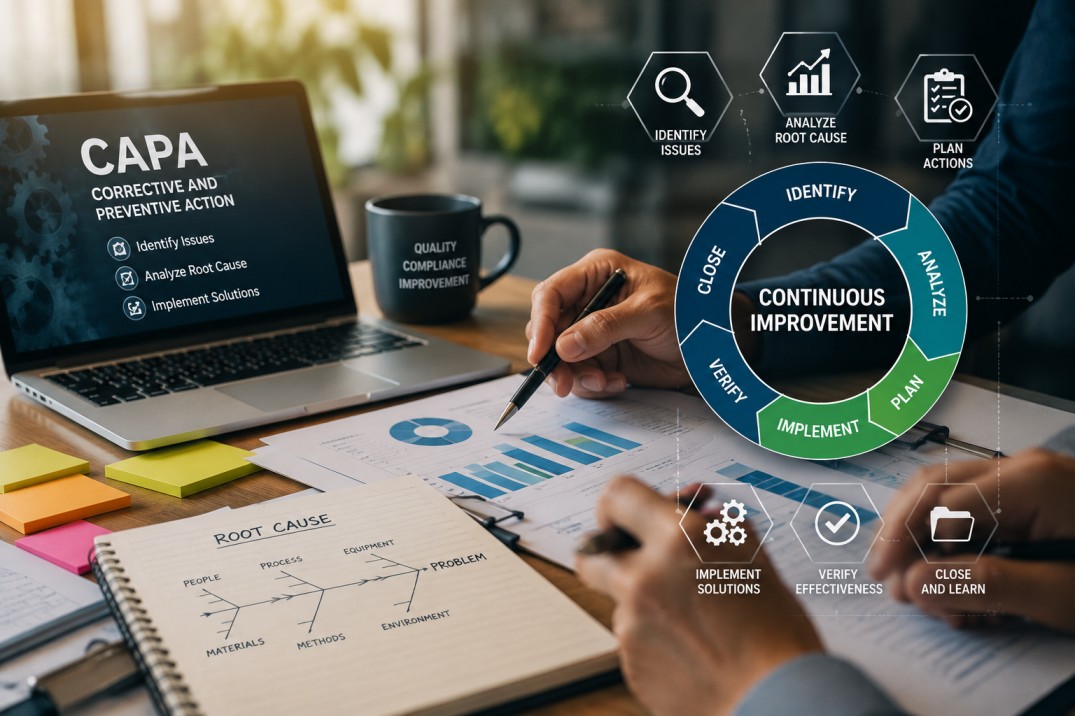
Root Cause Analysis aligns seamlessly with the concept of continuous improvement. By uncovering the fundamental factors contributing to incidents, organizations can implement changes that not only address immediate concerns but also enhance overall safety processes. This cycle of analysis, action, and improvement creates a dynamic and resilient EHS framework.

  • Enhanced Risk Mitigation:

Understanding the root causes of incidents enables organizations to implement targeted corrective actions that go beyond mere symptom management. This, in turn, enhances risk mitigation strategies. By addressing the foundational issues, organizations can systematically reduce the likelihood of future incidents, thereby promoting a safer and more secure work environment.

1.3 Integration with EHS Software:

Root Cause Analysis (RCA) is a crucial component of any robust EHS Management Software. It enables organizations to identify the underlying causes of incidents or near misses, empowering them to implement corrective actions that prevent recurrence. In the realm of modern EHS software, incorporating RCA as a feature enhances the overall incident management process, providing a centralized and streamlined platform for thorough analyses. 

Benefits of Root Cause Analysis in EHS Software:

  • Incident Prevention: Root Cause Analysis in EHS software identifies underlying factors, enabling organizations to proactively implement corrective actions and prevent the recurrence of incidents.
  • Continuous Improvement: By fostering a culture of continuous improvement, EHS software with RCA features empowers organizations to evolve safety processes, minimize risks, and enhance overall environmental and occupational health.

Conclusion:

In conclusion, Root Cause Analysis in EHS software is a pivotal tool for organizations committed to creating safer workplaces. By looking into the root causes of incidents, organizations not only mitigate immediate risks but also lay the groundwork for continuous improvement. Embrace the power of RCA within your EHS software and embark on a journey towards a safer, more resilient workplace.

EHS Management SoftwarePermit to work Management

EHS Permits Management –How a Software Can Help?

Introduction of EHS Permits Management:

Environmental, Health, and Safety (EHS) management is a multifaceted discipline, and permits play a pivotal role in maintaining compliance and ensuring the well-being of both the workforce and the environment. In this blog, we will explain the importance of EHS permits management. We’ll examine the transformative impact of software systems on this critical aspect of EHS management.

Understanding EHS Permits Management

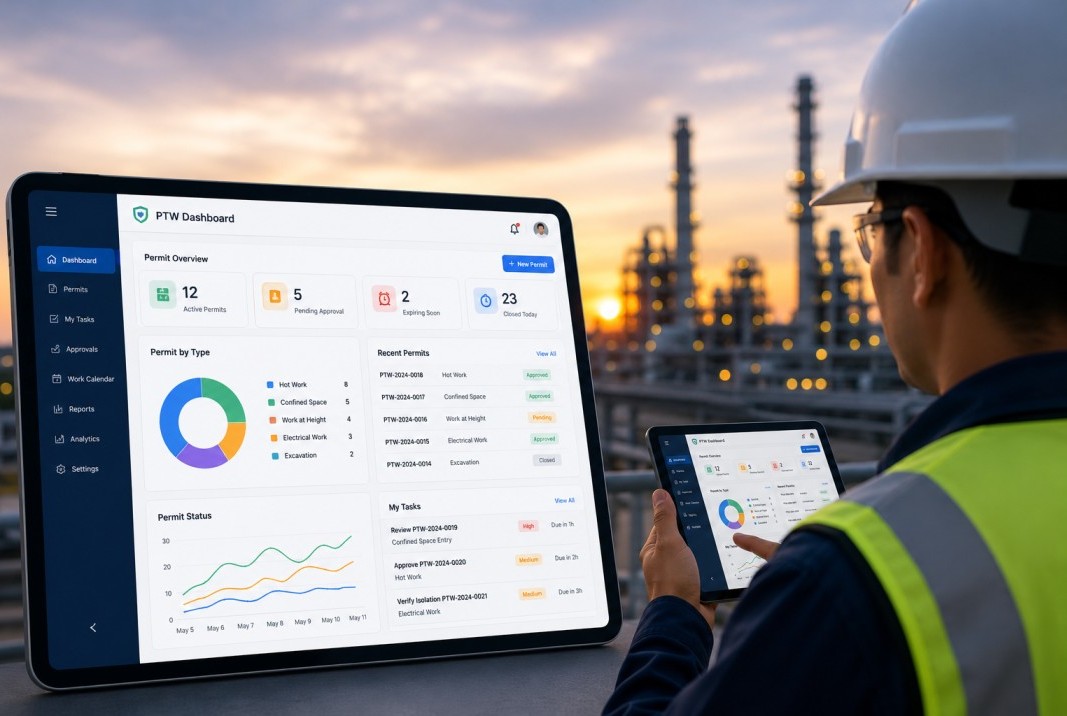
In the occupational safety, permits to work (PTWs) are indispensable tools for managing and mitigating potential risks associated with various tasks. Different types of permits cater to specific work scenarios, ensuring that proper precautions are taken. Let’s explore the key types of permits to work and their significance in creating a safer work environment.

Types of Permits
1. Hot Work Permits:

Hot work involves tasks that generate heat, sparks, or open flames, presenting an increased risk of fire. Hot work permits ensure that the necessary precautions, such as fire-resistant barriers and fire extinguishers, are in place to prevent accidents and protect personnel and property.

2. Confined Space Permits:

Confined spaces pose unique risks due to limited entry and exit points, inadequate ventilation, and potential exposure to hazardous substances. Confined space permits are essential for tasks within such environments, outlining safety measures, emergency procedures, and equipment requirements to safeguard workers.

3. Electrical Work Permits:

Tasks involving electrical systems require specific precautions to prevent electrical shocks, fires, or other hazards. Electrical work permits detail safety measures, such as de-energizing circuits, using appropriate personal protective equipment (PPE), and employing qualified personnel for the job.

4. Excavation Permits:

Excavation work involves digging or trenching activities, and failure to follow proper procedures can lead to cave-ins or other hazards. Excavation permits mandate soil analysis, shoring or sloping requirements, and the presence of a competent person to oversee the work, ensuring the safety of workers.

5. Work-at-Height Permits:

Tasks performed at elevated locations introduce the risk of falls, making work-at-height permits essential. These permits address measures such as the use of fall protection equipment, guardrails, or safety nets, emphasizing the importance of preventing accidents when working at elevated levels.

6. Radiation Permits:

In settings where radiation sources are present, radiation permits are crucial. These permits specify safety measures to minimize exposure, including the use of protective barriers, monitoring radiation levels, and implementing controlled access zones.

7. Permit for Hazardous Substances:

When working with hazardous substances, a permit detailing safety protocols is mandatory. This may include proper storage, handling procedures, emergency response plans, and the use of appropriate personal protective equipment (PPE) to mitigate the risks associated with the substances.

8. Maintenance Permits:

Maintenance work often involves shutting down equipment or systems, creating potential safety hazards. Maintenance permits outline safety measures, isolation procedures, and steps for restoring operations safely, ensuring that maintenance activities are conducted without compromising safety.

The Role of Software Systems in EHS Permits Management

  • Centralized Data Management

EHS permits management involves a myriad of documents, from permit applications to compliance reports. A robust software system centralizes this data, providing a secure repository for documents, easy access, version control, and efficient document management. This not only ensures data integrity but also simplifies the auditing process.

  • Automated Workflows

Streamlining the permit application and approval process is paramount for efficiency. Software systems offer automated workflows, reducing the risk of manual errors, accelerating response times, and ensuring that every step in the permit lifecycle is seamlessly executed. This automation promotes consistency and transparency in the permits management process.

  • Real-time Monitoring

Effective permits management requires real-time monitoring capabilities. Software systems enable EHS professionals to track the status of permits, identify bottlenecks, and address issues promptly. This proactive approach enhances overall operational efficiency and minimizes delays in the permitting process.

  • Integration with EHS Modules

To truly optimize EHS management, it’s crucial to integrate permits management with other EHS modules. This interconnected approach allows for a holistic view of EHS performance. Integrating with incident management and risk assessment modules, for example, provides a comprehensive understanding of an organization’s overall safety and compliance landscape.

  • Reporting and Analytics

Harnessing the power of data is a key benefit of software systems. Advanced reporting and analytics features not only aid in generating compliance reports but also provide valuable insights into trends and patterns. This data-driven approach empowers organizations to make informed decisions, continuously improve EHS practices, and stay ahead of emerging risks.

Conclusion

Effectively navigating the complexities of EHS Management Software is paramount for organizations committed to safety, compliance, and operational excellence. The integration of cutting-edge software systems into this process is a strategic move toward achieving these goals. By centralizing data, automating workflows, and leveraging real-time monitoring, organizations can not only meet regulatory requirements but also foster a culture of safety and sustainability. Embrace the transformative power of EHS permit to work software to ensure a safer, more compliant, and environmentally responsible future for your organization.

EHS Permit Management Software FAQ

What is EHS permit management software?
EHS permit management software is a digital solution that helps organizations create, manage, approve, and track work permits for high-risk activities. It ensures that all safety procedures, approvals, and compliance requirements are followed before work begins.
What is a permit-to-work (PTW) system?
A permit-to-work system is a formal safety process used to control hazardous work activities by defining the scope of work, identifying risks, and ensuring proper authorization and precautions are in place.
How does permit management software improve workplace safety?
The software improves safety by ensuring that all hazards are identified, risk assessments are completed, and only authorized personnel perform high-risk tasks. It also enforces safety checks and prevents work from starting without proper approvals.
What are the key features of permit management software?
Key features include digital permit creation, automated approvals, real-time tracking, risk assessment integration, isolation management, dashboards, and audit-ready reporting. These features streamline the entire permit lifecycle from request to closure.
How does digital permit management reduce risks?
Digital systems reduce risks by automating workflows, ensuring all safety steps are followed, and providing real-time visibility into ongoing work. This helps identify hazards early and prevent incidents before they occur.
Can permit management software improve compliance and audits?
Yes, the software maintains detailed records of permits, approvals, and risk assessments, making it easier to meet regulatory requirements and prepare for audits. It ensures transparency and accountability across all operations.
Why should businesses switch from paper-based permits to digital systems?
Paper-based systems are slow, error-prone, and lack visibility, while digital permit systems automate processes, reduce delays, improve accuracy, and provide real-time tracking for better decision-making and safety management.