EHS Management

What Is Safety Data Sheets Software and How Does It Work?

Managing a Safety Data Sheets Software library is one of those responsibilities that looks straightforward on paper and becomes surprisingly complex in practice. Many organizations rely on shared drives, three-ring binders, or an informal combination of both, often with no designated owner and no consistent update process. That approach holds up until a compliance audit, a regulatory inspection, or a workplace incident exposes how fragile it actually is.

Safety Data Sheets software exists to solve that problem. This guide covers what SDS software is, how it works, what the regulatory framework requires, and how to evaluate whether your organization needs a dedicated solution or whether a well-managed manual process is still sufficient at your scale.

What Are Safety Data Sheets (SDS)?

A Safety Data Sheet is a formal, standardized document that communicates the hazard profile of a chemical substance or mixture, covering physical and health risks, safe handling and storage requirements, emergency response procedures, exposure controls, and disposal guidance. Under current regulatory frameworks, every SDS must conform to a mandatory 16-section structure established by the Globally Harmonized System of Classification and Labelling of Chemicals (GHS) and enforced domestically through OSHA’s Hazard Communication Standard.

That standardized structure is relatively recent. Before HazCom 2012, formally codified as 29 CFR 1910.1200, organizations in the United States relied on Material Safety Data Sheets (MSDS), which had no prescribed format. Manufacturers organized safety information according to their own conventions, meaning critical data such as first aid procedures or spill response instructions could appear anywhere within a given document. For workers and emergency responders who needed to act quickly, that inconsistency introduced unnecessary risk.

HazCom 2012 resolved this by aligning the US regulatory framework with GHS, retiring the MSDS and replacing it with the structured 16-section SDS format now applied universally across industries and jurisdictions. For organizations that work with hazardous chemicals, maintaining a complete, current, and accessible SDS library is a regulatory requirement with defined legal obligations and enforceable penalties, and one that becomes considerably harder to meet as chemical inventories grow and regulatory standards evolve.

What Is Safety Data Sheets Software?

Safety Data Sheet software is a purpose-built platform for managing the full lifecycle of an organization’s safety data sheet library. It handles everything from initial document collection through ongoing updates, employee access, compliance tracking, and audit documentation.

At its most basic, Safety Data Sheet software replaces manual filing systems with a centralized, searchable, and automated solution. More precisely, it addresses the specific tasks that manual processes handle poorly at scale: monitoring whether manufacturers have published revised documents, identifying outdated sheets across a large library, ensuring workers on every shift can access relevant safety information, and producing compliance documentation on demand rather than under pressure.

SDS software does not replace a safety program. It makes the documentation infrastructure that underpins that program reliable and defensible rather than dependent on individual effort and institutional memory.

Core Features of Safety Data Sheets Software

While capabilities vary across platforms, well-built Safety Data Sheets software shares a consistent set of core features.

Centralized, searchable SDS library: All safety data sheets are stored in a single system, searchable by chemical name, CAS number, manufacturer, hazard classification, or location. The value of centralization depends entirely on the currency and completeness of the documents it contains, which is why automatic update capability matters as much as storage.

Automatic SDS retrieval and updates: When a manufacturer publishes a revised SDS, capable software detects the change and updates the library accordingly. This is one of the most operationally valuable features in practice, as it eliminates the manual monitoring burden and reduces the likelihood of compliance gaps caused by outdated documents.

Mobile access: OSHA’s HazCom standard requires that SDS documents be readily accessible to employees during their work shifts. A desktop computer in a locked office does not satisfy that requirement for workers on a production floor or a night shift. Mobile access is a compliance requirement, not a convenience feature.

Audit trail and reporting: Comprehensive logs of document access, update history, and compliance status by location. This documentation converts audit preparation from a multi-day effort into a matter of generating and exporting reports.

Training acknowledgment tracking: Many platforms include functionality for employees to confirm they have reviewed specific SDS documents, creating a documented record of training compliance that supports both regulatory requirements and liability management.

How Does Safety Data Sheets Software Actually Work?

Understanding Safety Data Sheets software is easier when you trace the complete lifecycle of a document through the system, from initial entry to final archiving. That lifecycle has seven distinct stages.

SDS Acquisition

Documents enter the system through direct upload, import from manufacturer portals, or retrieval from a third-party SDS database. Incomplete or improperly formatted files that bypass adequate review create compliance risks that surface only during an audit or incident.

SDS Information Capture

The platform extracts and indexes key metadata including product name, CAS numbers, GHS hazard classifications, pictograms, signal words, and revision date. This indexing is what makes the library searchable and enables automated compliance tracking.

Validation and Review

Before becoming active in the library, each SDS is evaluated for completeness and regulatory currency — all 16 sections present, current GHS revision, and consistent hazard classifications. Better platforms automate this review and flag anomalies for human follow-up.

SDS Approval and Central Storage

Once validated, the document is approved and stored centrally, accessible to every location, shift, and authorized user. This establishes the single authoritative version of each SDS, which is the practical foundation of HazCom compliance.

SDS Utilization

Workers access SDS documents before beginning tasks involving hazardous chemicals, during spill or exposure incidents, in training sessions, and during onboarding. Access logs support both regulatory compliance demonstration and due diligence in the event of a workplace injury claim.

Review and Maintenance

SDS documents require active management to remain current as manufacturers issue revisions and GHS cycles update classification standards. In well-configured software, expiry tracking and revision monitoring run automatically; in manual systems, this stage is consistently the first to be neglected.

Archiving and Record Retention

When a chemical is removed from inventory, its SDS is archived with version history and access logs intact. If a health claim is filed years later related to past chemical exposure, the organization must be able to produce the documentation that was in place at the time.

Safety Data Sheet Software Lifecycle

1
SDS Acquisition
2
SDS Information Capture
3
Validation & Review
4
SDS Approval & Storage
5
SDS Utilization
6
Review & Maintenance
7
Record Retention

Understanding GHS: The Regulatory Framework Behind Every SDS

A serious understanding of Safety Data Sheets Software requires familiarity with GHS, because the format, content requirements, and compliance obligations that define the field all derive from this framework.

The Globally Harmonized System of Classification and Labelling of Chemicals is a United Nations framework developed through the 1990s and formally adopted in 2003. It was created in response to a genuine international problem: prior to GHS, there was no consistent global standard for chemical hazard communication. Classification criteria, warning language, and document formats varied by country, meaning the same substance could carry different hazard designations depending on where it was manufactured or shipped. For workers and emergency responders, that inconsistency was a practical safety risk. For multinational organizations, it was a significant compliance burden.

GHS addressed this by establishing universal classification criteria, standardized hazard pictograms, consistent signal words, and the 16-section SDS format now used globally. The sections are organized around specific information needs:

  • Sections 1 through 3 address identification, covering what the substance is, who manufactured it, and what hazardous components it contains
  • Sections 4 through 8 cover emergency response, including first aid, firefighting procedures, spill response, handling and storage requirements, and PPE specifications
  • Sections 9 through 11 address technical properties, including physical and chemical characteristics, stability, reactivity, and toxicological information
  • Sections 12 through 15 cover environmental impact, disposal guidance, transport classification, and applicable regulatory information
  • Section 16 captures revision history and any additional relevant information

A critical operational consideration is that GHS is not a static standard. The UN Committee of Experts updates it on a biennial cycle, and the framework is currently on Revision 10. Countries adopt GHS revisions on independent schedules. The United States remains formally based on GHS Revision 3, though OSHA has been developing an updated HazCom rule. The European Union’s CLP Regulation follows a parallel but distinct timeline. Canada’s WHMIS 2015 incorporated GHS with certain modifications. Japan, South Korea, and Australia each maintain their own adoption schedules.

For organizations operating across multiple jurisdictions, this creates a practical challenge: an SDS library may contain documents authored under different GHS revision standards, and a document that was fully compliant when created may have gaps relative to current requirements in one or more markets. Without a system that tracks the regulatory currency of individual documents, those gaps are invisible until an audit or an incident makes them visible.

OSHA HazCom: What the Law Requires

In the United States, OSHA’s Hazard Communication Standard, 29 CFR 1910.1200, establishes the specific legal obligations that make Safety Data Sheet Software a compliance function rather than simply a best practice. Understanding what HazCom actually requires, rather than a general sense that it requires something, is important for evaluating whether your current approach is defensible.

A written Hazard Communication Program: A documented description of how the facility manages chemical hazard communication, including where the SDS library is maintained, how employees are trained, how new chemicals entering the workplace are handled, and who holds responsibility for each component. This is the first document an OSHA inspector will request. A template downloaded from the internet that has not been reviewed or updated since initial implementation is unlikely to reflect current practices and will not hold up well to scrutiny.

A current SDS for every hazardous chemical present in the workplace: The scope of this requirement extends beyond chemicals used in production to every hazardous substance present on site, including cleaning products, maintenance materials, fuels, and chemicals brought in by contractors. The “readily accessible” standard means employees must be able to obtain the relevant SDS during their work shift without locating a supervisor or retrieving a key. Accessibility in principle does not satisfy the standard.

This is where shift coverage becomes a significant practical issue. If SDS access depends on a computer in an office that is closed during the second or third shift, workers during those periods do not have the access HazCom requires. It is one of the most frequently observed compliance gaps, and it is entirely addressable through mobile access or other always-available delivery methods.

Compliant labels on all containers: Every container of hazardous chemicals must display the product identifier, applicable GHS hazard pictograms, the signal word, hazard statements, and precautionary statements. Label content must be consistent with the current SDS. An updated SDS paired with an unchanged label from a prior revision is a compliance finding.

Employee training on chemical hazards: Workers must be trained to understand SDS content, interpret GHS pictograms, and apply the relevant precautions for the specific chemicals in their work environment. HazCom does not prescribe a training format, but the training must demonstrably occur and the organization must be able to document that it did.

The financial exposure associated with HazCom non-compliance is substantial. OSHA’s current maximum penalty for a serious violation exceeds $16,000 per instance, with significantly higher penalties for willful or repeated violations. HazCom has consistently ranked among OSHA’s ten most frequently cited standards, which reflects both the prevalence of compliance gaps and the regularity with which inspectors identify them.

OSHA Compliance Standards

Hazard Communication Regulations

OSHA Hazard Communication standards ensure workers understand chemical hazards through proper labeling, Safety Data Sheets (SDS), training, and workplace communication programs.

OSHA Standard Regulation Description
29 CFR 1910.1200 General Industry Hazard Communication Primary HazCom standard applicable to manufacturing, warehousing, healthcare, laboratories, and most fixed-facility workplaces.
29 CFR 1926.59 Construction Industry Hazard Communication Applies the same HazCom requirements to construction operations and incorporates 29 CFR 1910.1200 by reference.
29 CFR 1915.99 Shipyard Employment Hazard Communication Governs ship repair, shipbuilding, and shipbreaking operations where hazardous chemicals are present.
29 CFR 1917.28 Marine Terminals Hazard Communication Applies to marine terminal operations including cargo handling, storage, and transportation activities.
29 CFR 1918.90 Longshoring Hazard Communication Covers longshore operations aboard vessels and waterfront facilities exposed to hazardous materials.

Industries That Benefit Most from Safety Data Sheets Software

The strongest use cases for SDS software share common characteristics: large or complex chemical inventories, multi-site or multi-shift operations, high regulatory scrutiny, or significant consequences for documentation failures.

Manufacturing operations, particularly those involving lubricants, solvents, adhesives, coatings, and process chemicals, typically have all of these characteristics. This sector represents the most common deployment context for SDS software.

Chemical manufacturers and distributors operate within the subject matter of SDS documentation. Their compliance requirements are extensive, their regulatory exposure is high, and their commercial relationships frequently require them to provide current SDS documentation to customers.

Healthcare and pharmaceutical facilities manage a broad range of hazardous materials, including disinfectants, laboratory reagents, and controlled substances, in environments where regulatory oversight is intensive and documentation failures carry serious consequences.

Construction presents a distinct set of challenges due to workforce mobility and project-based chemical inventory variation. Workers move between sites, products change by project, and mobile SDS access is particularly critical in this context.

Oil and gas operations involve some of the most hazardous materials used in any industry, in environments where the consequences of chemical safety failures are severe. Reliable SDS access is a fundamental operational requirement.

Universities and research institutions frequently maintain complex and varied chemical inventories managed by individuals whose primary professional focus is research rather than EHS compliance. This creates recurring compliance risk that dedicated software addresses systematically.

SDS Software vs Manual Management

Understanding when manual processes are sufficient and when SDS software becomes essential for compliance, efficiency, and scalability.

Manual Management

  • Suitable for small chemical inventories.
  • Works well for single-site operations.
  • Requires dedicated oversight.
  • Lower initial technology costs.
VS

SDS Software

  • Centralized document management.
  • Automatic SDS update monitoring.
  • Improved audit readiness.
  • Scales across multiple facilities.

Key Takeaway

Manual management can remain effective for small organizations, but as chemical inventories, facilities, and compliance obligations expand, SDS software delivers greater visibility, consistency, and long-term operational efficiency.

What to Look For When Choosing Safety Data Sheets Software

Database size and currency: The practical value of SDS software depends substantially on the breadth and quality of its underlying document database. Platforms with access to millions of documents from a wide range of manufacturers reduce the manual management burden for gap-filling. Smaller databases shift that burden back to the user.

Search and retrieval usability: Workers need to locate documents quickly using whatever identifiers they have available, whether that is a chemical name, a product name, a CAS number, or a container barcode. A system that is technically complete but difficult to navigate in practice will not be used effectively.

Jurisdiction-specific compliance tracking: Organizations operating across multiple countries require a platform that can evaluate compliance against multiple regulatory frameworks simultaneously, including HazCom, the EU’s CLP Regulation, Canada’s WHMIS, and GHS revision currency by jurisdiction. A platform that manages compliance for a single jurisdiction provides limited value for global operations.

Integration with existing systems: EHS management platforms, HR systems, and procurement software each represent integration opportunities that reduce duplicate data entry and improve system coherence. Understanding the integration capabilities of a platform before purchase avoids discovering limitations after implementation.

Mobile access quality: The functional standard for mobile access in field environments is higher than simply having a mobile application. Offline access for areas with poor connectivity, fast search performance, and legible document rendering under real working conditions are the relevant evaluation criteria.

Vendor support and regulatory maintenance: A compliance database is only as valuable as its ongoing maintenance. Regulatory requirements change, GHS revisions occur, and OSHA periodically updates HazCom. A vendor that treats the compliance database as a one-time build rather than an ongoing product creates risk for its customers over time.

Spill Incident Reporting

Incident response is one of the most time-sensitive applications of SDS documentation and one of the areas where the difference between a well-organized digital library and an inadequate manual system is most consequential.

When a chemical spill occurs, response decisions depend on immediate access to specific SDS sections: Section 6 for accidental release measures, Section 8 for PPE requirements, and Section 4 for first aid procedures. That information needs to be available in seconds. The ability to search by chemical name and navigate directly to relevant sections is a functional requirement, not a convenience.

Some platforms extend this capability with dedicated emergency response interfaces that surface the most critical SDS sections immediately, without requiring users to navigate through the full document under stress.

The documentation requirements following a spill are equally important. Incident reports must capture what occurred, when and where it happened, what chemicals were involved, what response actions were taken, and whether any injuries resulted. SDS software that integrates with incident reporting systems links chemical information directly to incident records, eliminating manual re-entry and ensuring completeness.

Over time, integrated incident data reveals patterns that are not visible in a paper-based system: recurring incidents involving the same chemical, incident clustering in specific locations, and correlations between incident frequency and training gaps. That analytical capability supports both ongoing safety improvement and proactive compliance management.

AI-Driven SDS Management

Artificial intelligence is beginning to change what Safety Data Sheets software can do, and it is worth distinguishing capabilities that represent genuine operational value from those that represent marketing positioning.

The most substantive current application is document intelligence: the ability to analyze the content of SDS documents rather than simply store and retrieve them. A conventional system can confirm that a document in the library was last updated in a given year. An AI-assisted system can evaluate that document’s content against current GHS and HazCom requirements and identify specific sections with gaps or inconsistencies. For organizations managing large libraries where document-by-document manual review is impractical, this represents a meaningful improvement in compliance visibility.

AI is also being applied to revision prediction: analyzing a chemical’s regulatory history, the manufacturer’s prior revision cadence, and changes in applicable classification standards to estimate when a given SDS will likely require updating. This shifts the management posture from reactive to anticipatory.

Chemical interaction analysis represents another emerging application, using AI to evaluate combinations of chemicals stored or used in proximity within an inventory and flag those that create secondary hazards not apparent from individual SDS review. This type of systemic risk identification is not reliably accomplished through manual processes.

The AI features that warrant more careful evaluation are broad claims of “intelligent compliance monitoring” without specific descriptions of what is being monitored and how, and conversational interfaces that generate answers to safety questions from SDS content without clear validation mechanisms. In chemical safety contexts, the consequences of inaccurate information are significant enough that the accuracy standards for AI-generated responses need to be explicit and demonstrable.

When Documentation Failures Have Real Consequences: A Case Study

The risks associated with inadequate chemical hazard documentation are not theoretical. The 2015 Tianjin explosions in China offer one of the most consequential illustrations of what chemical mismanagement at scale looks like in practice.

On the night of August 12, 2015, two massive explosions occurred at a hazardous materials storage warehouse operated by Ruihai International Logistics at the Port of Tianjin. The warehouse contained large quantities of hazardous chemicals, including calcium carbide, sodium cyanide, potassium nitrate, and ammonium nitrate. The first explosion was equivalent in force to approximately three tons of TNT. The second, which occurred seconds later, was equivalent to 21 tons of TNT and was detected by seismic monitoring stations across the region.

The destruction was extensive. A significant portion of the surrounding port infrastructure was obliterated. Shipping containers were thrown hundreds of meters. 720 people were hospitalized, of whom 60 sustained critical injuries. Thousands of residents in surrounding neighborhoods were forced to evacuate their homes and were relocated to local schools and emergency shelters.

Chinese authorities investigating the incident identified several contributing factors, including the storage of incompatible chemicals in proximity to one another and the absence of adequate segregation controls. Calcium carbide, one of the primary materials stored at the facility, reacts violently with water to produce acetylene gas, which is highly flammable and explosive. The probable ignition sequence involved calcium carbide coming into contact with water, generating acetylene, and triggering the initial explosion that set off the larger secondary blast.

The regulatory and documentation failures that contributed to this incident extended well beyond the immediate site. Investigations revealed that the volume and composition of hazardous materials stored at the facility exceeded permitted limits, and that chemical inventory documentation did not accurately reflect what was actually present on site.

For EHS professionals, Tianjin is a stark illustration of a principle that SDS management exists to support: knowing precisely what chemicals are present, where they are stored, what their hazard profiles are, and how they interact with other substances in proximity is not an administrative obligation. It is a fundamental safety requirement. Accurate, current, and accessible chemical documentation does not prevent every incident. But its absence removes the baseline of information that makes risk identification, emergency response, and regulatory oversight possible in the first place.

Conclusion

Effective chemical safety management depends on documentation infrastructure that is accurate, accessible, and consistently maintained. Safety Data Sheets software provides that foundation by automating the processes that manual systems handle inconsistently at scale, centralizing compliance documentation across locations and shifts, and ensuring that regulatory obligations under frameworks such as OSHA HazCom and GHS are met as a matter of system function rather than individual effort.

For organizations managing complex chemical inventories across multiple sites and operational shifts, the limitations of manual SDS management are not a matter of inadequate effort. They are a structural constraint. Dedicated software addresses those constraints directly, reducing compliance risk, improving incident response capability, and creating the documented audit trail that regulatory scrutiny requires.

Organizations evaluating their current approach should consider three fundamental questions: whether every employee has immediate access to relevant SDS documentation during their work shift; whether the library accurately reflects the most current revisions available for every chemical on site; and whether documentation exists for every hazardous substance present in the workplace. Where those conditions cannot be confirmed with confidence, investment in a more capable system is warranted.

Frequently Asked Questions

Safety Data Sheets software is a digital solution that helps organizations store, manage, update, and distribute SDS documents while maintaining compliance with OSHA HazCom and GHS requirements.

OSHA does not specifically require SDS software, but it does require employers to maintain current SDSs and ensure employees can access them at any time during their work shifts. SDS software helps organizations meet these requirements efficiently.

SDS software automates document updates, maintains audit trails, tracks employee access, and ensures that current SDSs are available for all hazardous chemicals, making regulatory compliance easier to manage.

Key features include a centralized SDS library, automatic updates, mobile access, compliance reporting, audit trails, chemical inventory management, and integration with existing EHS systems.

Yes. SDS software provides instant access to critical information such as spill response procedures, first-aid measures, firefighting guidance, and PPE requirements, helping employees respond quickly during emergencies.

Organizations in manufacturing, chemical processing, construction, healthcare, pharmaceuticals, oil and gas, and research laboratories benefit significantly because they manage hazardous chemicals and face strict compliance requirements.
Safety management system

Top Benefits of Implementing Safety Management System Software

Walk into any effective facility today and you’ll likely notice an evolution in the management of safety that means less paper and fewer clipboards. Decisions are made faster, and responses to adverse events are more orderly. This evolution has happened intentionally due to safety management system software teams being provided with better tools.

Safety management system software provides tools that show what’s possible for organizations that actually want to keep their employees safe. This is not just in a theoretical sense but in the reality employees actually face day to day with inspections, incidents, approvals, and audits. Here’s what those changes mean

Automated Headcounts and Workforce Monitoring

In large facilities, and especially in shift-based work, contractors, and rotating crews, being able to know who’s on-site at any given moment is both a compliance requirement and a life-safety issue. Manual head counts are slow, error-prone, and, in an emergency, really dangerous.

Safety management software does this completely automatically. It integrates with access control systems, ID badges, or mobile check-ins to give supervisors an accurate, real-time view of who’s on-site and where. When an evacuation is called, it is not a clipboard and a guess. You know.

Root Cause Analysis That Gets to the Real Cause

The majority of incident investigations proceed as follows: something goes wrong, a report is filed, and the corrective step is to “retrain personnel” or “remind workers to follow protocols.” “Everybody goes on. Then, six months later, the same thing occurs once more.

Not because safety teams don’t give a damn. It’s that in the absence of a systematic procedure, inquiries inevitably end with the first plausible solution, which is rarely the correct one. The true cause is typically hidden a few levels deeper, in a managerial choice, a process flaw, or a system that was never intended to detect the failure.

The depth of an investigation is independent of the person conducting it that day since SMS software provides the team with the appropriate investigative tools at the appropriate moment.

  • 5 Whys: Every response sets up the subsequent query. The chain continues until you encounter a real organizational or process failure rather than merely a surface-level incident. Since everything is recorded, the logic can be seen and verified.
  • Ishikawa’s Fishbone Diagram: divides the inquiry into six categories: management, people, process, equipment, environment, and materials. Teams are prevented from focusing only on one cause and ignoring the three others that made equal contributions.
  • Job Hazard Analysis (JHA): Before beginning a high-risk task, the work is broken down step-by-step, with controls and hazards mapped at each level. Versioned, linked to the work permit, and stored in the system.
  • Bow-Tie Analysis: Shows what might cause a crucial event on one side and what would happen if the controls failed on the other. Before an incidence confirms it, it lets you know where your defenses are weak.
  • Fault Tree Analysis (FTA): When several factors had to go wrong for an occurrence to occur, FTA follows the reasoning behind their combination. Particularly helpful in settings that emphasize processes and where single-cause reasoning falls short.
  • ICAM (Incident Cause Analysis Method): Looks past the immediate cause into task conditions, team factors, and organizational gaps. The method that finds what others leave behind.
  • Barrier Analysis: Asks a simple but important question: which controls were supposed to be there, which ones failed, and which ones were never in place at all?

Manufacturing process impact on employee health 

This connection is overlooked more than almost anything else in workplace safety. In manufacturing and processing environments, the health risks workers are exposed to can change subtly as the products being manufactured change. It may be a new chemical supplier, a reformulated compound, or a change in the composition of raw materials with the seasons. Any of these can change the exposure of workers without anyone on the floor noticing.

The software can track both production inputs and health/injury data over time, allowing correlations to be made that would otherwise go unnoticed. The software detects a cluster of respiratory complaints that occurred at about the same time a new solvent entered the supply chain, before it becomes a formal diagnosis or a regulatory complaint. 

Example: A paint maker changes its source of resin. In weeks, three workers in the mixing department complain of headaches and skin irritation. The system shows all three complaints came within days of the new resin being in production. Before a fourth worker is affected, the safety team catches it, reviews the material data sheet, and updates the PPE requirements and ventilation protocols. It probably would have been dismissed as a coincidence without the software. 

Faster Approvals

A particular frustration that safety professionals know well is when a hazard has been identified, the fix is obvious, but it has sat in someone’s inbox for two weeks waiting for sign-off. The risk is not waiting.

SMS software replaces email chains and manual chasing with a structured approval workflow. A permit, a corrective action, or a change request automatically goes to the right person with deadline reminders and escalation paths built into it. It’s got a full audit trail of who approved what and when.” “It used to take weeks. It now takes days.”

Ensuring QHSE and Safety Checklists Are Always Done Right

QHSE Audit, pre-shift inspection, PPE, fire system check, and evacuation route check. Checklists only work if they are completed on time, thoroughly, and by the right person. Paper-based checklists fail on all three requirements more often than organizations realize.

SMS software makes each checklist a scheduled, assigned, trackable task. The system flags if the fire extinguisher inspection is overdue. If a safety officer has signed off without completing each item, the system catches it. This level of accountability matters in settings where a missed inspection on a pressure vessel or electrical system can result in a serious incident. 

It also reduces common non-compliance issues. For example, PPE inspections may be skipped when no one is assigned. Evacuation routes can go unchecked if the schedule isn’t visible. Equipment checks might be missed because previous records are buried in a folder. 

Scheduled Inspections for Critical Equipment

When a crucial machine misses a maintenance check, it doesn’t only risk a breakdown; it also risks injury and, depending on the equipment, something much worse. 

SMS software keeps a list of assets tied to inspection schedules. It automatically creates tasks and reminders before deadlines approach. Technicians know exactly what they need to inspect and when. Managers can quickly see what is current and what is overdue. When an auditor or regulator requests inspection history, the documentation is available: consistent, complete, and timestamped.

Change Management That Doesn’t Leave People Behind

One of the most common sources of workplace incidents is change, yet it’s often overlooked. A process gets altered, equipment gets replaced, or a contractor shows up with a different method. In these transitions, safety measures can easily fall by the wayside. 

Formal Management of Change (MOC) processes aim to stop this from happening, but it can be tough to follow them consistently on paper. Sometimes changes get verbal approvals instead of proper documentation. Not all stakeholders receive notifications. SMS software makes MOC easier to manage; it organizes the process into a clear workflow where operations, maintenance, safety, and management each have specific steps and visibility. No one will be caught off guard by a change they weren’t aware of, and no approvals will be overlooked.

Story: A warehouse manager organizes a change in the racking layout to fit a new stock management system. Operations approves it. Procurement is satisfied. Stakeholders in two other warehouse sites agree on the rollout. However, in the rush to implement the new system, the safety review gets overlooked. By Monday, some emergency exit routes are blocked, a fire extinguisher is hidden behind a new rack, and floor crews at all three sites are working in layouts they have not had a safety walkthrough for. The SMS software could have paused the entire change until safety approved it, just like every other stakeholder.

Near Miss Reporting That People Actually Use

A near miss is one of the most valuable things a safety team can capture. It’s an event that almost caused harm but didn’t. It serves as a free warning that something in the system needs attention. Organizations that take near-miss reporting seriously tend to have fewer actual incidents.

The challenge is making reporting easy enough that people will do it and safe enough that they won’t worry about being blamed. SMS software helps with both. Reporting from a mobile phone only takes a few minutes. You can set up workflows so reports go to the right people without creating a blame culture. Over time, the number and pattern of near miss reports show you exactly where your risk is focused before an incident confirms it.

Smarter Trend Detection Across Your Safety Data

A busy facility’s safety team is always in reactive mode, handling inspections, processing reports, and reacting to events. Sitting down with months’ worth of data and searching for trends is something that seldom gets time.

That is done automatically via Safety Management System software. It reveals connections that would not be apparent from day-to-day management, such as a pattern of occurrences that corresponds with specific shift lengths or crew compositions, a cluster of near misses around particular equipment, and a persistent increase in hand injuries on a given line. These are the kinds of things that usually go unnoticed until they have been going on for some time. There is a real difference between finding them after a serious incident and seeing them in a report while there is still time to take action.

Story: Over the course of three months, a warehouse receives a few reports of back discomfort, which are easily disregarded on an individual basis. During the weeks that a second dock was closed for maintenance, the dashboard displays all of them working the same shift in the same bay. Less rotation, heavier loads, and the same crew. The reports ceased after a single temporary lifting help. Nobody would have connected the dots without the trend perspective.

One Dashboard Instead of Four Reports

Safety leaders managing multiple sites, multiple programs, and multiple compliance frameworks spend a significant portion of their time pulling information together by hand. A status update for leadership means asking several people for several different reports, then reconciling them into something coherent.

Safety Management System software replaces that process with a single, real-time dashboard. Inspection completion rates, open corrective actions, incident trends, training status, and audit findings are all visible in one place, updated continuously. For multi-site organizations, this means being able to see where attention is needed without waiting for a weekly summary. For leadership reporting, it means credible, current data without the manual assembly work.

Faster Incident Reporting and Investigation

A large amount of time is spent manually compiling information by safety directors who oversee numerous sites, programs, and compliance frameworks. For leadership, a status update entails gathering reports from multiple sources and combining them into a cohesive whole.

Safety Management System software substitutes a single, real-time dashboard for that procedure. A single, constantly updated location displays inspection completion rates, open corrective actions, incident trends, training status, and audit findings. This means that firms with multiple locations can identify areas that require attention without having to wait for a weekly summary. It means reliable, up-to-date information for leadership reporting without the need for manual assembling.

Cross Job Analysis and SIMOPS Management

A single work gone bad is not the cause of some of the most devastating events. They occur as a result of two tasks operating simultaneously in the same area, and no one was fully aware of how they interacted.

Job-by-job safety planning was not intended to capture the dangers introduced by simultaneous operations, or SIMOPS. In isolation, a hot work permit for welding appears to be acceptable. A hydrocarbon line also purges at the same level and shift. When combined, they have a whole distinct dialogue.

Teams can examine all planned and ongoing work on a site in real time with Safety Management System software. Before permits are obtained, not after, cross-job analysis automatically indicates combinations that cause conflict, such as chemical handling near open electricity panels, crane lifts crossing active pedestrian paths, or ignition sources next to volatile discharges.

This shifts from best practice to a fundamental control in complex facilities operating shutdowns, turnarounds, or concurrent construction and production.

Training Compliance You Can Actually See

“Who still requires certification for confined spaces?” That’s a simple question for a small crew. It’s really challenging to respond confidently in a company with hundreds of employees, numerous contractor pools, and a training matrix spanning years.

A complete training register linked to each unique profile is kept up-to-date by Safety Management Software software. It keeps track of what is due, what is expiring, and what is current. When someone is given a task that calls for a certification they haven’t earned, it can alert them. You have a real-time image of the gaps so you can address them before an auditor discovers them or before someone is injured while performing a task for which they were not properly trained, as opposed to depending on spreadsheets and sporadic manual audits.

Conclusion

There are many issues at play when it comes to workplace safety. Who is on-site; if inspections took place, how events are looked into; who is trained; and what was altered last week. Things are overlooked when handling all of that by hand.

It is connected via Safety Management System software. In one location, all checklists, inspections, near misses, approvals, and training records are accessible, movable, and trackable. That is the true appearance of a well-managed safety program.

The companies that are succeeding aren’t doing anything exceptional. They simply stopped depending on optimism and spreadsheets.

Risk assessment

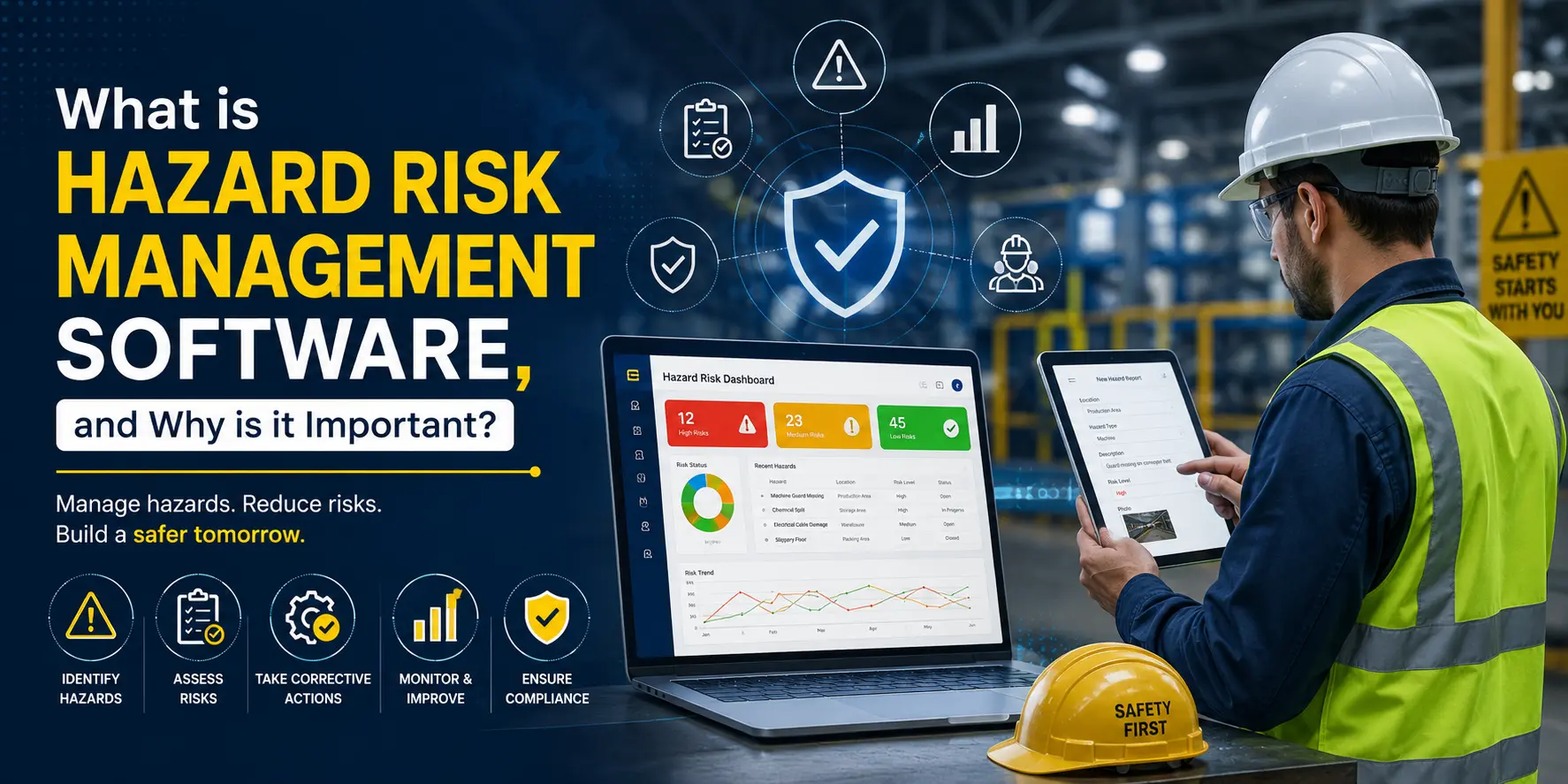
What is Hazard Risk Management Software, and Why is it Important?

Introduction

When a Missing Risk Assessment Costs Lives

On April 2, 2010, at the Tesoro Anacortes Refinery in Washington State, a catastrophic heat exchanger failure triggered an explosion and fire that killed seven workers. The U.S. Chemical Safety Board (CSB) investigation concluded that the incident was directly preventable. The root cause? A failure to properly identify and manage hazards associated with High Temperature Hydrogen Attack (HTHA), a known risk that had never been adequately assessed using a structured hazard identification process.

"The company failed to implement a systematic process for risk identification, evaluation, and controlling hazards." U.S. Chemical Safety Board, 2014 Final Report on the Tesoro Anacortes Refinery Disaster

This tragedy is not an isolated case. Across industries from oil and gas to manufacturing, construction, and healthcare, hazards go undetected every day because risk assessments are done manually, inconsistently, or not at all. The consequence is a devastating human and financial cost.

This is precisely why hazard risk management software has become one of the most critical tools in modern workplace safety. This guide will walk you through everything you need to know: what it is, how it works, the role of AI-based job hazard analysis, HIRA matrices, risk dashboards, and how it integrates with change management, all backed by real-world context and OSHA compliance requirements.

What is Hazard Risk Management Software?

Hazard risk management software is a digital platform that helps organisations identify, evaluate, track, and control workplace hazards in a structured, consistent, and auditable way. Think of it as your organisation’s central safety intelligence hub, replacing scattered spreadsheets, paper forms, and fragmented email trails with a single, intelligent system.

In simple terms, it answers four fundamental safety questions:

  • What could go wrong? (Hazard Identification)
  • How bad could it be? (Risk Assessment)
  • What are we doing about it? (Control Measures)
  • Is our risk getting better or worse over time? (Monitoring & KPIs)

Modern hazard risk assessment software goes far beyond checklists. It incorporates AI-driven job hazard analysis, real-time dashboards, hazard tracking software capabilities, and integration with operational change management, delivering a level of accuracy and efficiency that manual processes simply cannot match.

Key capabilities include: hazard identification and logging, risk scoring using standardized matrices, AI-powered job safety analysis (JSA), hazard reporting software for frontline workers, corrective action management, compliance tracking against OSHA and ISO 45001 standards, and KPI dashboards for safety leadership.

The HIRA Matrix: Your Foundation for Risk Scoring

The Hazard Identification and Risk Assessment (HIRA) Matrix is the backbone of any hazard risk management process. It is a standardized tool used to evaluate the severity of a hazard against the likelihood of its occurrence, producing a numerical risk score that guides decision-making.

How the HIRA Matrix Works

Each identified hazard is scored on two dimensions:

  •       Likelihood (Probability): How likely is it that this hazard will result in an incident? Scored from 1 (Rare) to 5 (Almost Certain).
  •       Severity (Consequence): If the hazard does result in an incident, how severe will the outcome be? Scored from 1 (Negligible) to 5 (Catastrophic).

Risk Score = Likelihood ×Severity

A score of 1– 4 is typically LOW risk, 5–9 is MEDIUM, 10–16 is HIGH, and 17–25 is CRITICAL. The matrix below illustrates this visually:

Likelihood Negligible (1) Minor (2) Moderate (3) Major (4) Catastrophic (5)
Almost Certain (5) 5 10 15 20 25
Likely (4) 4 8 12 16 20
Possible (3) 3 6 9 12 15
Unlikely (2) 2 4 6 8 10
Rare (1) 1 2 3 4 5
1–4: Low
5–9: Medium
10–16: High
17–25: Critical

Within hazard risk management software, this matrix is not a static table, it is dynamically updated as new hazards are reported, controls are applied, and residual risk is recalculated. Safety teams can view the entire risk landscape for a facility in real time, allowing them to prioritize resources where they matter most.

AI-Based Job Hazard Analysis: From 1 Hour 45 Minutes to 2 Minutes

Traditional Job Hazard Analysis (JHA) is a step-by-step breakdown of a work task to identify hazards at every stage. It is effective, but the manual process is slow, inconsistent, and heavily dependent on the individual knowledge of the safety officer performing it. On average, a thorough manual JHA takes 1 hour and 45 minutes per task.

Risk Dashboard: Continuous Visibility for Safety Teams

All hazard data feeds into a live Risk Matrix Dashboard giving safety managers real-time visibility across every team, shift, process, and facility. Rather than relying on quarterly audits, the dashboard surfaces risk as it evolves, showing total active hazards by severity, overdue corrective actions, hazard trend lines, and top-scoring risks requiring immediate attention.

This transforms hazard tracking software from a passive record into an active risk management engine. One manufacturing facility using a live dashboard identified that 68% of its CRITICAL hazards were concentrated in a single production line during night shifts a pattern completely invisible in monthly paper reports. Targeted controls reduced their incident rate by 41% within 90 days.

Risk Association: Applying Controls Using the Hierarchy of Controls

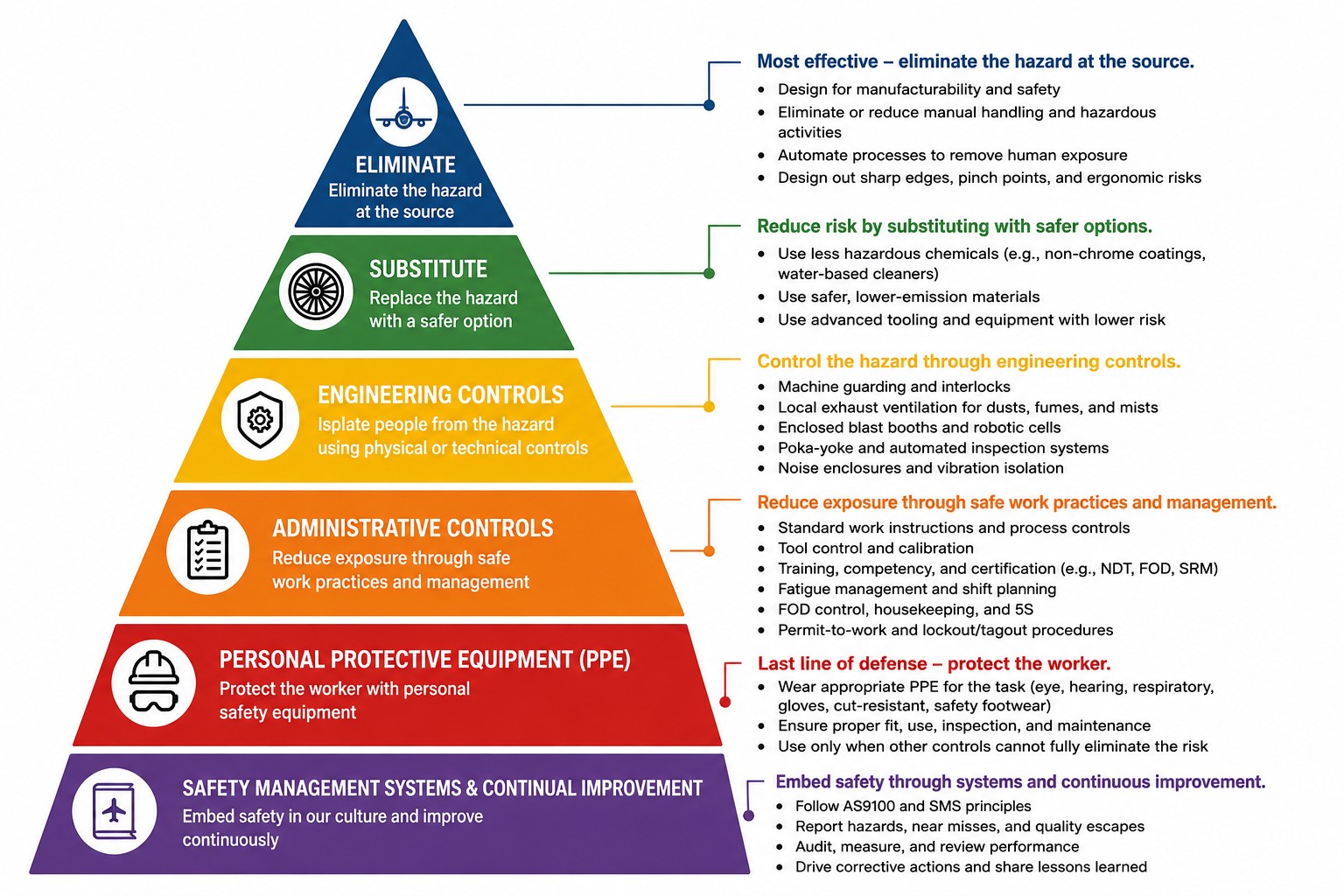
Once a hazard has been identified and scored, the hazard risk management software guides the safety team through applying controls using the internationally recognised Hierarchy of Controls. a framework endorsed by OSHA, NIOSH, and ISO 45001.

The hierarchy is not optional, it is a legal expectation under OSHA’s General Duty Clause (Section 5(a)(1)) and explicitly required under Process Safety Management (PSM) regulations (29 CFR 1910.119). The system will flag if a team has applied only PPE for a HIGH or CRITICAL hazard without first demonstrating that higher-order controls were considered and evaluated.

Control Level Method Example
1. Elimination Remove the hazard entirely Decommission faulty equipment
2. Substitution Replace with a safer alternative Use water-based instead of solvent-based chemicals
3. Engineering Controls Physical changes to the process or environment Machine guards, exhaust ventilation, and interlocks
4. Administrative Controls Change how work is done Job rotation, safe work procedures, training
5. PPE Last line of defense Hard hats, gloves, respirators, safety boots

Risk Score as a Safety KPI: Measuring What Matters

One of the most transformative aspects of hazard risk management software is the ability to convert risk scores into meaningful Key Performance Indicators (KPIs) that safety teams and executive leadership can track over time.

Risk Score KPIs Safety Teams Should Monitor

  •       Average Risk Score (Facility/Department): tracks overall risk level; target is downward trend
  •       Number of CRITICAL and HIGH hazards: should decrease as controls are applied
  •       Residual Risk Score: measures the effectiveness of controls applied
  •       Risk Score by Process or Equipment: identifies chronic problem areas
  •       Time to Close Corrective Actions: measures the responsiveness of the safety program
  •       Risk Score Trend (Week/Month/Quarter): leading indicator of safety performance

Unlike lagging indicators (injury rates, lost-time accidents), risk scores are leading indicators — they measure conditions before an incident occurs. This is the shift that modern safety management demands: from reacting to incidents to preventing them.

OSHA Compliance Note: OSHA's Injury and Illness Prevention Programs (I2P2) guidance explicitly recommends that employers track leading indicators of safety performance. Risk scores from hazard risk management software directly fulfill this recommendation.

Integration with Change Management (MOC): Hazard Management at Every Change Point

Some of the most catastrophic industrial incidents in history have occurred during or immediately after a change a new process, a machine modification, a shift in raw materials, or a change in the number of workers performing a task. The BP Texas City Refinery explosion (2005), which killed 15 workers, was linked in part to inadequate Management of Change (MOC) processes.

Hazard risk management software addresses this directly by integrating with MOC and change management workflows. Whenever a change is initiated whether it’s a new machine, a modified process, a new chemical, or a staffing change the system automatically triggers a new hazard identification and risk assessment cycle.

How MOC Integration Works in Practice

MOC Stage AI Action Output Linked To
Change Initiated Identify affected tasks & workers Hazard list generated Job Hazard Analysis
Risk Assessment Score likelihood & severity HIRA score assigned Risk Matrix
Controls Applied Recommend controls per hierarchy Control actions listed OSHA compliance check
Mitigation Verified Recalculate residual risk score Residual risk score KPI Dashboard
Change Approved Archive record for audit trail Closed MOC record OSHA recordkeeping

This integration also applies to:

  •       New Processes: Any new production process triggers an automatic JHA before the first run
  •       New Machines: Equipment commissioning includes AI-generated startup procedures and LOTO requirements
  •       Existing Process Changes: Even minor modifications: a new supplier for a chemical, a change in operating temperature: trigger a hazard review
  •       Temporary Changes: Bypasses, workarounds, and temporary modifications are captured and assessed, preventing the normalisation of risk

OSHA Compliance: How Hazard Risk Management Software Addresses Key Regulations

Hazard risk management software is not just a best practice it directly supports compliance with multiple OSHA standards that carry significant penalty exposure. Below are the key regulations and how the software addresses them:

OSHA Standard Requirement How Software Supports Compliance
General Duty Clause §5(a)(1) Employer must provide a hazard-free workplace Systematic hazard identification and control documentation provides defensible evidence of due diligence.
Hazard Communication 29 CFR 1910.1200 SDS management and chemical hazard communication. Chemical hazards are automatically linked to SDS records and included in JHA PPE recommendations.
Lockout/Tagout 29 CFR 1910.147 Written LOTO procedures for all equipment with hazardous energy. AI generates machine-specific LOTO procedures as part of the JHA workflow.
PSM 29 CFR 1910.119 Process Hazard Analysis (PHA) and MOC requirements. Integrated MOC workflow with automated risk reassessment and a complete audit trail.
Recordkeeping 29 CFR 1904 Recording and reporting of work-related injuries and illnesses. Hazard reports and incident records are stored with timestamps and full user accountability.

Conclusion

Safety is a System, Not a Spreadsheet

Hazard risk management software represents a fundamental shift from reactive, paper-based safety management to a proactive, data-driven discipline. It identifies risk before incidents occur, measures performance through leading indicators, and creates a consistent, auditable safety culture across every process, every shift, and every change.

Whether you are implementing it for a new machine, a new process, or a facility-wide safety transformation, the value is the same: replacing guesswork with intelligence and replacing 1 hour 45 minutes of manual analysis with 2 minutes of AI-powered precision. For EHS managers, safety officers, and operations leaders, the time to act is now.

EHSEHS ManagementEHS Management Software

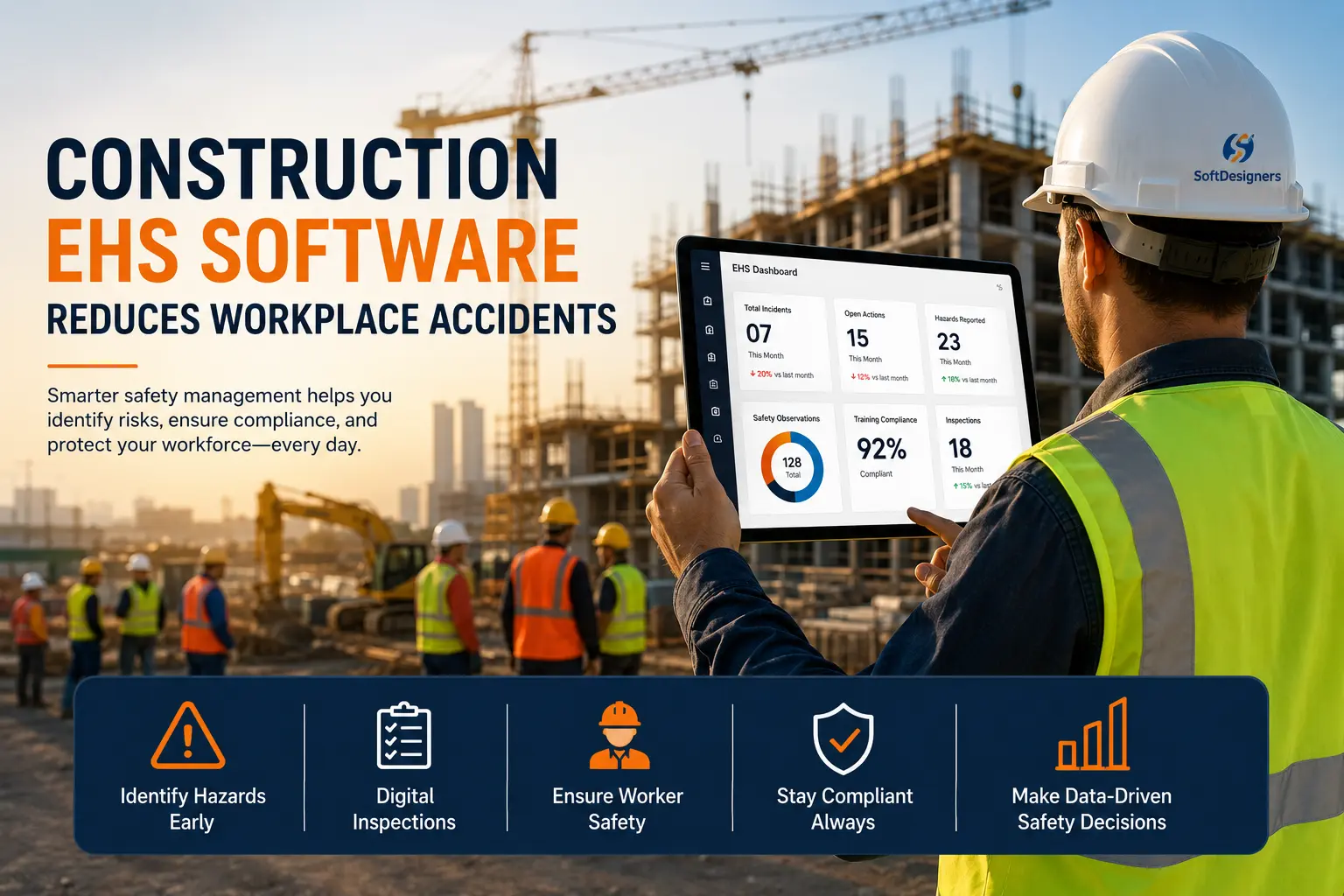
How Construction EHS Software Reduces Workplace Accidents

Construction has always been hazardous work; falls, struck-by events, electrical contacts, and trench collapses are common. For decades, the industry managed these risks with paper forms, folders, and a site supervisor’s memory. Forms got lost. Near-misses went unreported. Certifications expired unnoticed. Construction EHS software changes this equation. It removes the friction that lets hazards slip through: digitizing inspections, automating alerts, tracking certifications, and building the real-time safety intelligence that makes proactive prevention possible without replacing the judgment experienced safety professionals bring to a site.

Why Construction Sites Are Uniquely Dangerous

OSHA’s Fatal Four; falls, struck-by incidents, electrocution, and caught-in/between hazards account for more than 60 percent of construction fatalities annually. What makes construction uniquely difficult is its dynamic nature: hazards on day one are largely gone by day ninety, replaced by entirely different risks. High workforce turnover means a significant portion of workers on any given day may be new to a site’s specific conditions. Subcontractor layering creates accountability gaps across overlapping trades. Schedule pressure, the constant push to recover time lost to weather or permitting delays, creates the conditions in which shortcuts happen. These are the realities that construction EHS software is built to address.

Several factors amplify these baseline risks. High workforce turnover means a significant portion of workers on any given day may be unfamiliar with a site’s specific hazards, access routes, and emergency procedures. Subcontractor layering creates accountability gaps when four trades are working in overlapping zones. Language and literacy barriers affect safety communication on multilingual job sites. And schedule pressure, the persistent push to recover time lost to weather or permitting delays, creates the conditions in which safety shortcuts seem justifiable in the moment. These realities do not change by wishing them away. They require systematic tools built specifically for the environment.

What Is Construction EHS Software?

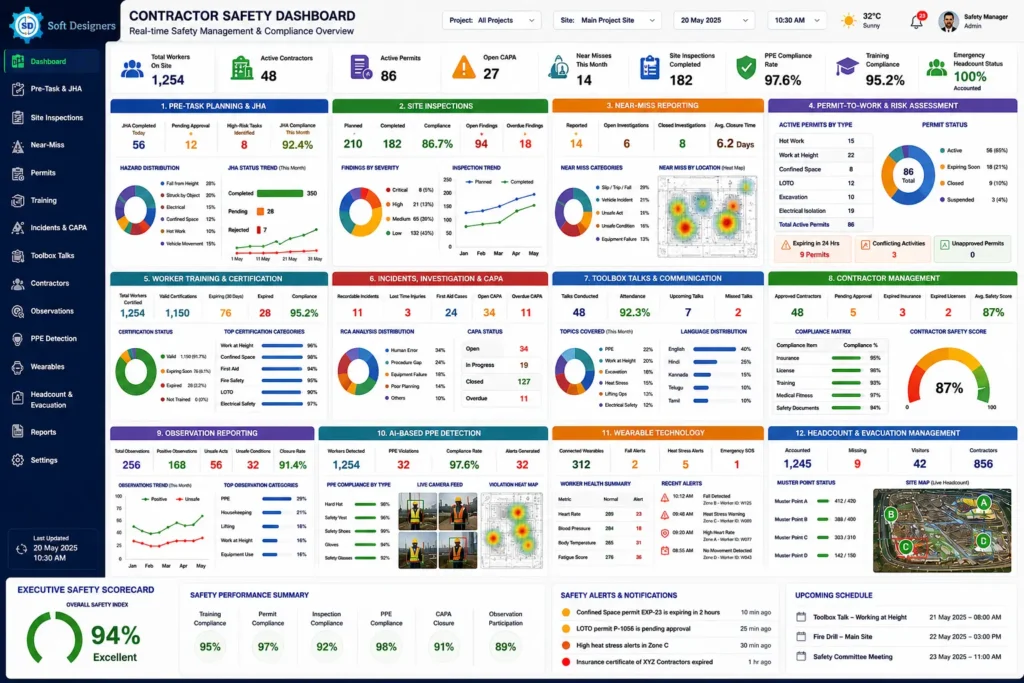
Construction EHS software is a digital platform that manages the environment, health, and safety functions of construction projects. It replaces paper-based processes with structured, searchable, and auditable digital workflows across the full safety lifecycle: pre-task planning, inspections, hazard reporting, permit management, training records, incident investigation, contractor compliance, and regulatory documentation. Accessible on mobile devices because safety work happens in the field, modern platforms also incorporate AI-based visual monitoring for PPE detection and integrate with wearable sensors that track worker health in real time, moving construction EHS from a reactive discipline toward a genuinely predictive one.

The best platforms unify these functions under a single data architecture so that a near-miss report feeds the same database as an inspection finding, a toolbox talk attendance record, and a CAPA task. That integration is what enables meaningful trend analysis and audit-ready reporting. Fragmented point solutions one app for inspections, another for training, and a spreadsheet for incidents generate data silos that defeat the purpose of digitization.

How Construction EHS Software Prevents Accidents

Prevention is a system of interlocking practices, each addressing a different point in the chain of events that leads to an incident. The following capabilities form that system.

Construction Ehs

Pre-Task Planning and Job Hazard Analysis

Most construction accidents are predictable, the product of known hazards not identified before work began. EHS software digitalizes Job Hazard Analysis (JHA) with structured mobile forms: workers select the activity, identify hazards, and document controls before each task. The platform routes the JHA for supervisor sign-off, timestamps the approval, and stores it against the work order. The digital record creates accountability; if an incident occurs, the JHA documents exactly what was anticipated, what controls were in place, and who authorized the work.

Site Inspections

EHS software replaces paper checklists with customizable mobile inspection forms. An inspector walks the site, completes checklist items, attaches photographs to findings, and flags items for corrective action the platform assigns tasks to responsible parties, sets due dates, and sends automated reminders. Aggregated over weeks and projects, inspection data reveals patterns invisible in paper files: recurring fall protection deficiencies on a subcontractor’s work areas or missing barricades near excavations on delivery days.

Near-Miss Reporting

Research shows that for every serious injury, dozens of near-misses and hundreds of hazardous conditions precede it. EHS software removes reporting friction: a worker submits a near-miss in under two minutes from their phone, with a photo and GPS-tagged location, immediately visible to the safety team. Anonymous reporting options further increase rates in cultures where workers fear repercussions. Higher reporting rates produce more data — and more data produces more opportunity to intervene before near-misses become incidents

Permit-to-Work and Risk Assessment

High-hazard activities, confined space entry, hot work, work at height, lockout/tagout, and excavation require formal permits. EHS software rebuilds the permit process with structured digital workflows: mandatory fields, integrated risk assessment checklists, required multi-level sign-offs, and automatic permit expiration. A live register of all active permits across the site makes conflicting activities visible before work begins, preventing the kind of overlap that turns individually safe activities into combined hazards.

Worker Training and Certification Tracking

EHS software maintains a centralized training registry for every worker on site: certifications held, training completed, and expiration dates. Automated alerts go to the worker, their supervisor, and the safety team when qualifications approach expiration. Some systems enforce access controls — a worker with a lapsed fall protection certification can be flagged before they are permitted to work at height. Many platforms also issue a digital Safety Pass — a QR-coded credential tied to the worker’s verified training and certification record, scanned at site entry to confirm they are qualified for the work area before they ever step on site. This is both protective for the worker and a liability safeguard for the contractor.

Incident Reporting, Investigation, and Corrective Action

When incidents occur, the quality of investigation determines whether conditions improve or recur. EHS platforms guide investigators through structured Root Cause Analysis (RCA) frameworks: 5-Why methodology drives to underlying causes rather than stopping at the immediate trigger; Fishbone (Ishikawa) analysis categorizes contributing factors across people, equipment, processes, environment, and management. CAPA workflows then assign remediation tasks to named individuals with tracked deadlines and escalation alerts for overdue items turning findings into documented commitments rather than intentions that fade.

Toolbox Talks and Safety Communication

EHS software provides a library of toolbox talk content organized by hazard type and trade, available in multiple languages. Supervisors schedule talks, deliver content digitally, and record worker attendance, creating a regulatory-defensible record that communication occurred. Frequency is what makes toolbox talks effective; the platform’s scheduling and tracking tools make that frequency achievable even across rotating multilingual crews.

Contractor Management

EHS software centralizes contractor compliance in a structured database: company details, license information, insurance certificates with expiration tracking, safety prequalification scores, and approved work duration and scope. Worker-level records capture blood group, health screening results, and emergency contact information. When insurance lapses or prequalification expires, alerts fire before work continues, maintaining a living compliance record rather than a paper file that was accurate on day one and out of date by day thirty.

Observation Reporting

Observation reporting captures both positive and negative safety behaviors in the field. Aggregated over time, observation records identify which work areas generate the highest rates of unsafe behavior, which supervisors have the strongest safety culture on their crews, and which activities are most associated with PPE non-compliance. This behavioral data is a leading indicator, a signal of risk that precedes incidents rather than following them.

AI-Based PPE Detection

Computer vision cameras integrated with EHS platforms automatically detect whether workers are wearing required PPE hard hats, high-visibility vests, safety glasses, and gloves. Non-compliance triggers immediate alerts to the supervisor’s phone and logs a timestamped, location-tagged image. The primary value is speed of correction: a worker without their hard hat receives a prompt within seconds rather than going unnoticed for hours. Over time, the data identifies specific areas and conditions associated with higher non-compliance rates.

Wearable Technology

Wearable sensors extend EHS monitoring to the physical condition of workers. Blood pressure and cardiac monitoring wearables flag workers whose physiological readings exceed safe thresholds during heat exposure or heavy exertion, enabling supervisors to intervene before a medical emergency occurs. Fall detection devices use accelerometers to detect the sudden movement characteristic of a fall and automatically alert the safety team with GPS location, enabling rapid response even when the worker cannot call for help. All wearable data feeds into the EHS platform for real-time visibility and trend analysis.

Headcount and Evacuation Management

EHS software manages site access and headcount through digital check-in systems. QR code or RFID-based entry points that log arrivals and departures in real time. A live dashboard shows everyone currently on site, searchable by company, trade, or work area. In an emergency, supervisors pull the verified headcount to any mobile device within seconds and conduct mustering against an accurate list rather than relying on memory. Post-evacuation, the platform documents the timeline and data needed for drill improvement.

From Lagging Indicators to Leading Indicators

Traditional construction safety measurement is retrospective: injury rates, lost-time incidents, and OSHA recordables. By the time these metrics register, harm has already occurred. Leading indicators, inspection completion rates, near-miss reporting frequency, certification currency, and open CAPA closure rates measure the conditions and behaviors that predict incidents before they happen. EHS software makes leading indicator tracking possible at scale because the data feeding those metrics is generated as a natural byproduct of daily platform use. Dashboards surface trends in real time, relocating the point of intervention from after the incident to before it.

The distinction matters in practice. A safety manager reviewing lagging indicators at month-end is reading a historical record. A safety manager reviewing a leading indicator dashboard mid-week is reading a forecast and has time to act on it. That shift in timing is where EHS software’s accident prevention value is most directly expressed.

OSHA Compliance and Audit-Ready Documentation

OSHA’s 29 CFR Part 1926 standards impose specific recordkeeping obligations across virtually every phase of construction work, including fall protection plans, scaffolding inspection records, confined space entry permits, training logs, and more. Construction EHS software builds compliance into the daily workflow: inspection forms capture the exact fields. OSHA requires incident reports to generate 300 log entries automatically, and permit records carry the authorization chains regulators expect. When an unannounced inspection occurs, the safety manager retrieves organized, timestamped records from a single platform rather than assembling paper files under pressure. OSHA serious violations run up to $16,550 per citation and willful or repeat violations up to $165,514. The documentation discipline EHS software enforcement is also the discipline that reduces incident frequency; compliance and safety performance are the same practice.

The table below maps the primary OSHA standards that construction EHS software directly supports.

OSHA Standard Regulation Description
29 CFR 1926.20 Subpart C – General Safety & Health Requires employers to initiate safety programs, conduct frequent site inspections, and designate competent persons for hazard oversight.
29 CFR 1926.59 Subpart Z – Hazard Communication Mandates written HazCom programs, SDS availability, proper chemical labeling, and worker training on hazardous substances.
29 CFR 1926.100–106 Subpart E – Personal Protective Equipment Requires hazard assessments, provision of ANSI-compliant PPE, and employer-funded equipment including hard hats, safety glasses, and gloves.
29 CFR 1926.150–159 Subpart F – Fire Protection & Prevention Establishes requirements for fire extinguisher placement, hot work controls, flammable material storage, and evacuation planning.
29 CFR 1926.400–449 Subpart K – Electrical Requires GFCI protection, grounding of temporary systems, and qualified electrician oversight for temporary power installations.
29 CFR 1926.450–454 Subpart L – Scaffolding Requires scaffold design by a qualified person, weekly inspections with documented tags, guardrail systems, and trained crews.
29 CFR 1926.500–503 Subpart M – Fall Protection Mandates fall protection at 6 feet or more, covering guardrails, personal fall arrest systems, safety nets, and leading-edge controls.
29 CFR 1926.600–652 Subpart P – Excavations Requires daily competent person inspections of trenches, soil classification, and protective systems for all excavation work.
29 CFR 1904 Recordkeeping and Reporting Requires employers to maintain OSHA 300 logs and report hospitalizations within 24 hours and fatalities within 8 hours.
29 CFR 1926.1200–1213 Subpart AA – Confined Spaces Governs permit-required confined space entry, including atmospheric testing, rescue planning, and entry permit documentation.

The Real Cost of Construction Accidents

A single lost-time injury carries significant direct costs for a contractor, and a fatality represents a far greater toll. But direct costs are only part of the picture. Indirect costs, project delays, equipment downtime, investigation time, productivity loss, and crew morale impact typically run three to five times the direct cost, capable of eliminating an entire project’s margin. At the company level, safety performance shapes EMR scores, insurance premiums, bonding capacity, and bid eligibility on public projects and safety-conscious owner contracts. EHS software reduces incident frequency, improves documentation quality, and contributes directly to EMR improvement over time.

There is also a reputational dimension that does not appear on an incident cost worksheet. Owners increasingly evaluate contractor safety performance as a prequalification requirement. A poor safety record, even one built up across several years of individually manageable incidents, can disqualify a contractor from entire market segments. The contractors winning the most competitive bids in safety-conscious sectors are not just technically capable; they have the safety data and audit-ready documentation to prove they manage risk systematically.

Case Study: How a Scaffolding Incident Traced Back to a Failed Safety Training Program

A mid-size commercial contractor’s worker fell from fifth-floor scaffolding, sustaining serious injuries. The 5-Why investigation traced the immediate cause of failure to secure a personal fall arrest system before repositioning back through normalized unsafe behavior to a supervisor who had never received formal scaffolding hazard communication training and to a training spreadsheet last updated eight months prior. The supervisor’s scaffolding safety certification had expired six months before the incident. No one had noticed. An EHS platform with automated certification tracking would have flagged the lapse before the assignment was made. A structured toolbox talk module would have covered repositioning hazards. A digital JHA would have required explicit fall protection documentation for the activity. The contractor received an OSHA citation under 29 CFR 1926.502 and lost three weeks to investigation-related delays. Eighteen months after implementing a construction EHS platform, their recordable incident rate had dropped 47 percent.

Key Safety Insight

This case illustrates why construction EHS software is needed: a single missed certification, sitting unnoticed in an outdated spreadsheet, was the thread connecting a training gap to a serious injury. It is exactly the kind of risk that automated certification tracking, digital Job Hazard Analyses (JHAs), and structured toolbox talks are designed to identify and address before it develops into a workplace incident.

How to Choose the Right Construction EHS Software

Platform selection depends on your organization’s size, project types, regulatory context, and operational maturity. Anchor your evaluation on these criteria:

  •    Field usability. Test the mobile interface on an actual job site. If reporting is not fast and simple, it will not happen consistently.
  •    Module coverage. Look for a platform covering the full safety lifecycle, from pre-task planning through CAPA closure, to avoid data gaps from switching between systems.
  •    Configurability. Inspection forms, JHA templates, and permit workflows must reflect your specific operations and regulatory requirements.
  •    Integration capability. Evaluate API connectivity to project management, HR, and contractor management systems your organization already uses.
  •    Analytics and reporting. Real-time dashboards and trend analysis tools are how investment in data collection translates into actual safety improvement.
  •    Regulatory alignment. Confirm documentation standards and templates align with your jurisdictional requirements, including multi-state and federal contracts.

Run a pilot on a single project before enterprise rollout. Use that period to evaluate adoption rates, field usability, and data quality, not just the feature list.

One evaluation step that is often skipped: assess how the platform handles failure. What happens when a mobile device goes offline in a basement or remote site? How does the system handle data sync conflicts when two inspectors submit overlapping records? What is the vendor’s SLA for outages? A platform that works well in ideal conditions but degrades unpredictably in the field conditions your sites actually present is not the platform you need.

Conclusion

Construction is not going to stop being dangerous. The physical nature of the work, the variability of the environment, and delivery schedule pressure will always create conditions where hazards exist. The question is whether the tools available are adequate to manage them. Paper-based programs were the best available option for a long time. They are no longer. Construction EHS software brings the same data-driven approach that has transformed project scheduling and cost control to safety management, and the results are measurable: fewer incidents, stronger compliance, lower insurance costs, and workers who go home in the same condition they arrived.

If your organization is still running safety on clipboards and spreadsheets, the gap between your current program and what purpose-built EHS software makes possible represents both a risk and an opportunity. The technology exists. The evidence for its effectiveness is documented across projects and contractors of every size. The next step is implementing it with the same discipline and commitment you bring to every other aspect of your work

AndonAndon system

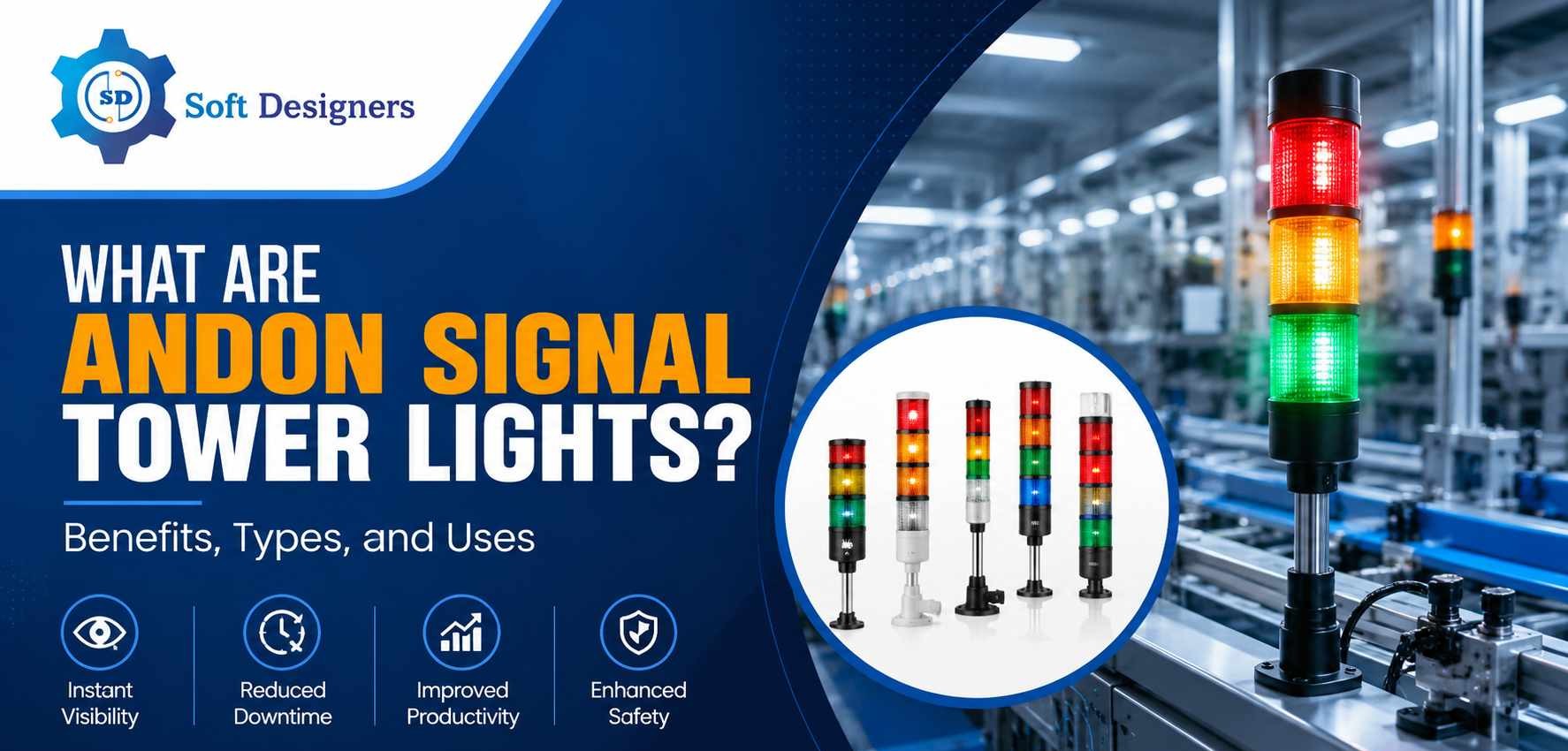
What Are Andon Signal Tower Lights? Benefits, Types, and Uses

In modern industrial environments, maintaining smooth production flow is critical for achieving efficiency, reducing downtime, and meeting customer demands. Even a small machine failure or operational delay can interrupt the entire production process and lead to financial losses. Because of this, industries rely on visual communication systems that help operators and supervisors quickly identify problems and respond immediately. One of the most effective solutions used for this purpose is the Andon Signal Tower Light.

Andon tower lights are commonly installed on machines, production lines, assembly stations, and industrial equipment. These signaling devices provide instant visual information about machine status, operational conditions, and production performance. Their simple yet highly effective design allows industries to improve communication, reduce response time, and maintain better control over factory operations. As manufacturing continues to evolve toward automation and Industry 4.0, Andon systems have become an essential part of smart factory infrastructure.

What Are Andon Signal Tower Lights?

Andon Signal Tower Lights are industrial signaling devices used to visually display the operating condition of machines, workstations, or production lines. The term “Andon” originates from the Japanese manufacturing system introduced by Toyota as part of lean manufacturing practices. The primary purpose of an Andon system is to alert operators and supervisors whenever there is a production issue, machine fault, or process interruption.

A typical Andon tower light contains multiple colored LED lights stacked vertically. Each color represents a specific operational condition. Green generally indicates normal machine operation, yellow or amber signals a warning or attention requirement, and red indicates a fault or machine stoppage. Some systems may also use blue or white lights for maintenance requests, quality checks, or material shortages.

These lights are connected to machines, sensors, PLC systems, or industrial software platforms. Whenever the machine condition changes, the corresponding light activates automatically. In many industrial environments, tower lights are also combined with audible alarms or buzzers to ensure alerts are noticed immediately.

Importance of Andon Tower Lights in Industrial Operations

In large manufacturing facilities, monitoring every machine manually is difficult and time-consuming. Without a proper signaling system, identifying operational issues can take longer, leading to increased downtime and reduced productivity. Andon tower lights solve this problem by providing real-time visual communication throughout the production floor.

One of the biggest advantages of the Andon system is instant visibility. Supervisors and operators can identify machine conditions from a distance without stopping operations for inspection. If a machine stops unexpectedly, the warning light immediately alerts the responsible team, allowing faster corrective action.

Andon tower lights also help improve production efficiency. Since problems are identified quickly, maintenance teams can reduce response time and minimize production delays. Faster issue resolution helps maintain continuous workflow and prevents operational bottlenecks.

Another major benefit is improved workplace safety. In hazardous industrial environments, Andon systems can provide emergency alerts, warning signals, or fault indications that help workers respond to dangerous conditions more effectively. Flashing lights and audible alarms ensure that important alerts are noticed even in noisy production areas.

These signaling systems also support better communication between departments. Production teams, maintenance staff, quality inspectors, and supervisors can all understand machine conditions instantly without relying on verbal updates. This improves coordination and helps maintain smoother factory operations.

Types of Andon Signal Tower Lights

Different industries use different types of Andon tower lights depending on operational requirements, machine configurations, and automation levels.

1. LED Tower Lights

LED tower lights are the most widely used signaling devices in modern industries. They offer high brightness, long operational life, low power consumption, and minimal maintenance requirements. Their durability makes them ideal for continuous industrial operations.

2. Stack Lights

Stack lights contain multiple colored modules arranged vertically to display several machine conditions simultaneously. These lights are commonly used on assembly lines, CNC machines, packaging systems, and automated production equipment.

3. Audible and Visual Tower Lights

These systems combine flashing signal lights with alarms or buzzers. They are especially useful in noisy manufacturing environments where visual alerts alone may not be sufficient to attract attention during emergencies or machine failures.

4. Wireless Andon Tower Lights

Wireless Andon systems use Wi-Fi or RF communication to transmit machine status information without complex wiring. These solutions are easier to install and are widely used in flexible manufacturing environments and smart factories.

5. Smart IoT-Enabled Andon Lights

Advanced Andon systems integrate with IoT platforms, SCADA systems, MES software, and cloud dashboards. These intelligent systems provide real-time monitoring, analytics, predictive maintenance support, and remote machine visibility.

Applications of Andon Tower Lights

Andon Signal Tower Lights are used across a wide range of industries because they improve communication, operational visibility, and production control.

1. Manufacturing Plants

Manufacturing facilities use Andon tower lights to monitor machine performance, detect equipment failures, and track production status. Operators can quickly identify machine stoppages, overheating, or maintenance requirements, helping improve productivity and reduce downtime.

2. Automotive Industry

Automotive assembly lines depend heavily on Andon systems to maintain continuous production flow. Tower lights help identify workstation issues, assembly line interruptions, and quality concerns before they affect the entire manufacturing process.

3. Warehousing and Logistics

Warehouses use Andon tower lights to monitor conveyor systems, packaging operations, and material handling equipment. Visual alerts help workers identify operational delays, equipment faults, and workflow bottlenecks quickly.

4. Pharmaceutical Industry

In pharmaceutical manufacturing, Andon systems help monitor production equipment, cleanroom operations, and process status. These systems support compliance, quality control, and operational accuracy.

5. Food and Beverage Industry

Food processing plants use tower lights to monitor machine conditions, packaging operations, and hygiene cycles. Signal lights help operators quickly identify process interruptions that could impact production quality or food safety standards.

6. Electronics Manufacturing

Electronics manufacturers use Andon systems to monitor PCB assembly lines, automated testing stations, and precision manufacturing equipment. Real-time alerts help reduce defects and maintain consistent product quality.

7. CNC and Machine Shops

CNC machines use tower lights to indicate machine status, tool changes, operational faults, and maintenance requirements. Operators can monitor multiple machines simultaneously, improving shop floor efficiency.

8. Packaging Industry

Packaging facilities use Andon systems to monitor filling machines, labeling systems, and packaging equipment. These lights help reduce delays caused by jams, material shortages, or machine failures.

9. Smart Factories

Modern smart factories integrate IoT-enabled Andon systems with manufacturing software for centralized monitoring and predictive maintenance. These advanced solutions provide better production visibility and support data-driven decision-making.

10. Assembly Lines

Assembly lines use Andon tower lights to indicate production status, operator assistance requests, material shortages, and quality inspection requirements. This improves coordination between operators, maintenance teams, and supervisors.

Andon Tower Lights and Industry 4.0

With the growth of Industry 4.0 and industrial automation, Andon systems are becoming more intelligent and connected. Traditional tower lights are now integrated with advanced monitoring platforms, industrial IoT systems, and cloud-based dashboards.

Modern Andon solutions can send alerts directly to maintenance teams, supervisors, or mobile devices whenever machine abnormalities occur. Managers can remotely monitor production performance, analyze historical machine data, and identify recurring operational problems.

These capabilities support predictive maintenance strategies where potential equipment failures are identified before they cause major downtime. As a result, industries can improve operational reliability, reduce maintenance costs, and increase overall equipment efficiency.

Conclusion

Andon Signal Tower Lights have become an essential part of modern industrial operations. Their ability to provide instant visual communication helps industries improve productivity, reduce downtime, enhance safety, and maintain smoother production flow.

From manufacturing plants and automotive assembly lines to warehouses and smart factories, Andon systems play a critical role in improving operational visibility and faster decision-making. As industries continue adopting automation and Industry 4.0 technologies, intelligent Andon signaling systems will become even more important for efficient factory management.

Businesses looking to strengthen production monitoring, improve machine communication, and increase operational efficiency can greatly benefit from implementing Andon Signal Tower Lights as part of their industrial automation strategy.


Frequently Asked Questions

Learn more about Andon Signal Tower Lights, their functionality, benefits,
and industrial applications in modern manufacturing environments.

Andon Signal Tower Lights are industrial visual signaling devices
used to indicate machine status, production conditions, and operational alerts
in manufacturing environments. These lights help operators and supervisors
identify issues quickly and improve production efficiency.

Different colors indicate different machine conditions. Green usually means
normal operation, yellow or amber indicates a warning, and red signals a fault
or machine stoppage. Additional colors may represent maintenance requests,
material shortages, or quality inspections.

Andon tower lights are widely used in manufacturing plants, automotive assembly lines,
warehouses, pharmaceutical industries, food processing facilities, electronics manufacturing,
and smart factories for real-time operational monitoring.

Andon tower lights improve communication, reduce machine downtime, increase productivity,
enhance workplace safety, and help teams respond quickly to production issues.
They also support lean manufacturing and Industry 4.0 initiatives.

Yes, modern Andon systems can integrate with IoT platforms, MES software, SCADA systems,
and cloud dashboards to provide real-time monitoring, remote alerts, analytics,
and predictive maintenance support.


EHSEHS ManagementEhs software solutions

EHS Software in Cement Industry | Soft Designers

Introduction:

Step inside any cement plant and the hazards are immediate. Kilns exceeding 1,400°C, vast conveyor systems, dust-filled confined spaces, and contractors who know their trade but not this specific plant. A paper permit system rarely reflects what is actually happening on the ground. EHS software for the cement industry introduces a hazard-free environment. 

Cement manufacturing consistently ranks among industry’s most dangerous sectors. Extreme heat, heavy rotating machinery, work at height, live electrical systems, and complex multi-contractor shutdowns demand more than spreadsheets and clipboards. AI-powered EHS software was built precisely for this level of complexity.

The Real Safety Challenges Addressed by EHS Software in Cement Industry

Most manufacturing plants deal with one or two dominant hazard categories. Cement plants deal with nearly all of them simultaneously. Kiln maintenance alone involves confined space entry, hot work, work at height, LOTO isolation, and contractor management often within the same 48-hour shutdown window. A single procedural gap during that window can be catastrophic. 

The specific hazards that define cement manufacturing risk: 

  • Nonstop machinery makes equipment isolation extremely difficult during maintenance activities. 
  • Kiln operations present constant risks of severe burns and dangerous gas buildup that are hard to detect early. 
  • Confined space entry checks are frequently skipped or inadequately completed under operational pressure. 
  • Falls from height often result from missed inspections and informal anchor point practices. 
  • Hot work conducted near combustible dust creates serious ignition risks without rigorous controls. 
  • Managing multiple contractor crews simultaneously during shutdowns creates significant coordination and compliance gaps. 

Where Paper Systems Break Down

The core failure of paper-based safety management is not laziness or negligence, it is structural. Paper permits can be backdated, Checklists can be pre-filled, Near-miss books go unreported because nothing links the observation to an action. Audit findings sit in folders waiting for someone to schedule a follow-up. Contractor inductions get signed off without being properly verified. 


Major Cement Plant Hazard 

Potential Consequences 

Traditional Challenge 

Digital EHS Solution 

Kiln maintenance and entry 

Fatal burns, toxic gas, explosion 

Paper permits, manual gas logs 

Digital PTW with atmospheric monitoring integration 

Confined space entry 

Suffocation, H2S exposure 

Manual checklists, informal standby 

Digital workflow, AI alerts, mandatory gas test fields 

Working at height 

Falls, fatalities 

Incomplete inspection records 

AI-scheduled inspections, mobile photo evidence 

Hot work near combustibles 

Fire, explosion, burn injuries 

Permits issued without an area check 

Digital PTW with area clearance workflow 

LOTO failures 

Unexpected energisation 

Human error, missing steps 

Digital LOTO with step-by-step verification 

Contractor activities 

Unauthorised work, untrained workers 

Poor visibility, paper sign-in 

Safety Pass, digital induction, competency tracking 

Dust-related incidents 

Respiratory disease, explosions 

Manual monitoring logs 

Digital observation reporting with escalation 

Emergency evacuation 

Incomplete headcount, delayed response 

Manual register, radio roll call 

Digital headcount with geofencing and real-time count 

Core Benefits of EHS Software in Cement Industry

Each of the following modules represents a distinct layer of protection,  

1] Safety Pass Management

Paper-based safety passes collect signatures but rarely check if certifications are still valid, a gap that contributed to a 2022 Southeast Asian petrochemical fatality, where a worker entered a confined vessel without the required competency. Digital safety pass systems fix this by automatically blocking access if certifications have lapsed, removing the need for manual checks. Safety managers also get a live view of who is on site, which zones they are cleared for, and when certifications expire. 

Mandatory EHS Step 

Why It Matters 

What Happens if Missed 

Site-specific induction completion 

The worker understands local hazards 

The worker enters the area without hazard awareness 

Certification and competency verification 

Confirms the worker is qualified for the task 

An unqualified person performs high-risk work 

Medical fitness check 

Ensures fitness for confined space or height work 

Medical incident during or after high-risk activity 

Gate pass issuance with expiry 

Controls authorised access 

Expired credentials go undetected 

Contractor company vetting 

Ensures the hiring company meets safety standards 

Substandard contractor brings unmanaged risk 

2] Permit to Work (PTW)

The permit-to-work system is arguably the single most important administrative control in a cement plant. Done properly, it creates a documented trail of authorisation, hazard identification, isolation verification, and sign-off that keeps high-risk work from proceeding until every prerequisite is genuinely satisfied. 

A PTW lifecycle begins at the gate with worker verification, moves through hazard identification, risk assessment, and multi-level approval, then confirms physical isolation before work starts. A toolbox talk briefs the crew on controls, work proceeds within permit conditions, and any unexpected change triggers an immediate suspension. Once complete, the area is cleared and the permit formally closed out. 

Mandatory EHS Step 

Why It Matters 

What Happens if Missed 

Hazard identification 

Surfaces hidden risks 

Known hazard goes uncontrolled 

Isolation verification 

Confirms energy sources are dead 

A worker contacts live electrical or mechanical energy 

Toolbox talk 

Ensures crew understands permit conditions 

Worker unaware of the controls they must comply with 

Shift handover of active permits 

Maintains continuity of control 

The incoming crew is unaware of the work in progress 

Permit closure and area check 

Confirms safe restoration 

Tools or workers left in a hazardous space 

2.1 Work at Height

Falls remain a leading cause of fatal injury in cement plants, with the preheater tower presenting numerous simultaneous hazards during shutdowns. In one European incident, a technician fell when an anchor point that had never been formally rated or inspected, highlighting the danger of informal practices. Digital tools address this directly by photographing every anchor point, recording rated capacity, and blocking permit progression if inspection intervals have lapsed. 

2.2 Confined Space

Confined space entry is cement’s most unforgiving hazard, where a single skipped atmospheric test or absent standby attendant can prove fatal. Several South Asian fatalities traced to workers entering incompletely purged coal mill chambers share one root cause: procedural gates that could be bypassed. Digital confined space management eliminates this risk by requiring timestamped gas test results and tester identification before entry authorisation becomes available. 

2.3 Hot Work Management

Hot work permits must function as genuine safety controls rather than paperwork formalities. A 2018 North African cement facility fire, linked to hot work near a bag filter with residual coal dust accumulation, resulted from a post-work fire watch being informally reduced to five minutes, allowing the fire to spread undetected. Digital EHS platforms enforce mandatory fire watch durations within the permit workflow, ensuring no step can be skipped or shortened without authorisation.

3] Incident Management and CAPA

How an organisation responds to an incident determines whether it happens again. Fast, honest reporting is the foundation of a learning safety culture, while delayed or incomplete reporting breeds repeat incidents. [Text Wrapping Break][Text Wrapping Break]A complete incident management process covers immediate reporting, scene preservation, first aid, root cause analysis using structured methodologies like 5 Whys and RCA, corrective and preventive actions, closure verification, and company-wide learning communication. For cement plants managing complex multi-system incidents, digital platforms significantly reduce investigation time while improving analytical depth. 

Mandatory EHS Step 

Why It Matters 

What Happens if Missed 

Immediate reporting within minutes 

Preserves scene and witness memory 

Evidence lost; investigation compromised 

Root cause analysis 

Identifies systemic failures, not just symptoms 

Only surface causes addressed; incident recurs 

Corrective action closure verification 

Confirms the fix was actually implemented 

Action raised but never executed; hazard persists 

Learning communication across the organisation 

Spreads the lesson beyond the immediate site 

The same incident occurs at a different plant or area 

4] Headcount Management

During a major kiln shutdown, a cement plant can have upwards of 500 workers and contractors on site simultaneously. If an emergency evacuation is required, gas leak, fire, or structural failure, knowing exactly who is where becomes a matter of life and death. Manual registers, sign-in books, and radio-based roll calls cannot answer: who is currently inside which area, who left for lunch and has not returned, and whether three contractors who arrived at 14:00 have completed their induction, Headcount Management helps in filling this gap.   

5] Management of Change (MoC)

In cement manufacturing, even minor changes can trigger serious consequences across interconnected systems. A temporary interlock bypass on a kiln drive, a fuel blend adjustment in the precalciner, or a replacement gearbox with different torque specifications can each introduce risks that were never formally assessed. Management of Change ensures every modification, whether to equipment, process parameters, safety systems, or personnel, is evaluated before implementation. This is particularly critical in cement plants where an unreviewed change in one area can quietly affect pressure dynamics, gas flow, or mechanical load in an adjacent system. 

Mandatory EHS Step 

Why It Matters 

What Happens if Missed 

Hazard review before implementation 

Identifies new risks created by the change 

A hidden hazard was introduced into the operating system 

Approval by qualified personnel 

Ensures change is technically validated 

Engineering error creates a safety-critical failure mode 

Workforce communication 

Ensures operators understand the change 

Operator responds incorrectly to modified system behaviour 

Post-change review 

Confirms change achieved its intent safely 

Adverse consequences discovered only after an incident 

6] Observation Reporting

Safety observation reporting is one of the most overlooked tools in any EHS programme. The barrier is rarely awareness. Most workers can spot an unsafe act or condition when they see one. The real barrier is effort: paper forms, unclear ownership, and no way to know if anything was done. A digital platform removes that barrier, letting employees report from their phone in under a minute with photos and location attached, while automatically sending the observation to the right person and assigning corrective action. Built-in AI-guided 5 Whys questioning helps teams find the root cause rather than just closing out observations without real follow-through.  

7] Inspection Checklists and Smart Scheduling

Inspections in paper-based systems follow one of two failure modes: they happen too infrequently for the actual risk level, or they happen on schedule but with no connection between what is found and what happens next. AI-powered inspection management addresses both. Risk-based scheduling means high-risk equipment, such as the kiln drive, bag filter systems, and coal mill isolation valves, gets inspected more frequently and with greater thoroughness. Mobile tools let field workers complete checklists on a phone and submit findings in real time. 

8] Lockout Tagout (LOTO)

LOTO failures are responsible for a significant proportion of the most severe injuries in heavy manufacturing. In cement plants, unexpected re-energisation can mean crush injuries from crusher jaws, entanglement in conveyor drives, burns from kiln shells and preheater components, or electrocution from high-voltage motor control centres. 

Proper Lockout Tagout requires complete identification of all energy sources (electrical, pneumatic, hydraulic, thermal, stored kinetic), a documented step-by-step isolation sequence for each specific machine, individual lock application by every worker in the isolation group, a try-out procedure confirming the machine is truly de-energised, clear tagging with worker identity and permit reference, and a documented restoration sequence. 

Mandatory EHS Step 

Why It Matters 

What Happens if Missed 

Complete energy source identification 

Ensures no stored energy remains 

Residual pneumatic or hydraulic energy releases during maintenance 

Individual lock application by each worker 

Ensures no single person can remove all locks 

Supervisor removes the group lock while the worker is still inside the machine 

Try-out verification procedure 

Confirms isolation is effective 

Machine starts while worker is in contact with it 

Restoration sequence documentation 

Ensures safe re-energisation 

Equipment damaged or worker endangered during startup 

Equipment requiring critical LOTO attention in cement plants: raw mill drives, kiln main drive, clinker conveyor drives, coal mill grinding circuits, preheater fan drives, and all crusher and hammer mill systems. Digital LOTO management provides each machine with a scannable equipment tag that the worker receives the isolation procedure, confirms each step with a timestamped digital signature, and receives a system-issued permit only when the procedure is complete.

9] Waste Management

Cement plants deal with a wide variety of waste, from hazardous and chemical to bio-medical, non-hazardous, and recyclable, and managing all of it properly isn’t straightforward. The waste management module takes that complexity in stride by letting you configure waste types and chemicals specific to your facility, broken down by department. When disposal is due, department heads fill out a form with the type, quantity, and classification of waste, which then goes straight to the relevant vendor. Once the vendor completes the disposal and verifies it in the system, it moves to the safety officer for a final check and closure. For hazardous waste, the required government forms are already built into the workflow so nothing gets missed on the compliance side. And if anything goes wrong on the ground, the spillage reporting form and periodic waste audit form make sure it’s captured and followed up on. 

10] Risk Assessment

Traditional risk assessments are static documents rated on a 5×5 matrix and filed. If conditions change, the area is now adjacent to active hot work, the team has changed, the task is now happening in wet weather, the risk profile has changed, but the assessment has not. AI-based risk assessment introduces dynamic risk scoring: historical incident and near miss data inform the baseline, current permit activity in adjacent areas is factored in, atmospheric conditions contribute to live risk updates, and AI-generated recommendations suggest additional controls based on similar past tasks. 

Mandatory EHS Step 

Why It Matters 

What Happens if Missed 

Contextual hazard identification 

Surfaces area-specific and task-specific risks 

Generic assessment misses site-specific hazard 

Control effectiveness validation 

Confirms controls are adequate 

Inadequate controls approved without challenge 

Post-task review 

Improves future assessments 

The same inadequate assessment is used repeatedly 

AI pattern analysis 

Identifies risk clusters humans miss 

Systemic risk pattern undetected until incident occurs 

11] SDS (Safety Data Sheet) Management

Every hazardous chemical on a cement plant site, from grinding aids and fuel additives to lab reagents, comes with a Safety Data Sheet covering hazards, safe handling, first aid, and emergency response under the standardized 16-section GHS format. In paper-based systems, these sheets sit in binders at fixed locations, and a spill at 2 AM during a shutdown means hunting for the right SDS, and the right revision, under pressure. Digital SDS management fixes this with instant mobile access from anywhere on site, automatic detection of manufacturer revisions so outdated sheets never get used, and direct linkage to chemical inventory so nothing on site goes undocumented. 

Mandatory EHS Step 

Why It Matters 

What Happens if Missed 

Current SDS version availability 

Ensures accurate hazard and first aid information 

First aider uses outdated guidance; incorrect treatment given 

Location-specific and shift-wide access 

SDS readily available wherever and whenever chemicals are used 

Workers on off-shifts have no access; HazCom compliance gap 

Emergency response guidance 

Surfaces spill, PPE, and first aid sections instantly during incidents 

Responder improvises; spill response delayed or worsened 

Chemical inventory linkage 

Tracks all hazardous substances on site against their SDS 

Unregistered chemical in use with no SDS available 


12] Fire Equipment Register

Passive fire protection is only as good as the inspection regime behind it. A fire extinguisher that has not been serviced in 24 months, a sprinkler head blocked by stored material, a hydrant with a seized valve, these are documented realities in facilities where paper-based equipment registers are the norm. Digital fire safety register maintains an asset register for all firefighting equipment by location and type, inspection schedules with automated reminders, service history, hydrant and deluge system test records, and an emergency equipment inventory covering breathing apparatus, fire blankets, and emergency showers. 

13] Accident Reporting

When a serious accident occurs, the quality of the immediate response determines both the human outcome and the quality of the subsequent investigation. Digital accident reporting enables simultaneous notification to the safety manager, plant manager, and emergency response team, automated escalation based on severity classification, time-stamped photo and witness account capture before scene disturbance, AI Root Cause Analysis pattern matching during the investigation, CAPA workflow with assignment and escalation, and one-tap access to hospital contacts, emergency services, and corporate safety leadership. 

Mandatory EHS Step 

Why It Matters 

What Happens if Missed 

Immediate severity classification 

Triggers an appropriate level of response 

Serious incident treated as minor; inadequate response 

Evidence preservation 

Maintains the integrity of the investigation 

Physical evidence disturbed; root cause unidentifiable 

AI Root Cause Analysis 

Surfaces systemic patterns beyond the immediate cause 

Investigation focuses on immediate cause only; systemic factor is missed 

CAPA closure verification 

Confirms action was actually taken 

Action raised, never implemented; incident recurs 

Learning communication across the organisation 

Spreads prevention beyond the immediate site 

Lesson contained to one site; same incident at another 


How AI is Transforming EHS in the Cement Industry

The shift from digital EHS to AI-powered EHS is not a marketing distinction, it represents a fundamental change in what a safety management system can do. Digital platforms eliminate paper and add structure. AI adds predictive intelligence, pattern recognition, and autonomous monitoring that no human supervisor can match at scale. 

AI PPE Detection:

Computer vision deployed at entry points, critical work areas, and conveyor access zones provides continuous, objective PPE monitoring. The camera does not have favourites, does not get tired, and does not look the other way when someone removes their helmet mid-shift. AI PPE detection generates compliance trend data that tells safety managers exactly which areas, which shifts, and which contractor companies have the highest non-compliance rates — enabling targeted intervention rather than generic reminders. 

AI-Powered Inspections:

AI inspection scheduling analyses equipment failure history, recent incident data, environmental conditions, and production intensity to calculate a dynamic risk score for each asset. High-risk assets are inspected more frequently and lower-risk assets can be inspected less often without compromising overall safety. This means safety teams spend their time where it matters most, rather than executing a flat calendar schedule that treats a critical conveyor drive the same as a storeroom door hinge. 

AI Risk Assessment:

Every permit issued, every incident reported, every near miss logged contributes to the AI risk assessment engine’s understanding of the plant’s risk profile. Over time, the system identifies risk clusters, for example, that most incidents involving contractor welders occur in the evening shift in the grinding area, which would take a human safety analyst months of manual data mining to surface.

AI Root Cause Analysis:

Traditional RCA often depends on the investigator’s experience, leading to inconsistent results. AI-assisted RCA improves consistency by matching patterns from past incidents, analyzing causal chains, and suggesting proven corrective actions. Through AI-driven 5 Why questioning, each answer prompts a relevant follow-up, helping investigators uncover the true root cause faster without replacing human judgment.  

Case Study: Priya Cement

Company Overview

Priya Cement is a prominent player in the Indian cement industry, operating large-scale manufacturing facilities with a strong focus on workplace safety and operational excellence. As its operations grew, the company faced increasing challenges in managing permit approvals and facility-related requests through manual, disconnected processes, making it difficult to maintain efficiency and ensure timely safety compliance.

Challenge, Approach & Result

To overcome these issues, Priya Cement partnered with Soft Designers to implement a customized EHS and Facility Management solution. The digital platform introduced automated Permit-to-Work workflows, intelligent escalation mechanisms, real-time notifications, and a centralized system for managing maintenance requests through web and mobile applications. The result was a faster and more transparent approval process, reduced operational downtime, improved safety compliance, and a more connected, accountable work environment across the organization.

How to Choose the Right EHS Software in Cement Industry

Not all EHS software is built for the specific demands of cement manufacturing. Generic platforms designed for office-based compliance management will struggle with the operational complexity of a multi-kiln integrated plant. The following covers the capabilities that genuinely matter for this industry. 

Industry-Specific Modules: A general health and safety platform will have incident reporting, but a cement plant needs considerably more. This includes digital Permit to Work with permit type differentiation, LOTO management with machine-specific isolation procedures, and confined space and work at height controls built into the permit workflow. Contractor safety management must also handle shutdown complexity at scale. 

AI Capabilities: AI in EHS software is a functional differentiator, not a marketing claim. Key capabilities for cement plants include PPE detection via computer vision, AI-assisted Root Cause Analysis, and predictive risk assessment using historical data and real-time operational context. AI-powered inspection scheduling based on equipment risk profiles rounds out the core requirement. 

Mobile Accessibility: A plant safety officer who must return to the office to complete an inspection finding will delay or skip that step entirely. Genuine mobile-first design and functionality on standard Android devices, usable in dusty and low-connectivity environments, with offline data capture is a core requirement. This is table stakes, not a differentiator. 

Manual Safety vs Digital and AI Safety

Comparing the constraints of paper-based EHS with the power of connected, intelligence-driven digital safety systems.

Paper-Based EHS

  • Modules work in isolation.
  • Near misses go unlinked.
  • Inspections follow fixed schedules.
  • Audits don't adapt dynamically.
  • Knowledge leaves with people.
VS

Digital EHS

  • All modules stay connected.
  • Near misses inform permits.
  • Inspections respond to risk.
  • Audits self-adjust automatically.
  • AI builds institutional memory.

Key Takeaway

Moving from manual to digital EHS transforms safety from a reactive, fragmented task into a cohesive, intelligence-driven operational strategy.

The Direction of Travel

The cement industry is changing, and that change is not optional. Plants that have already embraced real-time data and digital operations for production and quality control cannot afford to manage safety with paper registers and spreadsheets. That gap between operational sophistication and safety management is where serious incidents happen. 

Plants that have made the shift to digital EHS tell a consistent story: fewer incidents, faster permits, better contractor accountability, and a workforce that actually reports near misses. The transition works. The only real question is whether a plant makes it by choice or after something goes wrong. 

Modern cement plants deserve safety management that matches their complexity. That means connected, AI-powered platforms that bring every permit, every worker, every hazard, and every inspection into one clear, living system.  


Digital Work Instruction

What Digital Work Instruction Software and How It Works

In factories people still rely on paper documents, oral instructions, or old standard operating procedure files. At first it seems okay. Over time it causes confusion, errors, and delays. Workers might skip steps, follow instructions, or rely too heavily on supervisors.

That is why many companies are switching to work instruction software. This software makes everyday tasks easier. Takes out much of the uncertainty from the process. Digital work instruction software helps to streamline operations.

What is Digital Work Instruction Software?

In simple words, digital work instruction software is a tool that replaces paper-based instructions with digital ones. Instead of using printed sheets, workers can see step-by-step instructions on screens, tablets, or systems.

These instructions are really easy to understand because they are clear and simple. They can have pictures, videos, or plain text so workers know exactly what they need to do.

For manufacturing and other industries, digital work instructions are very helpful. They make sure everyone does things the way, which means fewer mistakes and better quality work. This is especially important for manufacturing because it helps keep everything. Every manufacturing worker follows the steps, which reduces errors in manufacturing and improves the quality of manufacturing work.

How Does Digital Work Instruction Work?

The working of digital work instructions software for manufacturing is actually simple.

First, the company creates standard instructions inside the system. These are designed based on real processes and requirements. Once uploaded, they are available to workers on the shop floor.

When an employee starts a task, they can open the work instruction on a screen or device. This digital work instruction guides the employee step by step. The employee can look at images. Watch short videos for better understanding of the task.

Some digital work instruction systems also track the progress of tasks. This means that managers can see if the tasks are completed or delayed or if the tasks are facing issues.

If a change is needed in the work instruction, it can be updated right away. The digital work instruction does not need to be printed or given to people manually like paper does. The employee and managers can see the updated work instruction instantly.

Benefits in Manufacturing

Using digital work instruction software brings many practical benefits.

Fewer Errors

Workers follow clear steps, so chances of mistakes decrease. This is very useful in complex manufacturing processes.

Better Training

New employees can learn faster using digital work instructions for manufacturing. They don’t have to depend fully on supervisors.

Real-Time Updates

With digital work instructions software for manufacturing, any change can be updated instantly. Everyone sees the latest version.

Improved Productivity

Since there is less confusion, work moves faster. Teams spend less time asking questions & more time doing required work.

Consistent Quality

Every worker follows the same instructions, which helps maintain product quality.

Why Businesses Are Switching

Many companies are now realizing that manual systems are slowing them down. Paper-based instructions are hard to manage and easy to ignore.

A digital work instruction system solves these problems in a simple way. It keeps everything proper and easy to access.

Also, as manufacturing is becoming more digital, companies want systems that can connect with other tools like ERP or MES. This makes digital work instruction software more useful in the long run

Conclusion

A digital work instruction software is not about replacing paperwork; it is about making work easier and more reliable for the workers who use the digital work instruction software. It helps workers do their job correctly; it reduces mistakes. It saves time for the workers.
With the help of digital work instructions for manufacturing, businesses can improve productivity and maintain better control over operations. As industries grow and processes become more complex, using digital work instructions software for manufacturing is becoming a smart and necessary step.

Frequently Asked Questions About Work Instruction Software

What is work instruction software?
Work instruction software is a digital tool that helps organizations create, manage, and deliver step-by-step instructions to employees. It replaces manual processes and ensures tasks are performed accurately and consistently.

How does work instruction software help in manufacturing?
Work instruction software helps manufacturing teams by providing clear, visual, and easy-to-follow instructions. This reduces errors, improves productivity, and ensures consistent product quality across operations.

What are the key features of work instruction software?
Key features include multimedia support (images and videos), real-time updates, mobile accessibility, version control, and integration with systems like ERP and MES for seamless operations.

Can work instruction software reduce errors?
Yes, work instruction software reduces errors by providing standardized, easy-to-follow instructions. This ensures employees perform tasks correctly every time, minimizing mistakes and rework.

Is work instruction software suitable for small businesses?
Yes, work instruction software is suitable for businesses of all sizes. It helps small businesses streamline operations, improve efficiency, and maintain high-quality standards without significant investment.

AndonAndon system

What is an Andon Management System and Why It Matters in Manufacturing

In today’s fast-paced manufacturing environment, unexpected downtime can cause significant losses in production and, ultimately, delayed deliveries, just from a few minutes of downtime. Unfortunately, many manufacturing plants also suffer from delays due to communication and manual reporting, as well as limited visibility in real time on their shop floors, as a result of these problems, they both reduce their efficiency as well as impact their product quality and overall profitability.

This is where an andon management system becomes a game-changing solution. It helps manufacturers detect issues instantly, improve communication between teams, and take immediate action. With the rise of smart factories, adopting a digital andon system powered by advanced andon system software is no longer optional; it has become a necessity for staying competitive.

What is an Andon management system?

An Andon management system is a real-time monitoring and alert system used in manufacturing to track production status and highlight issues as they occur. It allows operators to notify supervisors instantly whenever there is a problem in the production process.

Earlier, an andon system relied on visual signals like lights or alarms. However, modern businesses now use a digital andon system that offers automated notifications, real-time insights, and data-driven decision-making through andon software

How Does an Andon System Work?

An andon system works by continuously monitoring production lines, machines, and operator inputs. When a problem arises, the system triggers an alert for immediate attention.

  • Operators raise alerts manually or systems detect faults automatically
  • Supervisors take quick action to resolve any issue
  • Notifications are sent instantly through screens or mobile devices
  • All data is stored in the andon software for analysis

With efficient andon system software, this entire process becomes faster, more accurate, and more reliable.

Key Benefits of Andon Management System

Reduces Downtime

An andon management system ensures fast identification and resolution of issues, reducing production delays.

Improves Productivity

A well-implemented andon system keeps operations running smoothly and improves overall output.

Enhances Communication

A digital andon system bridges the communication gap between operators, teams, and management.

Enables Data-Driven Decisions

Using insights from andon software, companies can identify patterns and prevent recurring issues

Why Digital Andon System is Important

Features of Andon System Software

Modern andon system software includes the following:

  • Real-time monitoring of production
  • Instant alerts and notifications
  • Custom dashboards for performance tracking
  • Historical data analysis
  • Easy integration with existing systems

These features make andon software highly effective in improving operational performance.

Conclusion

Implementing an Andon Management System is critical to improving visibility, reducing downtime, and providing a faster response to production issues in today’s manufacturing environment. An effective Andon System allows teams to identify problems immediately and take action before overall operational efficiency is impacted. The growing trend towards Smart Factories means adopting a Digital Andon System will help companies streamline internal communications, monitor performance in real-time and make data-driven decisions regarding operation improvements.

Organizations like SoftDesigners help manufacturers implement cutting-edge solutions to improve their operations and their productivity. The modern approach to Andon Systems must be not only a tool but also an investment that becomes a strategic asset to ensure that companies have the capabilities to develop quality products and remain competitive in a fast-paced environment. If your objective is Operational Excellence, then investing in the proper Andon Management System solution is an intelligent and forward-thinking investment for long-term growth.


FAQs About Andon Management System

What is the main purpose of an andon management system?
The main purpose of an andon management system is to provide real-time visibility into production processes and enable quick response to issues, ensuring minimal downtime and improved efficiency.
How is a digital andon system different from traditional systems?
A digital andon system offers automation, real-time data analytics, alerts, and remote monitoring, whereas traditional systems rely on manual signals and lack advanced tracking capabilities.
Can andon software integrate with existing systems?
Yes, most modern andon software can seamlessly integrate with ERP, MES, and other manufacturing systems to ensure smooth data flow and improved operational efficiency.
Is andon system software suitable for small manufacturers?
Yes, andon systems are scalable and can be customized to suit small, medium, and large manufacturing units, making them accessible for businesses of all sizes.
How quickly can an andon system be implemented?
Implementation time depends on the complexity and customization required, but a basic andon system can typically be deployed within a few weeks.
Ehs software solutions

How Does EHS Software Improve Safety in Oil and Gas Operations?

Introduction

Ask any safety manager who has worked an offshore rig or a refinery turnaround what keeps them up at night, and the answer is rarely a single catastrophic scenario. It is the small things: the permit issued without a gas test, the training record nobody updated, the near-miss the night crew forgot to write down. Oil and gas EHS software exists to close those gaps, not by adding rules, but by making sure the right information reaches the right person in time.

Oil and gas sits at the top of the industrial risk ladder for good reason. The substances are flammable or toxic, equipment runs under extreme pressure, and the workforce rotates constantly. Oil and gas EHS software does not eliminate hazards, but it closes the information gaps that let hazards become fatalities.

Key Safety Risks in Oil and Gas Operations

The hazard profile in oil and gas is genuinely different from most industries. A hydrocarbon release at a processing plant is not like a chemical spill at a warehouse; the ignition potential and escalation speed are in a different category entirely.

The recurring risks include loss of containment events that trigger fires and explosions; fatal falls from derricks and scaffolding; confined space entries that go wrong due to atmospheric hazards; H₂S and flammable gas exposure that reaches lethal levels within seconds; energy release injuries from inadequate lockout/tagout; and environmental damage from spills and emissions exceedances. All are preventable. Each has a known control sequence. The challenge is making sure those controls are in place every time, across every crew and contractor on site

What Is Oil and Gas EHS Software?

At its core, oil and gas EHS software replaces disconnected paper processes with a single platform where safety data lives, moves, and drives action. A permit gets issued with all preconditions verified. An inspection finding generates a corrective action automatically. A training record flags before the worker boards the crew-change flight. What software does is make good safety management consistent and auditable at scale.

Platforms built for oil and gas reflect the actual permit types used, the regulatory requirements of OSHA and EPA, and the realities of multi-contractor worksites. The right platform feels like it was designed for your operation. The wrong one makes you work around it.

Core Features That Improve Safety

What separates effective oil and gas EHS software from a digital filing cabinet is integration. When a failed inspection triggers a work stoppage or a training gap blocks a worker from a permit, the software is doing its job. Standalone modules that do not connect deliver none of this. Field data needs to flow to management in real time, compliance needs to be embedded in daily work, and performance trends need to be visible before they become incident statistics.

Essential EHS Software Modules for Oil and Gas

1. Incident Management (RCA and CAPA)

Every incident should generate three things: a factual record, an honest analysis of why it happened, and actions to prevent recurrence. RCA tools like the 5 Whys or bow-tie method guide investigators to systemic factors rather than surface causes, and CAPA items are assigned to named owners with deadlines and escalation paths. On a rig, CAPA items need to survive shift handovers without getting lost on the doghouse whiteboard.

2. Lockout/Tagout (LOTO) Software

Energy isolation failures are among the most preventable causes of serious maintenance injury and among the most consistently mismanaged. LOTO software stores verified procedures for every piece of equipment and walks crews through each step on a mobile device. On a rig, where top drives, mud pumps, and shakers come offline in rotation, the right procedure needs to be in the field, not in a binder. Group lockout for multi-trade maintenance is managed in the platform rather than coordinated verbally.

3. Permit-to-Work (PTW) System

A digital PTW system enforces the conditions that make permits valid: gas tests and fire watch for hot work; logged atmospheric readings, rescue plan, and standby attendant for confined space; and precondition checklists for cold work, work at height, and excavation. When permits overlap in the same hazard zone, the conflict is flagged before either is issued. On a rig, incompatible activities across the drill floor, mud system, and derrick are caught before work starts.

4. Inspection Management

Digital inspection software gives field personnel configurable templates on mobile devices with photos, real-time deficiency flagging, and automatic corrective actions. Rig-specific demands go further: BOP function tests record pressures and pass/fail status per component. Lifting equipment follows LOLER color-code cycles. Gas detector calibration records carry overdue alerts. Rig audits run against IADC or IMCA protocols, and third-party certificates carry expiry monitoring that escalates to the rig manager before anything lapses.

5. Risk Assessment and Job Hazard Analysis (JHA)

A JHA is only useful if it reflects the actual task on the day it is done. Software-based tools prompt crews through each step, identify hazards, and select controls from a structured hierarchy. Completed assessments link to the relevant permit and are visible to auditors. On a rig the risk picture shifts with every well phase, and a JHA from spud is not valid for a workover three weeks later. The module lets the toolpusher update assessments as conditions change.

More advanced platforms apply predictive permit analysis to JHA data, cross-referencing historical JHAs, incident records, and near-miss reports against the current task, location, and crew profile to flag elevated risk combinations before work begins. If a task sequence has generated repeated CAPA items across similar operations, that pattern surfaces as a prompt during the JHA rather than after something goes wrong.

6. Observation Reporting

Near-misses almost always precede serious incidents. The gap between spotting a hazard and recording it is where most of that intelligence disappears, particularly on rigs where shift change is fast. Mobile reporting removes the friction: a roughneck spots a loose handrail bracket, takes a photo, and submits it before the crew bus leaves. Anonymous submission matters because not every crew culture supports open reporting without it. Over time the data reveals patterns no supervisor reviewing paper forms would connect.

7. Safety Data Sheet (SDS) Management

A drilling rig carries a substantial chemical inventory: drilling fluids, cement additives, biocides, H₂S scavengers, and completion chemicals. Managing SDS documents in a binder that may not be accessible when a spill happens at 0200 is not workable. Digital SDS management links the chemical library to the mud program so when a fluid system changes, handling procedures update before the chemical reaches the rig floor.

8. Training and Competency Management

Crew change is one of the highest-risk transition points in rig operations. The platform tracks every certification: IWCF or IADC WellSharp well control, H₂S survival, rigging, and offshore survival, flagging gaps before the hitch begins. If a crew member’s well control certification lapsed last month, the system catches it before mobilization. Field competency assessments build a verified profile beyond course attendance records.

9. Environmental Monitoring Module

Environmental obligations in oil and gas are continuous. The software captures readings from emissions sensors, flare meters, and effluent points and alerts operators before permit limits are breached. On a drilling rig, the scope covers mud pit volumes, overboard discharge prevention, venting during well testing, and bund integrity. Offshore adds produced water discharge monitoring and sea surface observation, all feeding a continuous record that supports regulatory submissions.

10. Headcount Management Module

On an offshore installation, knowing who is on board is what the emergency coordinator needs during a muster. A paper POB register is not reliable enough. Digital headcount management keeps a live register updated through check-in at access points, integrating helicopter and vessel arrivals. Personnel scan in at muster stations, and the dashboard updates in real time. The same system verifies visitors and contractors hold current inductions and medical fitness before boarding.

11. Toolbox Talk Management

A toolbox talk with no connection to what the crew is doing is background noise. On a rig, value comes from specificity: the toolpusher covering the actual task sequence, active permits, and live hazards for that shift. The software gives supervisors a structured library to build briefings around the day’s work. Attendance is recorded digitally, and inconsistencies in briefing frequency show up in the data rather than going unnoticed until an audit.

12. Fire Register Software

Fire protection on a hydrocarbon-handling facility is a life safety system, not a static inventory. Detectors go offline for calibration, deluge sections are isolated for pipe work, and panels go out of service during upgrades. Each impairment requires a documented response: OIM notified, compensatory measures in place, impairment closed on restoration. Fire register software tracks every detector, deluge head, extinguisher, and suppression system by location and inspection interval. On a rig where hydrocarbons are constantly present, a gas detector offline for two weeks without anyone noticing is a serious exposure.

13. Emergency Response Management

Emergency preparedness means more than a plan in a binder. The OIM should access the hydrocarbon release procedure on the same device used for permits. Post-drill CAPA items should be tracked to closure. The platform stores responses. plans for every scenario, including well control events, blowouts, and lifeboat deployment, and connects them to the headcount module so accountability data is live during an actual event.

Regulatory Compliance

The regulatory load in oil and gas is substantial. What oil and gas EHS software changes is not just record-keeping efficiency but the underlying dynamic: instead of compliance being assembled for an audit, it becomes a by-product of how daily operations are run.

Standard / CFR Citation Regulatory Requirement How EHS Software Addresses It
29 CFR 1910.119 OSHA Process Safety Management, applies to facilities with threshold quantities of highly hazardous chemicals Supports PHA documentation, management of change workflows, incident investigation records, and pre-startup safety review checklists
29 CFR 1910.146 Permit-required confined space entry, atmospheric testing, rescue planning, attendant duties Enforces all preconditions in the digital confined space permit; maintains a complete, timestamped entry record
29 CFR 1910.147 Control of Hazardous Energy (LOTO), isolation procedures, lockout device management, group lockout Stores equipment-specific LOTO procedures; enforces step-by-step isolation with digital confirmation at each stage
29 CFR 1910.1200 Hazard Communication Standard, SDS availability, labeling, chemical hazard training Maintains centralized, current SDS library linked to exposure registers and training requirements
40 CFR Part 112 EPA Spill Prevention, Control, and Countermeasure (SPCC) Plan requirements Records spill events with containment details; tracks corrective actions; generates regulatory documentation
40 CFR Part 98 EPA Greenhouse Gas Reporting Program, mandatory emissions inventory for covered facilities Captures continuous monitoring data; generates GHG inventory reports from operational data already in the system
API RP 754 Process Safety Performance Indicators, Tier 1 through Tier 4 event classifications Categorizes incident and near-miss records against RP 754 tiers; generates performance indicator dashboards
API RP 755 Fatigue Risk Management Systems, work hour limits and fatigue controls for petroleum operations Tracks worker hours against fatigue thresholds; flags approaching violations before shifts are assigned

Reducing Incidents Through Data and Analytics

Safety data is only useful if someone is looking at it before an incident happens. Most organizations are good at counting injuries after the fact, TRIR, LTIR, and severity rates. Fewer are good at reading the signals that precede them. Oil and gas EHS software changes the data available, but more importantly, it changes what safety leaders can do with it.

When observation reporting drops on a rig during a high-production period, that is worth investigating before an incident confirms it. When CAPA items from one crew consistently close late, that is worth addressing before it repeats. When permit rejection rates at one asset run three times higher than comparable sites, something deserves attention. None of these patterns appear in a lagging indicator report.

Leading vs. Lagging Indicators

The operators who get the most from EHS software are the ones who have stopped treating TRIR as their primary safety measure. They track observation-to-incident ratios, permit rejection rates, inspection deficiency aging, and CAPA completion trends, metrics that tell them where the system is under stress while there is still time to do something about it.

Choosing the Right EHS Software for Oil and Gas

Not every EHS platform is built with oil and gas in mind, and the difference shows quickly when you try to configure a confined space entry permit or run a PSM-compliant PHA. Evaluating options for this industry means asking specific questions:

  • Does the PTW module handle oil and gas permit types with the right precondition logic, or does it need heavy customization?
  • Will it work offline? Offshore and remote sites have connectivity limits that make a cloud-dependent system unworkable in the field.
  • How does it connect to existing systems? A CMMS that does not talk to the EHS platform means isolation records are still managed separately.
  • Can it handle multi-employer permit scenarios? Most rig operations involve multiple contractors under the same PTW system.
  • What does the analytics layer give you? Preset regulatory reports are table stakes; leading indicator dashboards are what drive improvement.
  • How does the vendor support implementation? A well-configured platform adopted in the field outperforms a technically superior one that nobody uses.

Conclusion

There is a version of this conversation that focuses on compliance: meeting OSHA requirements, satisfying EPA reporting, and passing the next audit. That is a legitimate reason to invest in oil and gas EHS software, but it is not the main one. People working in oil and gas face serious hazards every day, and the quality of information available to them and their supervisors directly affects whether those hazards are managed or ignored.

The thirteen modules covered here represent what a capable oil and gas EHS software platform delivers. On a drilling rig, where the crew rotates and the risk profile shifts with every well phase, that information chain needs to hold under pressure. Digital EHS software is how you build one that does.

EHS Software in Oil & Gas FAQ

What is EHS software in the oil and gas industry?
EHS software is a digital solution that helps oil and gas companies manage environmental, health, and safety processes. It centralizes data, automates workflows, and provides real-time insights to improve safety, compliance, and operational efficiency.
How does EHS software reduce accidents in oil and gas operations?
EHS software reduces accidents by enabling real-time incident reporting, proactive risk assessments, and continuous monitoring of safety activities. It helps identify hazards early and ensures timely corrective actions, preventing incidents before they escalate.
Why is compliance important in the oil and gas sector?
Compliance is critical because the industry operates under strict safety and environmental regulations. Failure to comply can lead to legal penalties, operational shutdowns, and reputational damage. EHS software helps ensure all compliance requirements are consistently met.
Can EHS software be used in remote oil and gas locations?
Yes, modern EHS software includes mobile capabilities that allow workers to report incidents, perform inspections, and access safety data even in remote locations. Offline functionality ensures that data can be captured without internet connectivity and synced later.
How does EHS software improve safety culture?
EHS software promotes a strong safety culture by encouraging employee participation, improving transparency, and providing continuous feedback through data and analytics. It helps organizations move from reactive safety practices to a proactive mindset.
What are the key features of EHS software for oil and gas?
Key features include incident management, risk assessment tools, compliance tracking, Permit to Work systems, audit management, training tracking, and real-time analytics dashboards.
EHSEHS ManagementEHS Management Software

EHS Software for the Aerospace Industry: Improving Efficiency in Aerospace Manufacturing Operations

Introduction

EHS software for the aerospace industry has become essential as aerospace manufacturing involves high-risk operations such as CNC machining, composite manufacturing, welding, heat treatment, chemical processing, paint booths, and robotic assembly. These processes expose workers to metal dust, hazardous chemicals, high temperatures, confined spaces, and heavy machinery, making safety management increasingly complex.

Paper-based permits, spreadsheets, and manual inspections are no longer sufficient to manage these risks or meet regulatory expectations. Modern EHS software for the aerospace industry connects permits, inspections, incident reporting, contractor safety, waste management, and risk assessments into one digital platform, providing “real-time visibility, stronger compliance, and safer manufacturing operations.

Overview of EHS Challenges in Aerospace Manufacturing

  • Hazardous chemical processes: involving chromic acid, solvents, and coatings require strict handling, ventilation, and PPE controls.
  • Composite manufacturing and CNC machining: generated carbon fiber dust, metal dust, and machining chips that pose respiratory, fire, and explosion risks.
  • High-risk maintenance activities: such as confined space entry, hot work, work at height, and Lockout Tagout (LOTO) demand rigorous safety procedures.
  • Contractor management: requires verification of competency, medical fitness, certifications, and site-specific induction before work begins.
  • Hazardous waste management: must ensure proper tracking, storage, transportation, and disposal of chemicals, solvents, composite waste, and metal scrap.
  • Regulatory compliance and audits: require accurate, traceable records for ISO 45001, ISO 14001, AS9100, and environmental regulations, making paper-based systems difficult to manage effectively.

Manual Safety Challenges vs Digital EHS Solutions in Aerospace Manufacturing

Major Aerospace Manufacturing Hazard

Potential Consequences

Traditional Challenge

Digital EHS Solution

CNC Machining Operations

Cuts, crush injuries, machine entanglement

Paper inspections are often missed or delayed

Digital inspections verify machine safety before operation

Composite Manufacturing

Chemical exposure, respiratory issues, fire risk

Manual chemical and curing records

SDS integration and digital inspections improve control

Carbon Fiber Dust

Respiratory hazards and dust accumulation

Paper PPE and dust control logs

Digital inspections and PPE monitoring

Titanium & Aluminum Machining

Fire and explosion from metal dust

Manual housekeeping schedules

Automated cleaning schedules and alerts

Chemical Processing & Electroplating

Chemical burns, toxic exposure

Paper chemical records

Digital tracking with SDS access

Hot Work

Burns, fire, explosion

Manual permit approvals

Digital PTW with fire watch verification

Work at Height

Falls and serious injuries

Paper inspection records

Digital permits linked to inspections

Lockout Tagout (LOTO)

Unexpected equipment energization

Manual isolation checklists

Digital LOTO verification workflow

Contractor Management

Unqualified workers

Manual induction verification

Safety Pass with competency validation

Hazardous Waste Management

Environmental violations

Spreadsheet-based tracking

Digital tracking with alerts and reports

Incident & Near Miss Reporting

Repeat incidents

Delayed paper reporting

Digital reporting with CAPA tracking

Emergency Evacuation & Headcount

Incomplete evacuation

Manual roll calls

Digital live headcount management

Core Benefits of EHS Software for Aerospace Manufacturing

The right EHS software for aerospace industry facilities touches nearly every corner of daily operations, from who is allowed onto the floor to how hazardous waste leaves the building. The sections below break down where it makes the biggest difference. 

Permit to Work with EHS Software for the Aerospace Industry

A structured Permit to Work system controls high-risk activities such as hot work, confined space entry, and work at height. The digital workflow begins with hazard identification and risk assessment, followed by multi-level approvals and energy isolation verification. Before work starts, a toolbox talk is recorded, and once the task is complete, the permit is closed after confirming the work area is safe. Every step is time-stamped, providing a complete digital audit trail for compliance and future review.

PTW Stage

Why It Matters

What Happens if Missed

Hazard identification

Defines the specific risks of the task before work begins

Unidentified hazards go uncontrolled during execution

Risk assessment

Determines appropriate controls and precautions

Inadequate controls increase likelihood of incidents

Multi-level approval

Ensures accountability from supervisors and EHS staff

High-risk work could proceed without proper oversight

Energy isolation confirmation

Confirms equipment is de-energized before work starts

Risk of electrical, mechanical, or hydraulic injury

Toolbox talk

Ensures all workers understand task-specific hazards

Workers may proceed without understanding site-specific risks

Permit closure

Confirms area is restored to a safe operating state

Isolations may be left in place or hazards left unresolved

Hot Work Permit

A Hot Work Permit is required for activities such as welding, cutting, grinding, brazing, and soldering that generate heat, sparks, or open flames. In aerospace manufacturing, these tasks are often carried out near composite materials, paints, solvents, and other combustible substances, making strict authorization, fire watch, and area inspections essential before work begins.

Confined Space Entry Permit

A Confined Space Entry Permit is mandatory before entering enclosed areas such as fuel tanks, pressure vessels, ducts, pits, or aircraft structural compartments. The permit ensures atmospheric testing, ventilation, standby personnel, emergency rescue arrangements, and safe entry procedures are completed before workers enter the confined space.

Work at Height Permit

A Work at Height Permit is required for tasks performed on elevated platforms, scaffolding, aircraft wings, fuselage sections, overhead cranes, or maintenance structures. The permit verifies that fall protection equipment, anchor points, access platforms, and rescue arrangements are in place before work starts.

Electrical Work Permit

An Electrical Work Permit is required for maintenance, testing, installation, or repair of energized electrical systems, control panels, switchgear, and high-voltage equipment. It confirms proper isolation, lockout procedures, electrical testing, and authorization before electrical work is carried out.

Emergency Evacuation Permit

An Emergency Evacuation Permit helps control personnel movement during emergencies, plant shutdowns, gas leaks, fires, or other critical situations. It ensures evacuation routes are clear, headcount procedures are followed, emergency responders are informed, and only authorized personnel enter restricted areas.

General Work Permit

A General Work Permit is used for routine maintenance, inspections, servicing, and non-routine activities that do not fall under other high-risk permit categories. It ensures hazards are identified, safety precautions are implemented, and the required approvals are obtained before work begins.

Incident Management & CAPA

When something does go wrong, a hand injury during machining, a chemical splash during a plating process, or a near-collision with a forklift the response speed and quality matter. Incident management modules allow immediate reporting from a mobile device on the shop floor, triggering an investigation workflow that includes root cause analysis, often using the 5 Why method. From there, Corrective and Preventive Actions (CAPA) are assigned to specific owners with due dates, and the resolution is tracked until closure. Findings are shared across departments so similar incidents don’t recur in a different part of the plant.

Step

Why It Matters

What Happens if Missed

Immediate reporting

Captures accurate details while the incident is fresh

Details are lost or distorted over time

Investigation

Identifies contributing factors and process gaps

Underlying causes remain unaddressed

Root cause analysis (5 Why)

Gets to the actual cause rather than the symptom

Surface-level fixes fail to prevent recurrence

CAPA assignment

Ensures accountability for corrective action

Actions stall with no clear owner

Organizational learning

Shares lessons across shifts and departments

Similar incidents recur elsewhere in the facility


In a modern digital EHS platform, these modules rarely operate in isolation. A near miss reported on the shop floor, for instance, can automatically trigger a risk assessment review, generate a CAPA for the responsible department, schedule a follow-up inspection or audit, and notify the relevant supervisor or safety manager, all without manual handoffs between systems. Management dashboards update in real time as each step is completed. This connected workflow improves traceability, strengthens accountability, and supports continuous safety improvement across aerospace manufacturing operations, rather than leaving each function to operate as a disconnected silo.

Near Miss Reporting and CAPA in Aerospace Manufacturing

Aerospace manufacturers put real emphasis on near miss reporting because it surfaces risk before an actual injury occurs. A dropped tool near a machining cell, a slippery patch near a paint booth, or a temporary blockage of an emergency exit are all signals worth capturing. EHS software makes this reporting fast, often a few taps on a mobile app and routes each near miss into the same CAPA workflow used for incidents, so patterns can be caught and corrected before they escalate into something more serious.

Headcount Management

During an emergency evacuation, knowing exactly who on-site employees, contractors, and visitors is critical. EHS software maintains a live headcount by pulling data from access control and induction records, so that during a fire drill or an actual emergency, the safety team can confirm assembly point numbers against the expected count in minutes rather than relying on a manual roll call across a large facility.

Management of Change (MoC)

Aerospace manufacturing environments change constantly: a new CNC machine gets installed, a robotic work cell is reconfigured, a chemical supplier changes their solvent formulation, or a new composite material is introduced for a program. Each of these changes can introduce risks that weren’t present before. An MoC workflow requires that any significant change, new tooling, layout modifications, process changes, or chemical substitutions go through a structured review before implementation, capturing what changed, what the new risks might be, and what controls need to be updated.

MoC Trigger

Why It Matters

What Happens if Missed

New CNC machine or robot installation

New equipment may introduce unfamiliar hazards

Operators may be exposed to unassessed risks

Chemical substitution

Different chemicals may need different PPE or storage

Incompatible storage or improper handling could occur

Composite material change

New materials may have different dust or resin properties

Existing controls may not adequately protect workers

Process or layout modification

Changes can affect traffic flow, ventilation, or emergency egress

Safety gaps may go unnoticed until an incident occurs

Observation Reporting

Beyond formal incidents, day-to-day safety observations, a guard left off a machine, poor housekeeping near a walkway, or a minor spill not yet cleaned matter. Mobile observation reporting lets any employee log a concern with a photo attached in seconds. AI-assisted categorization sorts these observations by type and area, helping EHS teams spot recurring issues in specific zones, such as repeated housekeeping problems near a particular machining line, and assign corrective actions accordingly.

Inspection Checklists & AI Scheduling

Routine inspections cover a wide range of equipment: CNC machines, hydraulic presses, compressors, paint booths, dust collection systems, chemical storage areas, pressure vessels, overhead cranes, and autoclaves. Digital checklists standardize what gets checked and store the results with photo evidence where relevant. AI-based scheduling can analyze inspection history and equipment usage patterns to recommend inspection frequency adjustments for instance, increasing dust collector checks during periods of heavier composite machining rather than relying on a fixed calendar that doesn’t account for actual operating conditions.

Because every check is logged digitally, the system maintains a complete inspection history for critical manufacturing assets such as CNC machines, robotic cells, autoclaves, hydraulic presses, compressors, paint booths, and heat treatment furnaces. Reviewing this history over time makes it easier to spot recurring issues on a specific machine or line, helping maintenance teams plan preventive actions before those issues escalate into equipment failures or safety incidents.

Lockout Tagout (LOTO)

LOTO discipline is especially critical in aerospace manufacturing given the range of machinery involved CNC machines, milling machines, lathes, robotic cells, hydraulic presses, heat treatment furnaces, compressors, paint booths, autoclaves, and laser cutting machines. Each of these has distinct isolation points, and a digital LOTO system maps out the specific energy sources for each equipment type, confirms that isolation devices are applied correctly, and requires sign-off before maintenance work begins. This removes reliance on memory or generic checklists for equipment with complex isolation requirements.

LOTO Step

Why It Matters

What Happens if Missed

Equipment-specific isolation mapping

Different machines have different energy sources to isolate

Incomplete isolation leaves residual energy hazards

Lock and tag application

Physically prevents accidental re-energization

Equipment could be started while a worker is still exposed

Verification/zero-energy check

Confirms isolation was effective before work starts

Worker may begin task under a false assumption of safety

Sign-off before work

Creates accountability for the isolation process

No clear record of who confirmed the equipment was safe

Lock removal after work

Restores equipment safely to operation

Equipment may remain unnecessarily offline or unsafely restored

Safety Data Sheet (SDS) Management

EHS software centralizes Safety Data Sheets (SDS) for chemicals used in aerospace manufacturing, such as solvents, adhesives, resins, paints, and cleaning agents. Employees can quickly access the latest SDS to understand hazards, PPE requirements, handling procedures, storage guidelines, and emergency response measures, helping improve chemical safety and regulatory compliance.

Audit Management with EHS Software for the Aerospace Industry

Internal audits, external compliance audits, and customer quality audits are a constant in aerospace manufacturing. Unlike many manufacturing industries, aerospace facilities undergo frequent external audits, internal audits, supplier audits, certification audits, and regulatory inspections because aircraft components are safety-critical and every manufacturing process must be fully traceable. From CNC machining and composite manufacturing to heat treatment, surface treatment, assembly, and final testing, complete documentation and timely corrective actions are essential to maintain compliance, certification, and customer confidence.

Digital audit management software simplifies this process by automating audit schedules, standardizing checklists, capturing digital evidence, and tracking corrective and preventive actions (CAPA) until they are verified and closed. Real-time dashboards and reports provide visibility into audit completion status, recurring findings, overdue corrective actions, and overall compliance performance, helping aerospace manufacturers remain continuously audit-ready instead of preparing only when an audit is announced.

Audit Step

Why It Matters

What Happens if Missed

Audit Planning & Scheduling

Ensures internal, customer, supplier, and compliance audits are completed on time.

Delayed audits can create compliance gaps and affect certification or customer confidence.

Standardized Digital Checklists

Maintains consistent inspections across machining, composite manufacturing, assembly, and testing areas.

Critical observations may be missed, leading to inconsistent audit quality and non-conformities.

Non-Conformance & CAPA Tracking

Ensures audit findings are assigned, corrected, and verified before closure.

Repeated issues remain unresolved, increasing operational and compliance risks.

Audit Reports & Dashboards

Provides real-time visibility into audit findings, compliance trends, and pending actions.

Limited visibility makes it difficult to monitor recurring issues and maintain continuous audit readiness.

AI Risk Assessment

Dynamic risk scoring uses data from past incidents, inspection results, and near miss reports to continuously update the risk level associated with specific machines, processes, or areas of the plant. Rather than a static risk assessment done once a year, this gives EHS teams a living picture of where risk is currently concentrated for example, flagging a machining line with a recent uptick in near misses for closer attention.

Hierarchy of Control

EHS Software for the Aerospace Industry

Accident Reporting

When an accident does occur, severity classification helps determine the appropriate level of investigation and response. From there, root cause analysis and CAPA follow the same rigorous path as incident management, with emergency contacts triggered automatically for serious cases. Investigation findings are documented thoroughly, and the resulting lessons are communicated across the organization so similar accidents are less likely to happen in another part of the facility.

Step

Why It Matters

What Happens if Missed

Severity classification

Determines the depth of investigation required

Serious accidents may not receive adequate scrutiny

Root cause analysis

Identifies the true cause behind the accident

Recurrence becomes more likely

CAPA implementation

Prevents similar accidents through corrective action

Same accident type could repeat

Emergency contact notification

Ensures rapid response for serious cases

Delayed response could worsen outcomes

Learning communication

Spreads awareness across departments and shifts

Other teams remain unaware of the risk

Training & Competency Management

Operators need training specific to the machines they run; a CNC operator’s training differs from that of an autoclave technician or a paint booth operator. EHS software tracks operator training, machine-specific certifications, chemical handling training, PPE training, emergency drill participation, and refresher training schedules, with automatic alerts when certifications are approaching expiry.

Training Element

Why It Matters

What Happens if Missed

Machine-specific training

Ensures operators understand the specific equipment they use

Increased risk of operational errors or equipment damage

Chemical handling training

Prepares workers to handle hazardous substances safely

Improper handling could lead to exposure or spills

PPE training

Ensures correct selection and use of protective equipment

PPE may be worn incorrectly or not at all

Emergency drill participation

Builds familiarity with evacuation and response procedures

Slower, less organized response during a real emergency

Certification expiry tracking

Keeps training records current

Workers may operate equipment without valid certification

Safety Pass Management

Before entering a manufacturing area, every worker’s identity, competency, and medical fitness must be verified. Safety Pass Management automates this by digitally storing site induction records, contractor details, expertise certificates, competency validations, and previous incident history while automatically alerting safety teams before certifications expire. Integrated access control prevents workers or contractors with expired or invalid credentials from entering restricted areas such as composite curing rooms or electroplating lines, eliminating a common compliance gap that often goes unnoticed until an audit or incident.

Mandatory Step

Why It Matters

What Happens if Missed

Site induction completion

Ensures workers understand facility-specific hazards before entering the floor

Untrained personnel enter hazardous zones unaware of specific risks

Contractor verification

Confirms external workers meet the same safety standards as employees

Unqualified contractors may be assigned to high-risk tasks

Medical fitness check

Confirms physical capability for tasks like working at height or in confined spaces

Workers with medical restrictions could be exposed to unsuitable conditions

Competency validation

Confirms the person is trained on the specific machine or process

Increases risk of operational errors on CNC machines, presses, or autoclaves

Gate pass expiry tracking

Keeps access limited to currently authorized personnel

Expired or unauthorized individuals could retain floor access


How AI is Transforming EHS Software for the Aerospace Industry

AI PPE Detection – Camera systems positioned across machining bays, composite rooms, and paint booths can identify missing PPE in real time, sending an alert to the area supervisor before an incident occurs rather than after.

AI-Powered Inspections – By analyzing historical inspection data, AI can adjust inspection frequency for equipment like dust collectors or autoclaves based on actual usage patterns and past findings, rather than a one-size-fits-all schedule.

AI Risk Assessment – Dynamic risk scoring pulls from incident, near miss, and inspection data to highlight which machines or processes currently carry elevated risk, allowing EHS teams to act before conditions worsen.

AI-Assisted Root Cause Analysis – When an incident is reported, AI compares it with similar past incidents to identify recurring patterns and likely root causes. AI-guided 5 Why questioning automatically generates relevant follow-up questions, helping investigators uncover the actual cause faster and improve the quality of corrective actions. 

AI-Powered Unsafe Activity Detection – AI-enabled cameras continuously monitor aerospace manufacturing areas to detect unsafe activities such as missing PPE, unsafe machine interaction, restricted area access, and unsafe work practices. Real-time alerts, automatic evidence capture, and incident logging enable immediate corrective action, helping prevent accidents and improve workplace safety. 

What to Look for in EHS Software for Aerospace Manufacturing

Selecting the right platform matters as much as adopting one. Not every EHS software for the aerospace industry platform is built the same way, so aerospace manufacturers should look for industry-specific modules that reflect the realities of machining, composite work, and chemical processing, rather than a generic industrial template. AI capabilities for PPE detection, inspection scheduling, and risk scoring add real value when they’re built around actual manufacturing workflows.

An offline mobile application matters on a shop floor where connectivity can be inconsistent near heavy machinery. ERP integration lets EHS data connect with existing production and maintenance systems rather than existing in a silo, and role-based access ensures operators, supervisors, contractors, and EHS managers each see information relevant to their role. Strong dashboards and reporting turn raw safety data into something leadership can act on.

Interactive dashboards give leadership live visibility into active permits, ongoing high-risk work, pending inspections, contractor status, overdue CAPAs, equipment inspection compliance, audit scores, incident trends, waste disposal status, and department-wise safety performance, all in one view. Management reports built on top of that data help track KPIs such as permit turnaround time, inspection completion rates, CAPA closure performance, audit findings, and overall operational safety performance, turning day-to-day safety activity into metrics leadership can actually use for decision-making.

Scalability matters for facilities adding new production lines or component types over time, and document control keeps SDS sheets, certifications, and audit records organized and current. Solid contractor management, waste management, audit management, risk assessment, and training modules round out a platform that genuinely supports day-to-day operations rather than just checking a compliance box.

Conclusion: Why EHS Software for the Aerospace Industry Matters

The difference between manual safety systems, digital EHS platforms, and AI-powered EHS software is substantial. Manual safety relies on paper forms, slow approvals, missing records, and reporting that lags behind actual conditions. Digital EHS connects workflows across departments, improves traceability, and gives safety teams real-time visibility into what’s happening on the floor. AI-powered EHS goes further still, adding predictive analytics, AI-driven inspections, dynamic risk assessment, and automated PPE detection that help teams act before problems escalate.

Aerospace manufacturing facilities operate at a level of process complexity and regulatory scrutiny that few other industries match. Titanium and composite machining, chemical processing, heat treatment, and precision assembly all carry real consequences when safety controls fail. This is why connected EHS software for aerospace industry facilities has become central to protecting the workforce, meeting compliance requirements, and maintaining the operational discipline that aerospace manufacturing excellence demands.