
Category: Permit to work Management

Artificial IntelligencePermit to work Management

AI-Powered Permit to Work System: Transforming Workplace Safety in 2025: 

In today’s industrial world, technology is growing fast and becoming safer and smarter. Many companies are now upgrading from old methods to new digital solutions to protect employee health and safety. Earlier, everyone depended on traditional paper-based permit forms, which took a lot of time and created many challenges in daily operations. 

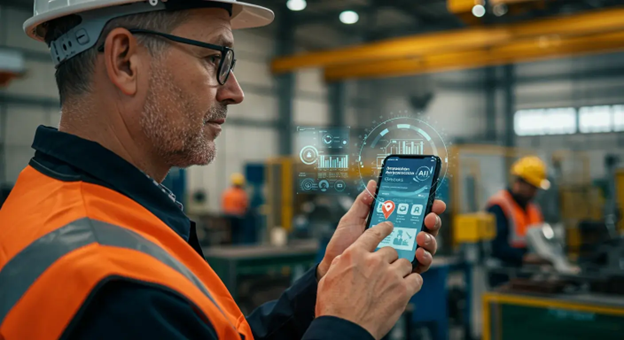
Now, the year 2025 brings the best technological solution to transform your safety processes of of AI-Powered Permit to Work Systems. This advanced technology is helping all industries manufacturing plants, oil & gas, and construction work faster, reduce manual effort, and identify risks even before the job starts. 

In this blog, we will explore the major changes brought by AI-powered PTW systems and how they are improving safety in every industry. 

Let’s Breakdown the Main Points in This Blog:  

How Permit to Work Systems Moved from Paper Forms to Smart Predictive Safety: 

Once upon a time, every industry relied on traditional paper-based forms. Getting approvals from safety officers, HODs, and supervisors caused delays and confusion. Later, companies shifted to digital Permit to Work systems, which made approvals faster, saved time, and simplified the entire workflow. 

Now technology has changed again into AI-based Digital PTW. We don’t need to store information manually because AI can identify the risk before work starts, easily predict risks, analyze past incidents, and give the proper process. This change has moved the system from manual to a smart, real-time safety system. 

  1. AI Automation: Digital PTW system now check, verify, Analyze and tracking the permits without the Human Mistakes. 
  1. Predictive Safety with AI: AI systems can detect hazards, predict risks, and alert teams before an accident occurs. 
  1. Automatic Reports: The system automatically creates safety reports, logs, and history, saving time and helping companies maintain compliance easily 
  1. Good Communication: All Industry workers, safety officers, Supervisors, technical members, get instant updates quickly No confusion and no delays anymore. 

 How AI and Automation Are Transforming Safety Management: 

AI and automation of safety management are faster and safer, smarter. Automated systems check all the steps of safety procedures, verify the permits, and send alert notifications to unsafe risks. 

AI and automation are completely changing the way companies manage safety by making daily safety activities faster, smarter, and more reliable. Instead of depending only on manual checks and paperwork, AI systems can automatically detect hazards, predict risks, and track incidents in real time. They analyze data from inspections, sensors, CCTV, and previous incidents to identify unsafe patterns early, helping teams prevent accidents before they happen. Automated alerts ensure that supervisors are informed immediately when something goes wrong, and routine tasks like checklists, approvals, and reports are handled instantly without mistakes. 

Overall, AI turns safety management from a reactive process into a proactive, intelligent system that protects workers and improves efficiency.  

How Digital Tools Are Improving Efficiency and Performance: 

Digital tools are greatly improving efficiency and performance by replacing time-consuming manual work with fast, automated processes. Instead of filling out forms, searching through files, or waiting for approvals, workers can now complete tasks instantly using mobile apps and cloud platforms. Real-time dashboards give teams clear visibility into ongoing activities, while automated reminders, checklists, and reporting systems ensure that nothing is missed. With all information stored in one place, decisions become faster, collaboration improves, and overall productivity increases across the entire organization. 

1.Speeds up work with automated tasks and instant digital approvals. 
2.Reduces errors by storing all data in one organized, cloud-based system. 
3.Improves performance with real-time dashboards and smart tracking.
4.Eliminates paperwork, reducing time, and effort spent on manual processes. 
5.Provides quick insights through analytics, helping managers make better decisions.

    AI powered permit to work

    OSHA and AI-Powered PTW: Why It Matters: 

    OSHA is a global standard that helps companies keep workers safe and reduce accidents. It tells organizations how to identify risks, control hazards, and follow proper safety procedures. An AI-powered Permit to Work system supports these rules by making safety checks faster, smarter, and more accurate. It keeps all permits digital, tracks every step, and ensures the right safety actions are taken before work begins. By using AI PTW, companies can easily meet OSHA requirements and create a safer workplace for everyone.  

    1. AI PTW helps companies follow OSHA rules by making hazard checks, approvals, and documentation fully digital and error-free. 
    1. It improves safety performance by predicting risks early, preventing unsafe work, and keeping clear records for audits and compliance. 
    1. AI PTW increases worker involvement by allowing employees and contractors to easily report hazards, submit permits, and follow safety steps from mobile or desktop. 

    How to Get Your Company Ready for the Future of Work Permits: 

    To prepare your company for the future of work permits, start by shifting from paper-based forms to digital workflows. Train your team to use smart PTW tools that simplify approvals and improve safety compliance. Make sure all departments follow a standardized, digital permit process. With the right technology and training, your organization can achieve faster, safer, and smarter permit management. 

    1. Move from Paper to Digital Platforms 

    Shift all permit forms, templates, checklists, and approvals into a digital system. This reduces delays, avoids missing documents, and allows your team to access permits anytime, anywhere using mobile devices. 

    2. Train Your Teams on Smart Safety Tools 

    Prepare your workforce with training sessions on how to use digital PTW software, AI-based alerts, QR scanning, and mobile inspections. Well-trained teams adapt faster and use the tools efficiently without resistance. 

    3. Standardize Your Permit Process Across All Sites 

    Ensure every location follows the same workflow, same approval levels, risk matrix, hazard controls, and digital formats. Standardization avoids confusion and ensures uniform safety compliance. 

    4. Integrate AI for Hazard Detection & Predictive Risk 

    Adopt AI tools that analyse incidents, Near misses, site conditions, and equipment data to predict risks before they occur. This helps your organization shift from reactive safety to predictive safety. 

    5. Build a Real-Time Dashboard  

    Encourage managers and safety officers to use dashboards for tracking approvals, pending permits, high-risk jobs, and overdue tasks. Real-time insights help in faster decision-making and better risk control. 

    6. Automate Workflows to Reduce Delays 

    Enable automated notifications, escalation alerts, competency checks, and expiry reminders. Automation ensures no permit gets stuck waiting for someone to remember. 

    7. Strengthen Compliance with Digital Audit Trails 

    Digital PTW systems provide time-stamped logs, user activity records, and evidence-based documentation. This makes audits easier, more transparent, and fully compliant with safety standards. 

    Conclusion: 

    Soft Designers empowers organizations with advanced AI-driven safety tools that simplify workflows and enhance protection across all sites. The future of work permits is intelligent, connected, and proactive and Soft Designers is helping companies lead that future with confidence. 

    FAQ: 

    1. How does AI improve safety? 

    AI can predict risks, alert supervisors, check if safety rules are followed, and reduce human mistakes. 

    2. Does AI reduce the workload of safety teams? 

    Definitely. AI handles checks, reminders, approvals, and follow-ups automatically. 

    3. What industries benefit from AI PTW? 

    Manufacturing, Construction, Oil & Gas, Chemical,, Power Plants, .and many more 

    4.How fast can a company shift from manual PTW to AI PTW? 

    Very fast. Most companies switch within a few days with basic training. 

    5. Is it easy for workers to use? 

    Yes. It has a simple dashboard and mobile app. Even first-time users can follow the steps easily. 

    Digital Permit To workPermit to work Management

    Why Every Safety Team Needs a Digital PTW System?

    Safety is critical in today’s industrial workplaces. Safety teams face high pressure while managing risky tasks such as hot work, cold work, electrical work, and confined space entry. Handling these tasks safely is challenging, especially when relying on outdated, manual PTW systems. 

    But here is the reality that many safety people depend on Excel sheets, PDFs, and paper-based permits from outdated systems. A manual permit-to-work system creates a lot of delays to Approval and does not save time. So, it is very tough to handle high risk activities on the site.  

     This blog article talks about quickly switching to digital PTW systems and keeping your teams updated. 

    How Do You Know Your PTW process IS falling: 

    You can see the problem on the site because of slow approvals, more delays, losing information on paper, missing papers may result in losing important data, so it is falling and it’s spoiling our work with a lot of pressure. 

    In many cases, contractors end up waiting hours sometimes even 7 hours just to receive a simple permit of approval. This wastes manpower, stops work, affects production, and increases pressure on both supervisors and safety teams. 

    So here you can see the Big Signs of Your Manual PTW is holding your team back. 

    1. Manual Signatures Slow Down the Workflow 

    Approval sheets move from one person to another physically. If even one supervisor is busy or not available, the permit waits. Work delays, workers wait, and production gets stuck. 

    Digital PTW cuts this delay with instant mobile approvals, even if the person is at another site. 

    2.  No Delayed Work Approvals: 

    Here multiple departments in the industry so each department we want to get approval for types of work permits Hot Work, Confined Space, or Electrical permits, if approvals are manual, they can take many hours take so it is creating work slow and work also get delay. Sometimes production could be critical condition that time slow approval means it causes problems and affects the problem for workers and the site also. 

    No worries, a digital system always helps during critical conditions. A digital system reduces the time of Approvals And is just 10 minutes to get the approvals No time delay No production Work stop. 

    3.Supervisors can’t see what is happening now: 

    They can’t see which high-risk jobs are happening now, whether two risky tasks are happening too close to each other, or if something unexpected is going wrong. 

    A digital PTW system fixes this. It shows a live dashboard of all ongoing work like hot work, confined space entry, and electrical jobs in one place. Supervisors can immediately spot risks, avoid job overlaps, and act before something becomes dangerous. 

     4. Too Much Time Spent on Repeated Manual Work 

    Safety teams often write the same details again on multiple forms of job description, hazards, PPE, isolation steps, and toolbox talk details. This wastes time and increases chances of mistakes. 

    Digital PTW auto-fills standard details, reduces repeated work, and speeds up permit creation with smart templates. 

    5. Each Site Follow Different PTW format: 

    In companies that have many plants or branches, each site usually creates its own style of Permit to Work process. Because of this, safety steps are different everywhere. It becomes hard to audit, compare performance, or maintain the same safety standards across the organization. 

    In a digital PTW system, one standard workflow is used across all sites. 

    The Benefits of Using Digital PTW for Your Safety Team to Solve Problem: 

    A Digital PTW system gives Companies Big strategic Advantage by making the Whole Entire permit process faster, safer. Instead of delaying Slow Approvals and paper-based work, everything becomes Automated, Tracked all in one place of Live Dashboard. Then safety Teams can see the updates of the live Dashboard, see the status of what conditions, and check all the processes. 

    Over time, the data collected from digital PTW helps organizations spot patterns, reduce incidents, and improve their overall safety performance. In short, it doesn’t just make daily work easier; it strengthens long-term safety strategies, boosts compliance, and builds a more efficient workplace. 

    Key strategic advantages of digital PTW systems include: 

    1. Real-time oversight and risk reduction – Managers can monitor ongoing work instantly, preventing unsafe operations before they occur. 
    1. Improved compliance – Every permit and approval is digitally recorded, ensuring full traceability for audits and regulatory inspections. 
    1. Operational efficiency and standardized workflows – Teams follow consistent processes across all sites, reducing delays, miscommunication, and operational downtime. 

    Manual vs Digital PTW Workflows: The Gap Is Huge 

    When you compare manual PTW to digital PTW side by side, the difference becomes speed and safety. 

    PTW Function Manual PTW Digital PTW Workflow 
    Permit Creation Handwritten, missing fields Guided digital form  
    Approvals Physical signatures Mobile approvals, instant routing 
    Hazard Controls Inconsistent Mandatory controls with checklists 
    Work Monitoring No visibility Live-time dashboards 
    Permit History Hard to track Automatic & Easy to Track 

    Industry-Ready Compliance: OSHA • ISO • OHS&E • Data Security: 

    1. OSHA Compliance for High-Risk Permit-to-Work Activities

    1. Meets OSHA requirements for high-risk jobs such as Hot Work , Confined Space Entry , Electrical Work , and Work at Height.

    2.Ensures every high-risk task includes OSHA-mandated hazard controls, isolation steps, monitoring, PPE, fire-watch, gas testing, lockout-tagout, and rescue readiness.

    3.Automatically builds OSHA-compliance documentation into each permit — no missing steps, no skipped controls.

    4.Maintains a digital activity trail (who approved, who checked, who closed), supporting OSHA investigations, incident reviews, and compliance audits.

    5.Enables supervisors to verify job hazard analysis (JHA), LOTO procedures, and atmospheric testing before issuing a permit.

    6.Supports OSHA’s requirement for authorization only by competent and qualified persons for high-risk activities.

    7.Provides a clear chain of responsibility to ensure accountability before work starts, during execution, and after closure.

    2. ISO Compliance

    1.Fully aligns with ISO 45001 requirements for controlling high-risk operational tasks such as Hot Work, CSE, LOTO, and Working at Height.

    2.Embeds risk assessment, operational controls, and authorization requirements directly into every permit, maintaining ISO 45001 Clause 6.1 & 8.1 standards.

    3.Standardizes PTW workflows across locations to ensure consistent risk controls, approvals, and monitoring as per ISO’s Operational Planning & Control.

    4.Integrates ISO 9001 quality principles, ensuring every permit has traceable documentation, controlled revisions, and process accountability.

    5.Supports ISO’s requirement for consultation, communication, and worker participation during high-risk job planning.

    6.Helps organizations maintain audit-ready PTW documentation, including approvals, JHAs, hazard controls, and closure evidence.

    3. OHS&E Compliance Hazardous Work Activities

    1.Follows global Occupational Health, Safety & Environment guidelines for hazardous tasks that require strict permits and validated controls.

    2.Ensures high-risk operations include environmental risk checks (spills, emissions, hot work sparks, confined space atmospheres).

    3.Supports prevention of catastrophic events through structured high-risk workflows, isolation procedures, barricading, fire safety, and rescue readiness.

    4.Enables live-time monitoring of ongoing high-risk permits to ensure proactive intervention before unsafe conditions escalate.

    5.Provides visibility across shifts to avoid overlapping high-risk activities that could increase cumulative site risk.

    6.Maintains documented environmental safeguards required for PTW operations near chemicals, utilities, pipelines, and hazardous zones.

    4. Data Security & Protection for PTW Operations

    1.Stores all high-risk permit past records for 3+ years, enabling investigations, incident reviews, and compliance verification at any time.

    2.Applies role-based authorization so only competent and authorized personnel can approve Hot Work, CSE, Electrical, or Height permits.

    3.Maintains tamper-proof digital logs that track each action — creation, review, rejection, modification, and closure — critical for legal requirements.

    4.Ensures real-time integrity of PTW data during emergencies, allowing safety teams to access historical and active permits instantly.

    5.Protects sensitive PTW information from unauthorized access, manipulation, or deletion, supporting compliance with global security standards.

    Why Safety Team Choose Soft designers: 

    Fast-moving Safety teams need tools that are quick, simple, and keep work safe. Soft designers’ digital PTW platform does exactly that. Its easy-to-use design, Live-time tracking, and automated workflows help teams handle high-risk tasks safely and efficiently across different sites. The system reduces mistakes, speeds up approvals, and gives managers a clear view of all ongoing work so they can make better decisions. Whether the team is small or spread across many locations, soft designers give the flexibility, reliability, and support needed to stay ahead. 

    Key reasons team choose soft designers: 

    1. Easy-to-use platform – Safety teams can adopt it quickly without extensive training. 
    1. Live-time tracking – Instant visibility into permit approvals, ongoing tasks, and potential hazards. 
    1. Automated workflows – Reduces manual steps and prevents delays in high-risk operations. 
    1. Standardized safety processes – Ensures consistent practices across all sites, improving compliance. 
    1. Scalable and flexible – Suitable for small teams or large multi-site organizations, adapting as the business grows. 
       

    By providing faster approvals, improved safety, and actionable insights, soft designers help teams work smarter, safer, and more efficiently, making it the preferred choice for modern operations. 

    Conclusion: 

    Soft designers help teams work safely and efficiently by making high-risk tasks easy to manage. With Live-time tracking, automated workflows, and consistent processes, teams can prevent accidents, save time, and stay compliant. It is a reliable solution for any organization that wants smarter, safer, and faster operations. 


    Permit to work Management

    Mobile app for digital permit to work system:

    Introduction: 

    A mobile app for a digital Permit to Work (PTW) system helps manage work permits easily using a smartphone or tablet. It replaces paper forms with a simple digital process that saves time and reduces mistakes. Workers and supervisors can create, approve, and track permits anytime and anywhere. The app also sends instant updates and keeps all records safe online. 

    Key features of the mobile app: 

    A mobile app for a digital Permit to Work (PTW) system transforms the traditional paper-based process into a fast, efficient, and secure digital solution. This makes work management easier, especially for industries that require strict safety and operational control. 
     

    • Permit Management: Replacing the manual paper-based system with a digital solution through Mobile  
    • Live Dashboard Tracking: In the Dashboard Enhance track, we can collect the information like opened status, pending status, closed status of permits.  
    • Customisable workflow: The mobile app provides a customisable workflow. Depending on the organisation’s requirements, we can provide a workflow structure. 
    • Integrated Features: Not Only the permits, but also other modules of Near Miss, Incident Tracking, Safety Observation, more modules all are in one system 
    • Digital Approval of Signature: Instead of signing papers by hand, workers, supervisors, and safety officers can sign digitally. This shows that they have reviewed and approved the permit. 

    Why Mobile-Based Digital PTW Systems Are the Future: 

    Traditional permit-to-work systems often involve a lot of paperwork and manual effort. Paper forms can easily get misplaced; approvals may take time, and tracking the status of permits becomes difficult. These challenges can slow down operations and increase the risk of mistakes. 

    Mobile-based digital PTW systems solve these problems by bringing automation and live updates into the entire process. Mobile-based Digital Permit to Work (PTW) systems make safety and work management easier and faster. Instead of using paper forms, workers and supervisors can create, approve, and manage permits directly from their mobile phones or tablets. This means work can continue smoothly without waiting for physical approval. Mobile PTW systems also send instant alerts, keep all records safely in the cloud, and reduce mistakes that happen with manual work. They help everyone stay updated in real time about who is working, where, and what risks are involved. As technology grows, mobile PTW systems help industries work smarter, save time, and improve safety, making them the future of permit management. 

     
    Benefits of Using a Mobile App for Digital PTW: 

    Using a mobile app for a Digital Permit to Work (PTW) system offers many simple and practical benefits. It helps save time by allowing workers and supervisors to manage permits directly from their phones without using paper forms. Communication becomes faster since everyone gets instant updates and notifications about permit approvals or changes. Overall, a mobile-based PTW app makes the work process more efficient, safe, and convenient for everyone involved. 

    Benefits Include: 

    • Mobile PTW apps can connect with maintenance or safety systems, creating a unified digital workflow. 
    •  Even without internet access, users can fill out permits and sync data later, ensuring uninterrupted operations. 
    • Workers can quickly view safety procedures and instructions on their mobile devices before starting any task. 
    • Everyone involved can see the live status of permits, whether pending, approved, or closed. 
    • Permits can go through multiple approval stages digitally, ensuring proper verification at every level. 

    MOBILE APP FOR DIGITAL PERMIT TO WORK SYSTEM

    Experience a smarter and safer workplace with our mobile-based Permit to Work system. Create, approve, and monitor permits directly from your mobile — ensuring compliance and efficiency on the go.

    Monthly Permit Statistics

    Monitor your safety performance anytime, anywhere through the mobile app.

    1200+

    Issued

    980+

    Closed

    <5s

    Request Time

    10+

    Permit Types

    Data Security Features in Mobile Permit to Work Systems: 

    Mobile Permit to Work systems use strong data security measures to protect sensitive safety information. They include encrypted data transfer, secure login with user authentication, and role-based access control to ensure only authorised users can view or edit permits. Cloud backups and regular system updates further safeguard data from loss or unauthorised access. 

    Features Include: 

    •  Encrypted Data Transfer: 
      All information sent through the app is securely encoded so that only authorised users or systems can access it. This keeps work permits, approvals, and safety records safe from unauthorized access 
    • Secure Login : 
      Only verified users can access the system. Features like two-factor authentication, unique user IDs, and strong passwords ensure that only authorized personnel can create, review, or approve permits. 
    •  Role-Based Access Control: 
      Each user has access to what they need. For example, a worker, supervisor, or safety officer will see different information based on their role. This reduces the chance of mistakes or data misuse. 
    • Cloud Data Backups: 
      All permit records are safely stored in the cloud with regular backups. So even if a mobile device is lost, broken, or stolen, all your data stays safe and can be recovered anytime. 
    • Compliance with Global Standards: 
      The system follows strict international standards like ISO 27001 (for information security) and GDPR (for data privacy). This means your data is managed securely, transparently, and responsibly. 
    • Continuous Monitoring and Updates: 
      The app is regularly updated with new security patches to protect against cyberattacks. It also monitors system activity in real time, so any unusual or unauthorised actions can be quickly detected and stopped. 

    AI-Powered Risk Identification in Work Permit Systems: 

    The next generation of digital Permit to Work (PTW) systems is moving toward AI-powered automation and predictive safety. With the help of Artificial Intelligence, mobile apps will not only manage permits but also think ahead to prevent risks before they happen. 

    •  Predict High-Risk Activities:
      AI can analyse data from past permits, incidents, and site conditions to identify potential hazards in advance. For example, if similar jobs have led to safety issues before, the system can warn users early. 
    •  Suggest Corrective Actions:
      Based on previous incidents, AI can automatically recommend safety measures such as additional checks, PPE requirements, or supervisor approval before the work even starts. 
    • Smart Chatbot Assistance:
      An AI-powered chatbot inside the PTW app can help users create permits by simply typing or speaking instructions. It can guide them step-by-step, answer safety questions, and speed up the process. 
    • Automated Safety Checklists:
      AI can automatically assign the right safety checklist depending on the job type, location, and level of risk ensuring no step is missed. 

    Conclusion

     In conclusion, a mobile app for a digital Permit to Work (PTW) system is a game changer for modern industries. By replacing manual paperwork with digital tools, organisations can save time and ensure better compliance with safety standards. The real-time tracking and instant communication features help supervisors monitor ongoing tasks and quickly respond to potential safety issues. Overall, adopting a mobile-based PTW system leads to safer worksites, faster operations, and improved productivity. 


    Permit to work Management

    Why Permit to Work Compliance is Essential for Workplace Safety

    Introduction:

    Permit to Work Compliance is essential for workplace safety in high-risk industries such as construction, oil and gas, and manufacturing. Many tasks involve hazards such as working at heights, heavy machinery, or flammable materials. By ensuring PTW compliance, companies reduce risks, protect workers, and build a safer workplace.

    Why PTW Matters in High-Risk Industries:

    1. Controls Hazardous Work

    High-risk industries have dangerous jobs like welding, working in tight spaces, or handling electricity. A Permit to Work (PTW) makes sure these jobs are done only after checking the risks, taking safety measures, and getting approval. This helps stop accidents before the work starts.

    2. Prevents Unauthorized Activities

    Without a PTW system, workers might begin dangerous tasks without knowing the risks or using the right safety steps. PTW makes sure that only trained and approved workers handle high-risk jobs safely.

    3. Improves Communication and Coordination

    When many teams and contractors work at the same place, miscommunication can lead to accidents. A PTW system makes sure everyone knows what work is happening, the risks involved, and the safety steps to follow—helping avoid mistakes and accidents.

    4. Enhances Legal and Regulatory Compliance

    Governments and safety authorities have strict rules for risky jobs. Following PTW ensures companies follow these rules, avoid fines, and show they care about keeping workers safe.

    5. Protects Workers and Builds Safety Culture

    The main purpose of PTW is to keep people safe.When organizations prioritize safety rules, they reduce the risk of accidents and build a work environment where employees feel valued, secure, and motivated to perform at their best.

    key benefits of PTW compliance:

    1. Reduces Workplace Accidents

    PTW ensures that every high-risk task is planned, approved, and carried out safely.Proactively recognizing risks and implementing safety controls minimizes the chances of accidents, injuries, and potential fatalities.

    2. Ensures Proper Risk Management

    A risk assessment must be carried out before starting any hazardous work under a Permit to Work (PTW).This helps organizations identify potential hazards, put controls in place, and minimize risks for workers and equipment.

    3. Improves Communication and Coordination

    With multiple teams or contractors working on-site, PTW ensures everyone knows what tasks are happening, where, and when. This prevents miscommunication and unsafe overlaps of work.

    4. Maintains Regulatory Compliance

    High-risk industries must follow safety laws and standards. PTW documentation demonstrates compliance with legal requirements, helping companies avoid fines, penalties, or legal issues.

    5. Protects Employees and Builds Safety Culture

    PTW ensures worker safety by implementing strict controls and systematic procedures.This not only reduces accidents but also encourages a culture where employees feel valued and safe, boosting morale and productivity.

    6. Prevents Unauthorized Work

    PTW ensures that high-risk tasks are performed only by trained and approved personnel.This prevents mistakes and ensures proper supervision is in place.

    7. Supports Emergency Preparedness

    By documenting and controlling high-risk activities, PTW helps teams quickly identify hazards during emergencies and respond effectively, reducing damage or injuries.

    Overcoming Common Challenges in Permit to Work (PTW) Compliance:

    1. Lack of Awareness and Training

    Challenge: Many workers may not fully understand the purpose of PTW or the risks involved in their tasks. This can lead to careless mistakes or ignoring procedures.

     Solution: Provide regular safety training and awareness sessions to ensure employees know why PTW is important and how to follow it correctly.

    2. Paper-Based Systems and Manual Errors

    Challenge: Traditional paper permits can be misplaced, delayed, or filled out incorrectly, leading to miscommunication and compliance gaps.

     Solution: Switch to digital PTW systems that automate approvals, track permits in real time, and reduce human error.

    3. Poor Communication Between Teams

    Challenge: In high-risk industries, multiple teams and contractors often work simultaneously. Without proper coordination, overlapping tasks may create unsafe situations.

     Solution: Use PTW as a central communication tool and ensure supervisors share updates about ongoing work with all teams involved.

    4. Resistance to Change

    Challenge: Workers and supervisors may see PTW as extra paperwork or unnecessary delays, leading to non-compliance.

     Solution: Promote a safety-first culture by showing how PTW prevents accidents, protects lives, and ultimately makes work more efficient.

    5. Inconsistent Monitoring and Enforcement

    Challenge: If PTW compliance is not regularly checked, workers may skip steps or take shortcuts over time.

     Solution: Conduct routine audits, inspections, and use digital dashboards to monitor PTW performance and enforce accountability.

    Conclusion:

    Permit to Work (PTW) compliance is very important for keeping employees safe in high-risk industries. It ensures that all risky tasks are properly checked, approved, and monitored, which helps prevent accidents and injuries. Following PTW rules also creates a safe work culture, makes everyone more responsible, and keeps the company following safety laws.

    Cloud permit to workhot work permitPermit to work Management

    PTW for Contractor Safety: A Critical Tool for Managing High-Risk Work

    Introduction

    PTW for contractor safety is critical in industries such as manufacturing, construction, oil and gas, and pharmaceuticals. Contractors bring specialized expertise to handle tasks that internal teams may not be equipped for. However, involving contractors also introduces new safety risks, especially when the work is unfamiliar, complex, or carried out in hazardous conditions.

    Research shows that contractors are more prone to workplace accidents. This is often due to gaps in training, limited knowledge about the site, and unclear communication. A powerful way to manage these risks is by using a Permit to Work (PTW) system.

    In this blog, we’ll look at why PTW for contractor safety is vital in any high-risk environment. We’ll discuss how PTW helps control dangerous tasks, improve communication, and build a safer workplace for everyone involved.

    What Is a Permit to Work (PTW)?

    A Permit to Work is a written safety document that authorizes someone to carry out specific high-risk or non-routine tasks. Before any work begins, it ensures that risks are assessed, safety measures are planned, and necessary approvals are in place. Some of the common tasks that need PTW include:

    • Confined space entry
    • Hot work (like welding or cutting)
    • Electrical maintenance
    • Work at heights
    • Excavation or trenching
    • Handling hazardous chemicals

    Each permit clearly explains:

    • What job needs to be done
    • Who is doing the work
    • Where and when it’s happening
    • The hazards and risks involved
    • Required safety steps
    • Emergency actions if something goes wrong

    This process is especially helpful for contractors, ensuring that every step is reviewed and controlled before work begins.

    Why PTW for Contractor Safety Is Important

    1. Identifying and Reducing Risks

    Contractors may not be fully aware of the hazards at a particular site. A PTW ensures that potential risks are identified in advance, and the right controls are in place. Whether it’s gas in a confined space or exposed wires in an electrical panel, PTW ensures workers are protected.

    2. Better Communication

    A good PTW system encourages clear communication between contractors and site teams. Pre-job meetings, safety briefings, and sign-offs help make sure everyone understands the task, the risks, and how to stay safe. This is important when different teams work at the same time.

    3. Meeting Legal Requirements

    Many safety laws require companies to control risks using formal systems like PTW. Ignoring these rules can result in fines, accidents, or shutdowns. A PTW shows that you’ve taken the proper steps to keep workers safe and meet standards like:

    • OSHA regulations
    • ISO 45001
    • Local safety laws
    4. Clear Responsibilities

    A PTW records who is doing the job, who approved it, and who checks it afterward. This helps avoid confusion and makes sure that no one works without permission. If something goes wrong, the PTW provides clear records for review.

    5. Emergency Preparedness

    PTWs require you to plan for emergencies. For example, if someone is working in a space with dangerous gases, the PTW might require gas detectors and a standby rescue team. This kind of planning can save lives.

    High-Risk Jobs That Need PTW

    Hot Work

    Jobs involving flames or sparks (like welding or grinding) can cause fires or explosions. A PTW ensures flammable materials are removed, firewatch staff are assigned, and equipment is isolated.

    Confined Space Entry

    Places like tanks or tunnels can lack oxygen or contain harmful gases. A PTW ensures the area is tested, ventilated, and safe before entry.

    Electrical Work

    Working with electricity can lead to shocks or fires. PTW ensures that systems are powered down and only qualified workers are allowed.

    Working at Heights

    Falls from height are a major cause of injuries. PTW requires checks on ladders, scaffolds, and safety gear.

    Excavation and Trenching

    Digging can hit underground pipes or lead to cave-ins. PTW ensures the area is marked, the soil is checked, and safety gear is ready.

    Lifting and Rigging

    Using cranes or pulleys carries risks of dropped loads or broken equipment. PTW ensures everything is tested, and proper lifting plans are in place.

    What Makes a Good PTW System

    • Different Permit Types: Use the right form for hot work, electrical work, etc.
    • Detailed Risk Assessments: Identify specific hazards for each task
    • Energy Isolation: Make sure machines are turned off and cannot restart
    • PPE Requirements: List safety gear for each job
    • Proper Authorization: Get approvals from safety officers or supervisors
    • Time Limits: Define when the permit starts and ends
    • Closure Checks: Inspect the area once work is done and sign off

    Common Problems and How to Solve Them

    Problem: Paper-Based Systems

    Paper permits can be lost, damaged, or delayed.
    Solution: Use a digital system to manage permits faster and more accurately.

    Problem: Untrained Contractors

    Some workers may not understand PTW rules.
    Solution: Give training sessions before issuing permits.

    Problem: Skipping the Process

    Workers may skip permits in urgent jobs.
    Solution: Enforce rules and audit PTW regularly.

    Problem: Poor Oversight

    It’s hard to know who is working where.
    Solution: Use dashboards and tracking tools to monitor active permits.

    Benefits of Digital PTW Systems

    Digital PTW systems make it easier to manage and track permits. Features include:

    • Centralized View: See all permits in one place
    • Mobile Access: Workers can view and approve permits on-site
    • Real-Time Alerts: Get warnings when permits expire or safety conditions change
    • Integration with Sensors: Detect gas leaks or temperature spikes automatically
    • Audit Logs: Keep records for inspections and investigations

    These tools help companies improve safety, reduce paperwork, and keep better records.

    Real Example: Preventing a Serious Incident

    At a chemical plant, a contractor was about to enter a tank for repairs. Thanks to a digital PTW system, a gas detector linked to the permit flagged unsafe hydrogen sulfide levels. The permit was paused automatically. The team ventilated the area before allowing entry, avoiding a serious accident.

    This shows how PTW can stop problems before they happen.

    Tips for Setting Up PTW the Right Way

    1. Match the permit type to the job risk
    2. Keep forms clear and simple
    3. Use tags and signs to show active permits
    4. Assign supervisors to check compliance
    5. Give regular safety training to contractors
    6. Use PTW data to improve your safety programs
    7. Link PTW with your safety and training systems

    Conclusion

    A strong PTW for contractor safety program helps companies control risk, improve communication, and protect lives. It makes sure everyone knows what they’re doing, follows safety steps, and is ready for emergencies.

    Switching to a digital PTW system brings even more benefits—like faster approvals, better oversight, and smarter decision-making. It’s a step toward a safer, more reliable worksite.

    Permit to work Management

    Permit to work process in Industrial safety:

    Introduction:

    The Permit to Work (PTW) process is a key safety measure in industrial environments. It ensures that high-risk tasks—like hot work, confined space entry, or electrical maintenance—are planned, authorized, and carried out safely. The permit to work process helps prevent accidents by verifying hazards, assigning responsibilities, and ensuring controls are in place before work begins.

    Steps in the Permit to Work Process:

    Step 1: Job Request for Permit to Work

    The process begins when a worker or supervisor identifies a task that requires a permit (e.g., hot work, confined space entry, electrical work). A formal request is made for the permit.

    Step 2: Hazard Identification and Risk Assessment in the Permit to Work Process

    Before approval, the job site is inspected to identify hazards. A risk assessment is conducted to identify potential dangers and determine the necessary measures to prevent harm.

    Step 3: Preparing a safe work permit

    The responsible person (often a safety officer or supervisor) prepares the permit. It includes:

    • Task details
    • Work location
    • Safety precautions needed
    • PPE required
    • Duration of the permit
    • Authorization signatures

    Step 4: Approval Stage in the Permit to Work Process

    A competent authority (such as a department head or safety manager) reviews and signs the permit after ensuring all safety conditions are met.

    Step 5: Pre-Job Briefing Under the Permit to Work System

    All workers involved receive a clear briefing on the permit details before work begins. Everyone must understand:

    • The scope of work
    • Hazards and controls
    • Emergency procedures

    Step 6: Performing Tasks Safely Under Permit Guidelines

    The task is carried out under the conditions and timeframe specified in the permit. The permit must be displayed at the job site and updated if conditions change.

    Step 7: Ongoing Monitoring During the Permit to Work Process

    Supervisors or safety personnel periodically check the job to ensure all safety measures are followed and that no new hazards arise.

    Step 8: Permit Closure and Final Checks

    Once the job is complete, the work area is inspected. If it’s safe, the permit is signed off and officially closed. Copies are usually filed for records and audits.

    Roles and Responsibilities in the Permit to Work Process:

    A successful permit to work process depends on clearly defined roles. Each person involved has specific responsibilities to ensure work is performed safely and in compliance with procedures.

    • Permit Issuer (or Authorizing Person)
      • Reviews the job and associated hazards
      • Ensures all safety controls are in place
      • Monitors ongoing work for compliance
    • Permit Holder (or Performing Authority)
      • Accepts the permit and understands all conditions
      • Ensures the work team follows safety procedures
      • Communicates any changes or new hazards during work
      • Returns the permit upon task completion
    • Work Team / Operators
      • Follow instructions given in the permit
      • Use appropriate PPE and safety tools
      • Report issues or unsafe conditions immediately
      • Stop work if conditions change unexpectedly
    • Safety Officer / EHS Personnel
      • Verifies that safety protocols are followed
      • Audits the permit system for effectiveness
      • Provides training and guidance to teams
      • Supports risk assessments and safety reviews
    • Site Manager / Supervisor
      • Oversees the entire PTW process at the site
      • Ensures coordination between departments
      • Enforces safety standards and accountability

    Common Barriers to Effective Work Permit Systems:

    While the permit to work process is essential for industrial safety, its effectiveness can be hindered by several common challenges:

    1. Manual and Paper-Based Systems

    Traditional PTW systems often rely on handwritten permits, which can be time-consuming, error-prone, and hard to track.

    2. Lack of Training on the PTW Process

    Inadequate training can result in incorrect permit usage or failure to recognize high-risk situations.

    3. Poor Communication Between Teams

    Ineffective communication between maintenance, operations, and safety departments can delay work and lead to incidents.

    4. Overlapping Permits or Confusion

    Multiple permits issued for the same area without coordination can cause confusion and increase hazards.

    5. Failure to Monitor Work Under PTW

    Some teams neglect monitoring once a permit is issued, allowing unsafe conditions to develop unnoticed.

    6. Resistance to Digital PTW Solutions

    Switching to digital systems often meets resistance from staff unfamiliar with technology, slowing down improvements.

    Conclusion:

    The permit to work process is vital for maintaining safety in high-risk industrial tasks. It ensures hazards are identified, risks are controlled, and work is carried out safely. By following a structured PTW process, companies can prevent accidents, reduce liability, and protect both workers and operations.

    Permit to work Management

    Digital Permit to Work: Improve Safety & Compliance

    Introduction of Digital Permit to Work software: 

    In todays World  Digital Permit to Work Software offers a modern solution, streamlining the authorization process for hazardous work activities while enhancing real-time visibility, accountability, and control. By replacing manual permit to work procedures with automated workflows and centralized data management, organizations can significantly reduce risks, ensure compliance with safety standards a proactive safety culture across all operational levels. 

    manual vs digital permit to work software

    How digital permit to work Software Approval improves in Efficiency In Manufacturing: 

    1. Faster Approval Process 

    • Digital workflows eliminate delays caused by chasing physical signatures. 
    • Approvals can be granted remotely via mobile apps or web platforms, reducing downtime. 
       

    2. Real-Time Tracking and Notifications 

    • Everyone involved is notified instantly of status updates. 
    • Managers can track progress live, leading to better coordination and planning. 
       

    3. Reduced Paperwork  

    • Standardized digital forms reduce mistakes and omissions. 
    • Data validation prevents submission of incomplete or incorrect permits. 
       

    4. Improved Compliance and Safety 

    • Automatically ensures that all safety checklists and documentation are completed before work begins. 
    • Reduces the risk of accidents and ensures audit trails for legal or insurance purposes. 
       

    5. Data and Analytics for Process Optimization 

    • Digital records can be analyzed to identify Obstacles or frequent hazards. 
    • Helps in continuous improvement of safety and workflow efficiency. 
       

    6. Integration with Other Systems 

    • Can be integrated with maintenance software CMMS , ERP, or IoT systems for better coordination. 
    • Enables predictive maintenance and proactive scheduling. 

    Types of Permit to work: 

    Checking real-time compliance of safety and work permits in the manufacturing industry typically involves using specialized digital platforms or software solutions, rather than a general public website. These platforms help companies manage and monitor safety procedures, work permits, and compliance with industry regulations. 

     1. Hot Work Permits

    Purpose: Required for tasks like welding, cutting, grinding, or any activity that generates sparks or open flames. 
    Elements using: Fire watch details, equipment used, duration, location, fire suppression readiness. 

    2. Cold Work Permits : 

    Purpose: For non-hot work tasks that still pose safety risks E.g.,chemical use, manual handling, non-routine maintenance. 
    Elements using: Scope of work, safety precautions, PPE requirements. 

    3. Confined Space Entry Permits: 

    Purpose: Authorizes entry into tanks, pits, or vessels with limited access and possible hazardous atmospheres. Elements using : Atmospheric testing, rescue plan, communication, attendant assignment. 

     4. Electrical Work Permits: 

    Purpose: For energized electrical work or maintenance on electrical systems. 
    Elements using: Isolation procedures, qualified personnel,  flash boundaries, PPE. 

    5. Lockout-Tagout (LOTO) Checklists: 

    Purpose: Ensure all energy sources are isolated before maintenance. 
    Elements using: Identification of energy sources, lock/tag placement, verification procedures 

    6. PPE Compliance Checklists: 

    Purpose: Verify workers are using the correct Personal Protective Equipment for specific tasks. 
    Elements using: Type of PPE, fit and condition checks, training records. 

     7. Job Safety Analysis : 

    Purpose: Identify hazards and mitigation steps before a job begins. 
    Elements using: Step-by-step job breakdown, potential hazards, control measures. 

    Key Controls to Prevent Unapproved and Late Checkouts in Digital PTW: 

    1.Mandatory Supervisor Approval for Checkout:

    • Ensure the system requires supervisor (or permit issuer) approval before a worker can check out. 
    • No auto-checkout or self-checkout unless digitally approved. 

    2.Digital Time Limits with Escalation

    • Set strict start and end times for each permit. 
    • Use automated alerts or escalations if checkout time approaches and hasn’t been initiated. 
    • Example: Alert 30 mins before expiry; escalate to EHS manager if overdue by 15 minutes. 

    3. Real-Time Monitoring Dashboard: A central dashboard showing-

    • Active permits 
    • Permits approaching end time 
    • Overdue permits (in red) 
    • Helps EHS and operations team act fast on late checkouts. 
    1. Geo-Fencing or Location Tagging (if feasible):
    • Prevent workers from checking out unless they’re physically at the designated location. 
    • Requires mobile device integration or RFID.  
    1. Digital Checklist for Checkout:
    • Force completion of safety tasks (e.g., housekeeping, tool removal) before the “checkout” button is enabled. 
    • The system won’t allow exit unless checklist items are digitally signed off.  
    1. Audit Trail
    • Every action in the PTW is logged. 
    • Unapproved attempts or delays in checkout are automatically recorded for safety reviews and compliance.  
    1. Late Checkout Justification
    • If late checkout is permitted under special circumstances, require a digital reason and manager override.  
    1. Integration with Shift End or Site Closure
    • For example, if no permit should be active past 6 PM, force auto-closure or shutdown with alert. 

    Role of Job Descriptions in Risk Identification: 

    In a digital Permit to work software system, job descriptions help predefine the nature of tasks, required tools, locations, and potential hazards. The system can use this information to automatically identify associated risks and required controls. 

    Examples by Job Role: 

    Job Role Typical Task Common Risks 
    Welder Welding pipes in confined spaces Fire, explosion, toxic fumes, burns 
    Electrician Maintenance of live panels Electrocution, arc flash, falls 
    Maintenance Fitter Equipment disassembly Mechanical injuries, pinch points 
    Painter (spray) Applying paint in enclosed areas Inhalation of VOCs, fire hazard 
    Contractor (general) Working at height Falls, dropped tools, lack of training 

    Fire watch process in manufacturing industry can be implemented using digital methods : 

    1. Digital Checklists and Monitoring: 

    • Use tablets or smartphones equipped with digital checklists to monitor the conditions that require a fire watch, such as temperature, equipment status, or any combustible materials. 
    • Sensors can be integrated into machinery and equipment to send real-time data to a central system, notifying the fire watch team of any overheating or fire risks.  

    2. IoT (Internet of Things) Sensors: 

    • Sensors can detect temperature, smoke, gas leaks, and other fire hazards. These sensors can trigger automatic alerts to the fire watch team or safety management system. 
    • Examples include temperature sensors near welding areas or heat sources, gas leak detectors, and flame detectors.  

    3. Automated Reporting and Tracking: 

    • Fire watch personnel can use mobile apps to log their observations, report anomalies, or document tasks. The system can track their work history, ensuring compliance and accountability. 
    • Digital logs can be stored in the cloud, making them easily accessible for audits and inspections.  

    4. Real-time Alerts and Notifications: 

    • Digital fire watch systems can instantly notify relevant personnel, including managers or emergency responders, if a fire hazard is detected. 
    • These alerts can be sent via mobile apps, emails, or integrated into the factory’s central alarm system 

    5. Geolocation and Route Optimization: 

    • With GPS tracking, fire watch personnel can be assigned specific areas to monitor based on real-time data and route optimization. 
    • Digital systems can help ensure no area is missed during a shift, optimizing coverage and reducing human error. 

    6. AI-Powered Predictive Analytics: 

    • By using machine learning algorithms and historical data, predictive analytics can anticipate potential fire risks before they occur.  
    • For example, the system could analyze trends in temperature or pressure fluctuations and alert workers to take precautionary measures before a critical threshold is reached.  

    7. Integration with Fire Safety Systems: 

    • Digital fire watch systems can be integrated with fire suppression or alarm systems, enabling a quick response if a fire is detected. This could trigger sprinklers, fire doors, or alert fire departments automatically.  

    8. Remote Monitoring and Oversight: 

    • Supervisors can monitor the fire watch process remotely in real-time via dashboards that display key data, such as personnel locations, hazard alerts, and any ongoing checks or inspections.  

    9. Training and Virtual Assistance: 

    • Digital platforms can also be used for ongoing training and development of fire watch personnel. Virtual reality (VR) simulations can train workers on how to respond to fire hazards or emergency situations.  

    10. Compliance Management: 

    • Digital records ensure better tracking of safety standards and compliance with fire watch regulations. They can help ensure that fire watch teams follow the correct protocols, improving safety and legal compliance.  

    By implementing these digital methods, fire watch processes become more efficient, systematic, and responsive, which enhances safety and reduces the likelihood of fires and accidents in manufacturing environments. 

    Comprehensive Work Permit Dashboard Overview:

    Monitoring Digital Methods in Manufacturing with Mobile Apps

    Digital monitoring in manufacturing is transforming how companies track safety, equipment performance, and compliance. Mobile apps allow real-time data capture, remote access to permits, and instant alerts for safety incidents or maintenance needs. These tools not only boost efficiency but also reduce manual errors and improve decision-making. To learn more about how mobile apps enhance workplace safety, check out our blog: How Work Permit Mobile App Enhances Workplace Safety.

    Role-based access control in the manufacturing industry by department:

    1. Maintenance Department

    Roles: Maintenance Technician, Supervisor 

    Access: 

    • Request and fill out PTWs for tasks like electrical, mechanical, or confined space work. 
    • Attach risk assessments and method statements. 
    2. Operations / Production Department 

    Roles: Shift Supervisor, Operations Manager 

    Access Rights: 

    • Review PTWs affecting production lines. 
    • Approve permits that impact their area. 
    • Provide isolation or equipment shutdown approval.
    3. Health, Safety & Environment (HSE)

    Roles: HSE Officer, HSE Manager 

    Access Rights: 

    • Conduct risk assessments. 
    • Final review and approval for high-risk work (hot work, confined space, etc.). 
    • Monitor compliance and audit logs. 
    4. Engineering / Projects

    Roles: Project Engineer, Construction Manager

    Access Rights: 

    • Initiate PTWs for capital projects or third-party contractors. 
    • Attach project-specific documentation. 
    5. Contractors / Third-Party Vendors 

    Roles: Contractor Supervisor

    Access Rights: 

    • Submit PTW requests with supporting documentation. 
    • View only permits assigned to them. 

    6. Management / Admin  

    Roles: Plant Manager, System Administrator

    Access Rights: 

    • View all permits and logs. 
    • Configure roles, workflows, and access rights. 

    Work Permit Cancellation Due to Safety Non-Compliance : 

    • Digital Permit to Work (PTW): A formal, digital system that grants permission to perform specific jobs—usually those that involve safety risks (e.g., hot work, confined space entry). 
    • Non-compliance: This refers to any action or situation where workers or supervisors are not following the safety rules, regulations, or conditions outlined in the permit. Examples include missing PPE, improper equipment use, or failure to follow isolation procedures. 
    • Authority of the Safety Officer: The safety officer is responsible for ensuring the work is carried out safely and according to the permit’s conditions. If they observe unsafe practices or breaches of procedure, they are empowered to: Cancel or suspend the permit, Stop the work immediately, Ensure corrective actions are taken before work can resume. 

    Conclusion: 

    Adopting a Digital Permit to Work software is a crucial step toward creating a safer, more efficient, and compliant workplace. By streamlining the permit process, reducing manual errors, and offering real-time visibility, businesses can proactively manage risks and ensure operational continuity. Embracing this digital transformation not only enhances safety but also drives long-term productivity and accountability. 

    E-PTWPermit to work Management

    Avoiding pitfalls with Permit to Work (PTW) Software

    As industries continue to evolve, ensuring workplace safety remains a top priority. One crucial aspect of maintaining a safe working environment is the effective management of permit to work systems. PTW software has become an essential tool in streamlining this process, but like any technology, it’s not immune to pitfalls. In this blog, we’ll explore common challenges associated with PTW software and provide guidance on how to avoid them.

    Pitfall 1: Inadequate Training and Support

    Implementing new software without proper training and support can lead to user frustration, decreased adoption rates, and ultimately, ineffective use of the system. To avoid this:

    • Offer interactive and engaging training experiences for all users
    • Offer ongoing support and resources, such as user manuals and video tutorials
    • Encourage user feedback and promptly respond to concerns to drive continuous improvement
    Pitfall 2: Insufficient Integration with Existing Systems

    Failure to integrate PTW software with existing systems can result in disparate data, decreased productivity, and increased safety hazards.. To avoid this:

    • Ensure the PTW software integrates with your existing enterprise resource planning (ERP), computerized maintenance management system (CMMS), and other relevant systems
    • Verify that the software provides real-time data synchronization and updates
    Pitfall 3: Lack of Customization and Flexibility

    Every organization has unique processes and requirements. Permit to work (PTW) software that doesn’t offer sufficient customization options can lead to Alternative approaches, which may compromise safety and efficiency. To avoid this:

    • Select PTW software that allows for customization to meet your organization’s specific needs
    • Ensure the software provides flexible workflows and permit types
    • Choose software that supports custom workflows and business rules to align with your organization’s processes
    Pitfall 4: Ineffective Reporting and Analytics

    Permit to work (PTW) software that doesn’t provide Comprehensive reporting and analytics capabilities can make it difficult to identify trends, track performance, and make data-driven decisions. To avoid this:

    • Choose PTW software that offers advanced reporting and analytics features
    •  Ensure the software provides real-time dashboards and key performance indicators (KPIs)
    • Consider software with predictive analytics and machine learning capabilities to forecast potential risks and opportunities
    Pitfall 5: Poor Mobile Accessibility

    PTW software that doesn’t provide a seamless mobile experience can Restrict field workers’ productivity and safety. To avoid this:

    • Ensure location-based services: Select PTW software that utilizes location-based services to enable field workers to access relevant permits and information based on their location.
    • Provide real-time updates and notifications: Ensure the software sends real-time updates and notifications to field workers, enabling them to respond promptly to changing conditions or new information.
    • Support offline data collection and synchronization: Choose PTW software that allows field workers to collect data offline and synchronize it with the central system when connectivity is restored.
    • Design intuitive mobile workflows: Ensure the software provides intuitive mobile workflows that simplify the permit process, reducing errors and increasing adoption among field workers.
    Conclusion

    By being aware of these common pitfalls, organizations can take proactive steps to ensure the successful implementation and use of PTW software. Remember to prioritize adequate training and support, integration with existing systems, customization and flexibility, effective reporting and analytics, and mobile accessibility. With the right approach, PTW software can become a powerful tool in maintaining a safe and efficient working environment.

    Permit to work Management

    The Step-By-Step Process of Creating A Cold Work

    Every workplace involves a hazardous work environment which may lead to serious injuries, illness and fatalities of workers at the workplace. Hence the prominent task of the employer is to ensure the Environment Health and Safety of the employees at the workplace.

    To manage and maintain the safety at the workplace the employer uses the Permit to work System before handling hazardous work in the work area. Permit to work is required for highly risky work like hot work, cold work, working from heights, etc..

    COLD WORK:

    It is a type of permit to work where the work is performed with no flames or fire. It is plastic deformation like pressing or rolling at room temperature.

    Various types of Cold work in industries are:

    • Painting work
    • Underwater
    • Confined space
    • Excavation activities
    • Management of hazardous items
    • Heavy Lifts
    • Using chemicals for cleaning, etc..

    These works require permission before handling the work by employees or contractors  as it involves high risk. Sometimes it may lead to fatality or injury to workers in the workplace.

    What is cold permit and why it is important?

    Cold Work Permit is the authorized document which allows the proceeding of a certain type of work which includes hazardous activities with high potential risk. This includes the work done with no flames or explosion. This Permit is very essential to mitigate the risk at the workplace through enhancing communication and coordination among employees and ensuring compliance of precautionary safety standards to avoid the injuries and fatalities at the workplace.

    Step by Step process of creating cold permit to work:

    Before conducting cold working in the industries the prerequisites should be made by employees or contractors to get permits to undertake the hazardous work at the workplace with precaution measures to ensure the safety of the work environment.

    The prerequisites includes the following details regarding the feasible study of cold work:—

    • Date and Time of work: The contractor to get permission has to submit in advance in which date and duration the cold permit work is conducted in the industry.
    • Detail of the Person In Charge: The complete detail of the workers who are responsible for type of permit like name, contact details, address, experience and health status of the workers are collected then analyzed allows permit to work.
    • Work Description: Job description needs to be provided regarding what kind of job is undertaken with no flames like painting work, crane lifting, scaffolding, etc..
    • Checklist and Protocols: Checklist of cold permit work before starting the work and Personal Protective equipment required as per the job description and protocols for confined jobs then engaging employees to comply with the PPE to maintain safety.
    • Approving the Permit: After completing examining the prerequisite the approval to conduct  cold work is given to contractors by the executives in form of permits.

    CONCLUSION

    The cold permit to work in industries involves numerous hazards to the workers who conduct work to eliminate the high risk involved. The permit to work must be proved by the executive through ensuring the precautionary measures are followed by employees with proper personal protective equipment. 

    Ensure the safety and compliance of your permit to work activities today!

    E-PTWPermit to work Management

    How A E-PTW Software Can Help Cement Industry

    INTRODUCTION

    In the powerful industrial operations ensuring Environment Health and Safety compliance is superior to any other operations. E-Permit To Work software plays a prominent role in ensuring safety of workers and preventing risks in the industrial landscape.

    Considering Cement industries,These industries play a vital role in economic development of any country. At the same time prolonged exposure of cement dust to workers causes effects on the eye,respiratory system and skin  Toxic cement dust causes inflammatory damage to organs of workers body. 

    As organizations strive for excellence in safety protocols and operational efficiency, they select PTW Software for analysis risk and take preventive measures.

    WHAT IS E-PTW SOFTWARE?

    Electronic Permit To Work Software is a paperless procedure of managing permits to systems. It is an automated and streamline process for many industries.

    Digital PTW system does not eliminate risks but it specifies the complications and risk control measures that employees must be aware of before starting the work.

    The Digital work permit at cement industries is a formal system followed through a portal for controlling high risk activities in industry and making considerable efforts to ensure the safety of their operations and protect the health and safety of their employees.

    BENEFITS OF E-PTW SOFTWARE IN CEMENT INDUSTRIES

    • Drives Operational Efficiency
    • Gains Productivity
    • Advanced analytics
    • Advanced automation and Optimization
    • Digital permit request by contractors and staff.
    • Tracking of current status and isolation of all permits
    • Real time Dashboards help managers to identify the job activities.
    • Working instruction and notification of what kind of PPE should be used for the work undertaken.
    E-ptw software

    PROBLEMS FACED BY CEMENT INDUSTRIES AND DIGITAL SOLUTION OF E-PTW SOFTWARE:

    The Problems undergone by the cement industry in traditional methods to creating PTW procedures were creating hindrance in the workflow. For the movement of progress E-PTW software was implemented for efficiency, safety and sustainability.

    E-PTW removes obstacles and drives improvement in operational efficiency with simple solutions for complex issues.

    PROBLEMSSOLUTIONS
    1. Outdated, Time consuming and Unreliable PTW system.1. Digitalized life cycle of entire E-PTW software.
    2. Too much Paperwork for permits.2. Customized procedure for permits through website.
    3. Delay in work due to insufficient details given by contractor or workers.3. Quick approval and fosters work as complete details will be filled by workers online.
    4. Untailored system and no simple solution for complex issues.4. Tailored system to incorporate solutions in simple frames.
    5. Unable to handle multiple isolation equipment seamlessly.5. Comprehensive and easy handling of multiple equipment isolation seamlessly.
    6. Uncentralized PTW system at all plants.6. Centralized PTW system at all plants.
    7. No Notification and alerts regarding risk.7. Notification and alerts about the risks through mobile devices.
    8. Complex processes with unintegrated structure made clients dissatisfied and time consuming approval.8. Simplified processes and integrated system to streamline and automated Permit To Work with quick approval.

    CONCLUSION

    Hence PTW software provides digital solutions to cement industries to operate seamlessly with simplified and integrated solutions with centralized PTW systems to drive efficiency and gain productivity with quicker approval processes.

    E-ptw software

    Experience the future of safety and efficiency in the cement industry with our advanced E-PTW software.